PowerStore: The Pre-Upgrade Health Check (PUHC) determines if there are drives whose wear level is too high
Summary: The Pre-Upgrade Health Check (PUHC) determines if there are drives whose wear level is too high.
This article applies to
This article does not apply to
This article is not tied to any specific product.
Not all product versions are identified in this article.
Symptoms
The PowerStore health check (PUHC) may fail the off_release_drive_wear_check validation, with the following error:
Drives have approached high wear level <drive numbers>. Error ID: 0xE1005002050C
The health check is an off-release PUHC check that is contained in the Health Check thin package; see Additional Info section for information about the Health Check thin package.
If the condition is present, then when PUHC is invoked, the PowerStore Manager's Upgrade window yields the following output: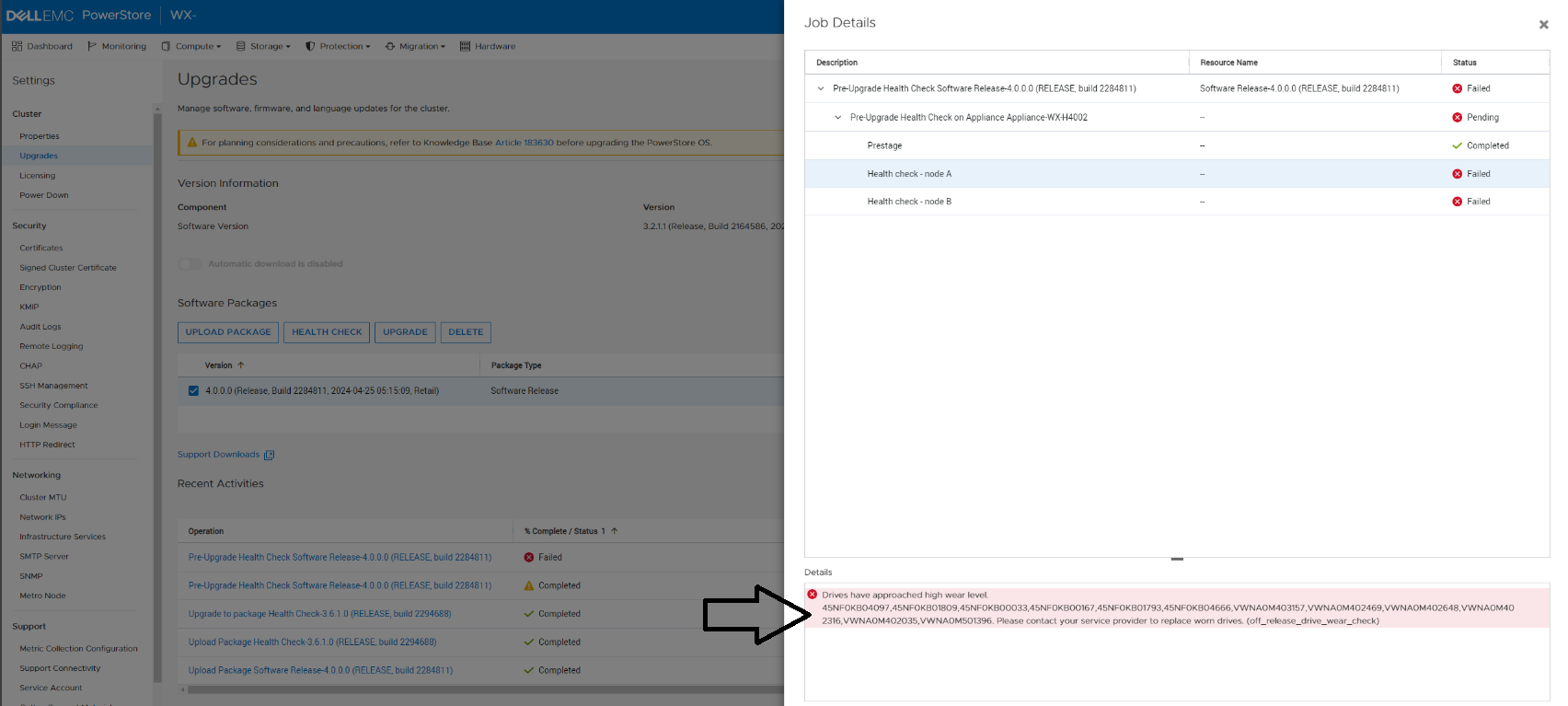

Cause
Upgrading to 4.0 with worn out drives may lead to a data unavailable condition.
Resolution
Replace the identified drives.
Contact Dell Technical Support for assistance in confirming the need for drive replacements. Reference this KB Article for expedited handling.
Affected Products
PowerStoreArticle Properties
Article Number: 000227058
Article Type: Solution
Last Modified: 14 Jun 2025
Version: 6
Find answers to your questions from other Dell users
Support Services
Check if your device is covered by Support Services.