OpenManage Enterprise - 編輯部署或組態相容性範本時無法檢視任何屬性
Summary: 編輯部署範本時,「編輯元件」畫面卡在「載入中」動畫畫面上。此外,編輯相容性範本時,「範本詳細資料」畫面為空白。
This article applies to
This article does not apply to
This article is not tied to any specific product.
Not all product versions are identified in this article.
Symptoms
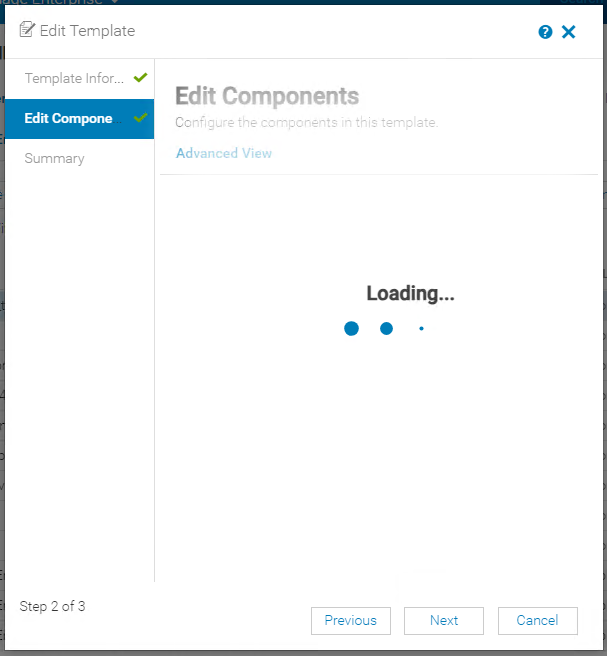
編輯部署範本時,「編輯元件」畫面卡在「載入中」動畫畫面上。
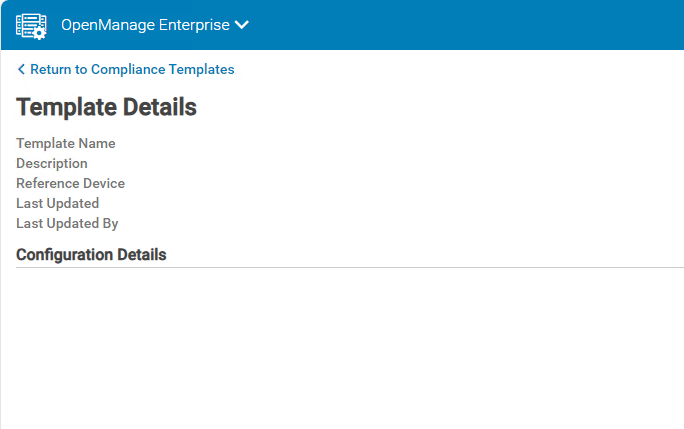
編輯相容性範本時,範本詳細資料畫面為空白,且未顯示任何屬性。
檢閱主控台記錄套裝 (監控 -> 故障診斷 -> 記錄 - 產生記錄) 中的 Tomcat 應用程式記錄 (./tomcat/application.log),顯示範本控制器的數位格式例外錯誤。
編輯相容性範本時,範本詳細資料畫面為空白,且未顯示任何屬性。
檢閱主控台記錄套裝 (監控 -> 故障診斷 -> 記錄 - 產生記錄) 中的 Tomcat 應用程式記錄 (./tomcat/application.log),顯示範本控制器的數位格式例外錯誤。
TemplatesController - com.google.gson.JsonSyntaxException: java.lang.NumberFormatException: Expected an int but was 2711473376 at line 1 column 1316 path $.AttributeGroups[0].SubAttributeGroups[0].SubAttributeGroups[0].Attributes[0].AttributeId
com.google.gson.JsonSyntaxException: java.lang.NumberFormatException: Expected an int but was 2711473376 at line 1 column 1316 path $.AttributeGroups[0].SubAttributeGroups[0].SubAttributeGroups[0].Attributes[0].AttributeId
Cause
每個配置屬性都單獨存儲在資料庫中,其ID稱為標準整數。標準整數使用 32 位數據,因此它們最多只能容納 20 億(-2.31 到 +2.31)。對於大量使用部署或組態相容性範本的任何 OpenManage Enterprise 例項版本,屬性 ID 可能會隨著時間推移而超過標準整數資料集。
Resolution
OpenManage Enterprise 4.2.0 版將會包含修正程式,並排定發行日期為 2024 年 10 月。在此版本中,屬性ID調用將更改為長整數。
Affected Products
Dell EMC OpenManage EnterpriseArticle Properties
Article Number: 000228133
Article Type: Solution
Last Modified: 08 Jul 2025
Version: 3
Find answers to your questions from other Dell users
Support Services
Check if your device is covered by Support Services.