OpenManage Enterprise - 编辑部署或配置合规性模板时无法查看任何属性
Summary: 编辑部署模板时,“Edit Components”屏幕卡在显示“Loading”动画中。此外,在编辑合规性模板时,“模板详细信息”屏幕为空。
This article applies to
This article does not apply to
This article is not tied to any specific product.
Not all product versions are identified in this article.
Symptoms
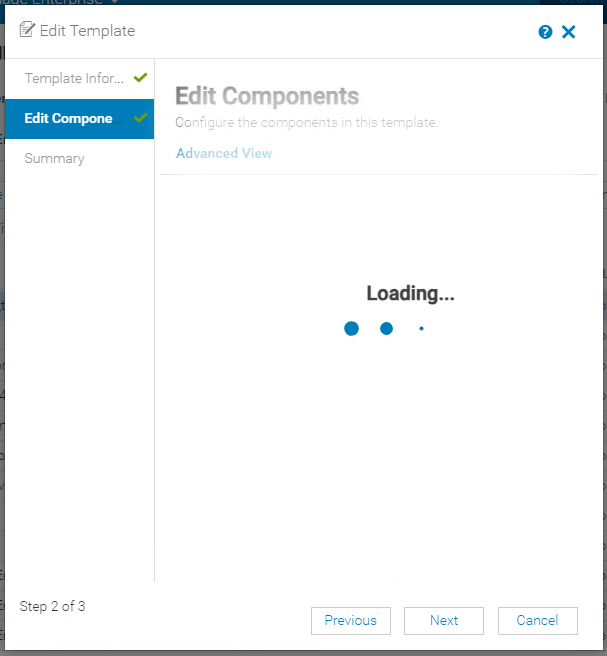
编辑部署模板时,“Edit Components”屏幕卡在显示“Loading”动画中。
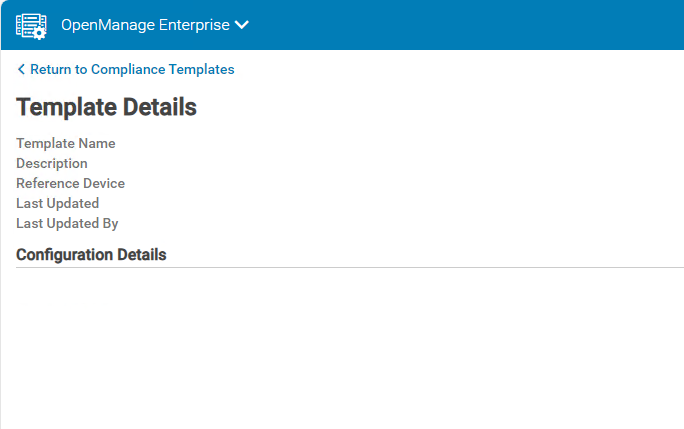
编辑合规性模板时,模板详细信息屏幕为空,不显示任何属性。
查看控制台日志包(Monitor -> Troubleshoot -> Logs - Generate Log)中的 tomcat 应用程序日志 (./tomcat/application.log) 时,显示模板控制器的数字格式异常错误。
编辑合规性模板时,模板详细信息屏幕为空,不显示任何属性。
查看控制台日志包(Monitor -> Troubleshoot -> Logs - Generate Log)中的 tomcat 应用程序日志 (./tomcat/application.log) 时,显示模板控制器的数字格式异常错误。
TemplatesController - com.google.gson.JsonSyntaxException: java.lang.NumberFormatException: Expected an int but was 2711473376 at line 1 column 1316 path $.AttributeGroups[0].SubAttributeGroups[0].SubAttributeGroups[0].Attributes[0].AttributeId
com.google.gson.JsonSyntaxException: java.lang.NumberFormatException: Expected an int but was 2711473376 at line 1 column 1316 path $.AttributeGroups[0].SubAttributeGroups[0].SubAttributeGroups[0].Attributes[0].AttributeId
Cause
每个配置属性单独存储在数据库中,它们的 ID 称为标准整数。标准整数使用 32 位数据,因此它们最多只能容纳 20 亿个数字(-2.31 到 +2.31)。对于大量使用部署或配置合规性模板的任何 OpenManage Enterprise 实例版本,属性 ID 随时间推移可能会超过标准整数数据集。
Resolution
修复程序将包含在 OpenManage Enterprise 版本 4.2.0 中,计划发布日期为 2024 年 10 月。在此版本中,属性 ID 调用将更改为长整数。
Affected Products
Dell EMC OpenManage EnterpriseArticle Properties
Article Number: 000228133
Article Type: Solution
Last Modified: 08 Jul 2025
Version: 3
Find answers to your questions from other Dell users
Support Services
Check if your device is covered by Support Services.