OpenManage Enterprise: Unable to connect to Dell Digital Locker
Summary: OpenManage Enterprise (OME) is unable to connect to Dell Digital Locker.
This article applies to
This article does not apply to
This article is not tied to any specific product.
Not all product versions are identified in this article.
Symptoms
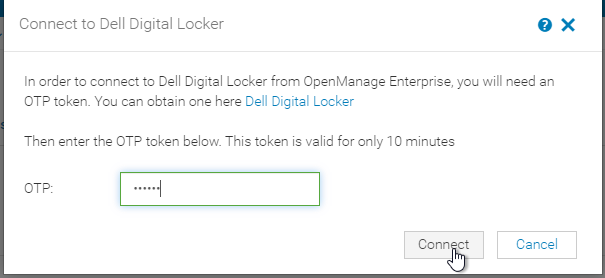
The appliance can be connected to Dell Digital Locker to gather information about all the available unbound licenses, and to bind entitlements with devices. To connect to Dell Digital Locker, the appliance requires a One-Time passcode (OTP). After providing the OTP and selecting Connect, the UI presents an Error.

Cause
The VolumeBindingService (VBS) used internally by the appliance to connect to Dell Online inherits the OpenManage Enterprise Network proxy settings. The VBS is expecting the proxy address to be specified in IP address format. This behavior occurs when OpenManage Enterprise has a configured proxy address setting by Fully Qualified Domain Name or Hostname format.
Resolution
The behavior is corrected in the upcoming OpenManage Enterprise 4.3 release. To work around this issue configure the OpenManage Enterprise network proxy address setting to be IP address format.
Affected Products
Dell OpenManage Enterprise, Dell EMC OpenManage EnterpriseArticle Properties
Article Number: 000228826
Article Type: Solution
Last Modified: 13 May 2025
Version: 3
Find answers to your questions from other Dell users
Support Services
Check if your device is covered by Support Services.