IDPA: Cannot Log in to DPC as idpauser After Upgrade IDPA 2.7.6 or 2.7.7
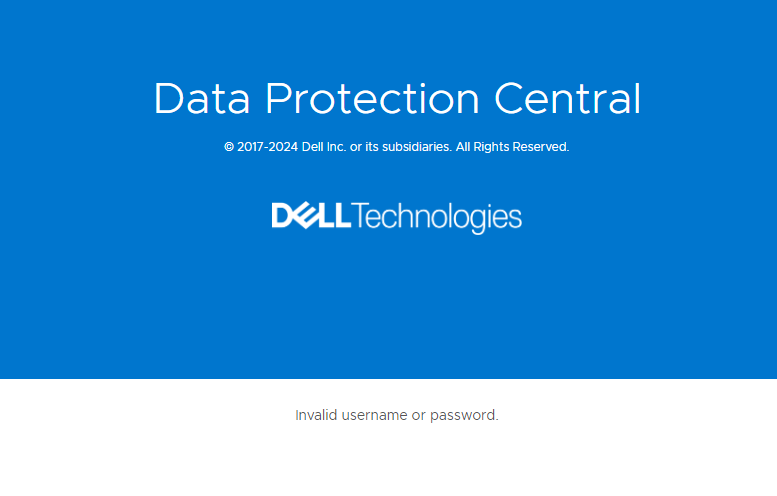
Summary: Unable to log in to IDPA using the idpauser account after upgrading to version 2.7.6 or 2.7.7, receive the message: Invalid username or password
This article applies to
This article does not apply to
This article is not tied to any specific product.
Not all product versions are identified in this article.
Symptoms
Logging in to the IDPA System Manager (DPC) using the
idpauser account after upgrading to 2.7.6 or 2.7.7, encounters the following symptoms:
- Login fails with an error message "Invalid username or password."
- Login was successful as
idpauserbefore the upgrade
Cause
This issue may occur when the internal LDAP server or LDAP group is removed during IDPA upgrade to 2.7.6 or 2.7.7.
Resolution
To address the issue, follow these steps:
After completing these steps, you can log in with the
If you have any questions or issues, open a Service Request with Dell Support.
- Log in to the DPC UI with administrator@dpc.local user.
- Go to Administration > Identity Sources.
- Confirm whether LDAP is configured. If external LDAP is not configured, then internal LDAP should be configured. The internal LDAP is on the ACM server.
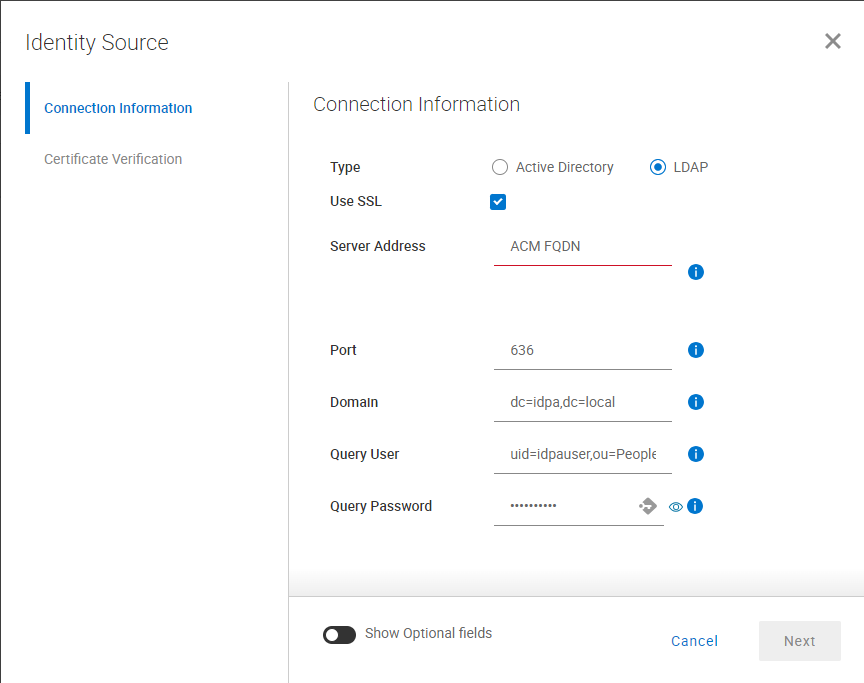
- To configure the internal LDAP server, use the following settings:
Type: LDAP

Use SSL: Check this box.

Server Address: FQDN of the ACM server

Port: 636

Domain: dc=idpa,dc=local

Query User: uid=idpauser,ou=People,dc=idpa,dc=local

Query Password: IDPA common password
- Click the Next button. Accept the certificate on the next screen, and click the Save button.
- Once the LDAP server is added, select the entry and expand it by clicking ->|.
- In the Group Search Name field, enter
cn=dp_admin,ou=group,dc=idpa,dc=localand click the Add Group button.

After completing these steps, you can log in with the
idpauser account.
If you have any questions or issues, open a Service Request with Dell Support.
Affected Products
Integrated Data Protection Appliance SoftwareProducts
Integrated Data Protection Appliance FamilyArticle Properties
Article Number: 000231755
Article Type: Solution
Last Modified: 09 Oct 2024
Version: 1
Find answers to your questions from other Dell users
Support Services
Check if your device is covered by Support Services.