IDPA: SSH를 통해 ACM, AVE를 사용하거나 Putty를 통해 직접 Data Domain에 액세스할 수 없습니다.
Summary: IDPA를 2.7.7로 업그레이드한 후 ACM의 ssh 또는 직접 Putty를 사용하여 DD에 액세스할 수 없습니다.
This article applies to
This article does not apply to
This article is not tied to any specific product.
Not all product versions are identified in this article.
Symptoms
DD는 ACM에서 ping할 수 있지만 ssh는 할 수 없습니다. DD UI에 액세스할 수 있습니다.
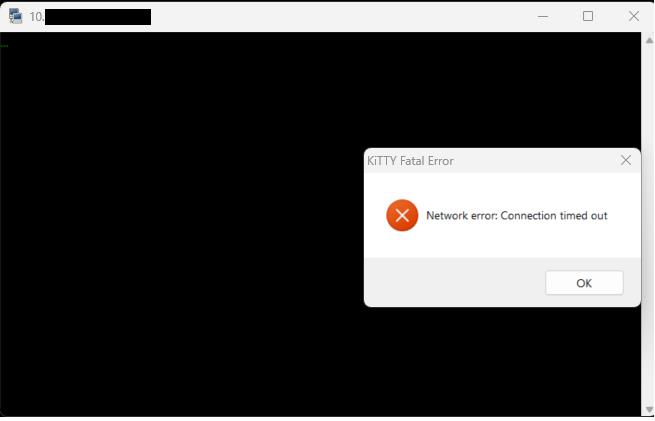
DD에 대한 별도의 Putty는 네트워크 오류 알림이 표시되면서 즉시 연결이 끊어집니다.
Cause
Data Domain에서 ssh가 비활성화되었습니다.
Resolution
- Data Domain 웹 콘솔에 sysadmin 사용자로 로그인합니다
- AdministrationAccessAdministration>> Access로 이동합니다.
- SSH 확인란을 선택하고 CONFIGURE를 클릭합니다

- SSH 서비스를 비활성화했다가 다시 활성화합니다.
- ACM Putty에서 Data Domain에 대한 ssh를 확인합니다.
- 이제 DD에 로그인할 수 있습니다.
문제가 지속되면 지원 팀에 문의하십시오.
Article Properties
Article Number: 000250885
Article Type: Solution
Last Modified: 03 Feb 2025
Version: 1
Find answers to your questions from other Dell users
Support Services
Check if your device is covered by Support Services.