Dell NativeEdge:從目錄下載失敗,並顯示「Internal Server Error」
Summary: 在 NativeEdge Orchestrator 3.0.0.0 中,從目錄下載可能會失敗,並顯示「內部伺服器錯誤」
This article applies to
This article does not apply to
This article is not tied to any specific product.
Not all product versions are identified in this article.
Symptoms
NativeEdge Orchestrator 3.0.0.0 推出了一項新功能,可在非實體隔離的環境中,直接下載 NativeEdge Orchestrator 內的藍圖和附掛程式。嘗試下載更大的外掛程式時,您可能會發現「內部伺服器錯誤」。
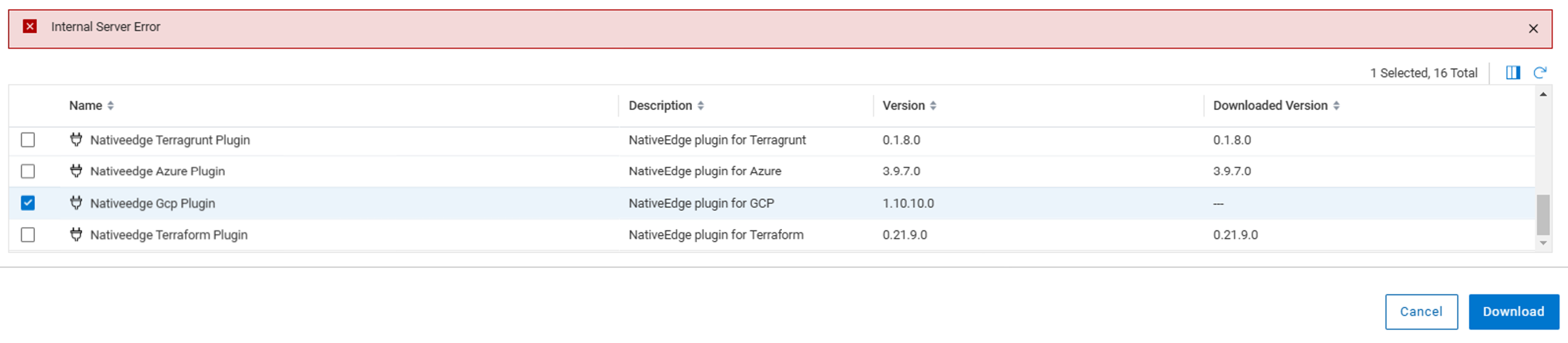
如果您使用瀏覽器開發人員工具檢查網路記錄,則會看到「500 內部伺服器錯誤」

Cause
當下載需要超過 30 秒才能完成時,就會發生這種情況。階段後端中的日誌會引發以下錯誤。
message: "Requested URL: /plugins?title=Nativeedge%20Gcp%20Plugin&visibility=tenant&package_name=nativeedge-gcp-plugin&plugin_archive_url=https%3A%2F%2Fdownloads.dell.com%2FFOLDER12410532M%2F1%2Fnativeedge-gcp-plugin_1.10.10.0_J34CH.wgn ECONNABORTED timeout of 30000ms exceeded"
Resolution
「500 internal server error」為誤報。在大多數情況下,外掛程式檔會成功下載。
用戶可以刷新「從目錄下載」介面。下載的外掛程式正確顯示。
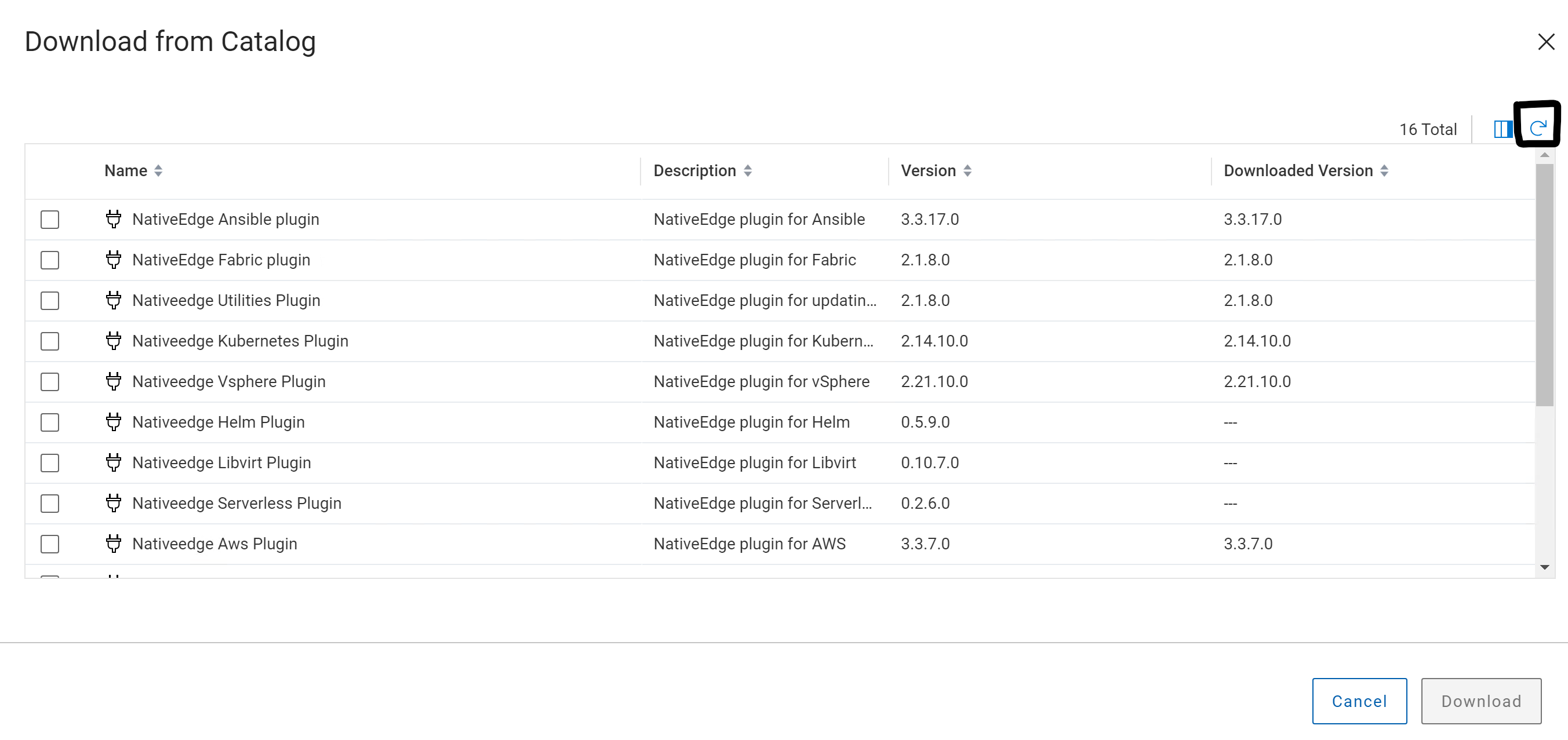
如果上述因應措施在任何情況下都無效,請聯絡 Dell 支援 以進行進一步的故障診斷。
此修正將於未來的 NativeEdge 版本中提供。
Affected Products
NativeEdge Solutions, NativeEdgeArticle Properties
Article Number: 000261316
Article Type: Solution
Last Modified: 22 Apr 2025
Version: 2
Find answers to your questions from other Dell users
Support Services
Check if your device is covered by Support Services.