Dell NativeEdge:从目录下载失败,并显示“内部服务器错误”
Summary: 在 NativeEdge Orchestrator 3.0.0.0 中,从目录下载可能会失败,并显示“内部服务器错误”
This article applies to
This article does not apply to
This article is not tied to any specific product.
Not all product versions are identified in this article.
Symptoms
在 NativeEdge Orchestrator 3.0.0.0 中,引入了一项新功能,可在非隔离环境中直接下载 NativeEdge Orchestrator 中的蓝图和插件。尝试下载大小较大的插件时,您可能会观察到“内部服务器错误”。
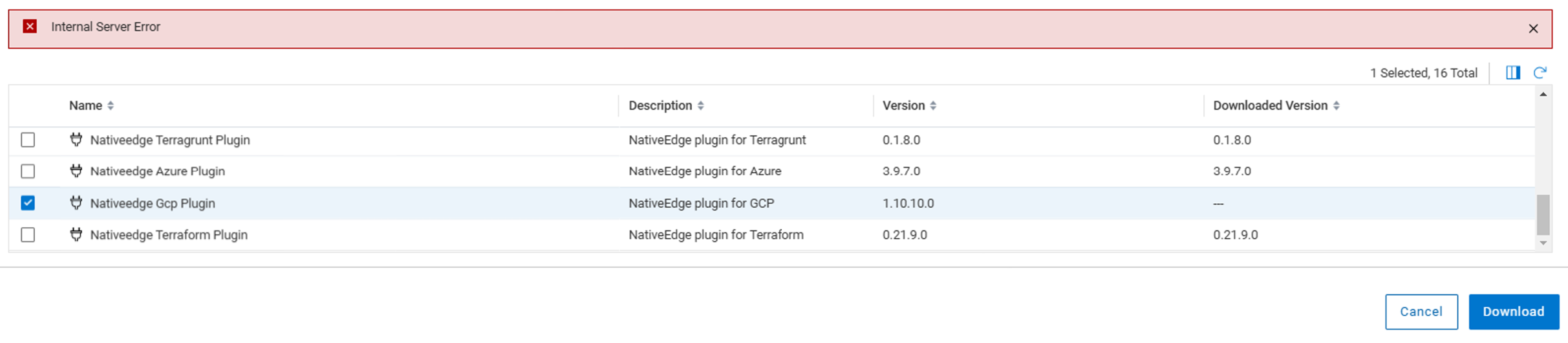
如果您使用浏览器开发人员工具检查网络日志,您可以看到“500 internal server error”

Cause
当下载需要超过 30 秒才能完成时,会发生这种情况。阶段后端中的日志会抛出以下错误。
message: "Requested URL: /plugins?title=Nativeedge%20Gcp%20Plugin&visibility=tenant&package_name=nativeedge-gcp-plugin&plugin_archive_url=https%3A%2F%2Fdownloads.dell.com%2FFOLDER12410532M%2F1%2Fnativeedge-gcp-plugin_1.10.10.0_J34CH.wgn ECONNABORTED timeout of 30000ms exceeded"
Resolution
“500 内部服务器错误”是误报。在大多数情况下,插件程序文件下载成功。
用户可以刷新“从目录下载”界面。下载的插件显示正确。
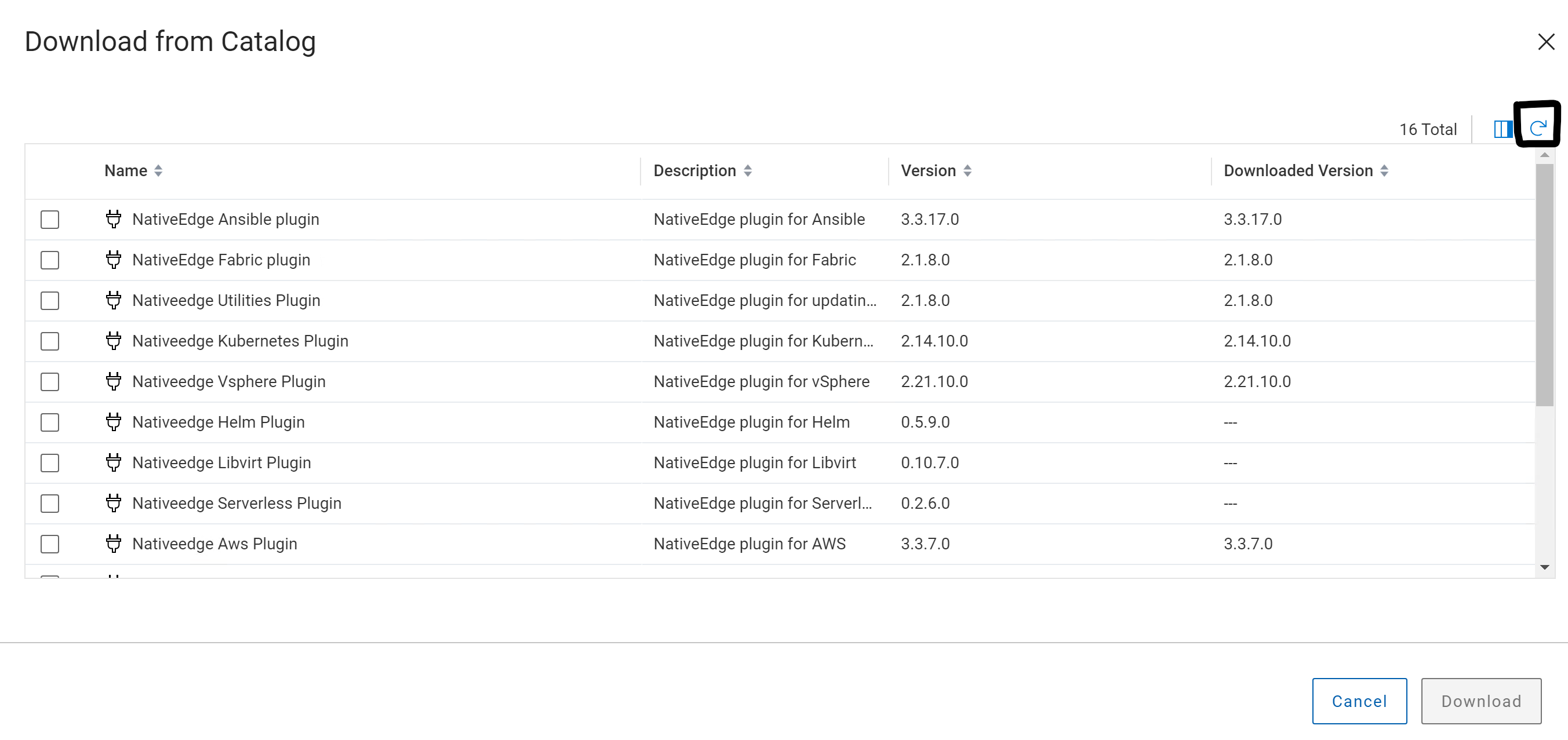
如果上述解决方法在任何情况下都不起作用,请联系 戴尔支持 以进行进一步的故障处理。
该修复将在未来的 NativeEdge 版本中提供。
Affected Products
NativeEdge Solutions, NativeEdgeArticle Properties
Article Number: 000261316
Article Type: Solution
Last Modified: 22 Apr 2025
Version: 2
Find answers to your questions from other Dell users
Support Services
Check if your device is covered by Support Services.