PowerEdge R750 installation Windows 2019 appears with Linux SECUPD USB Device
Summary: This article provides solutions for PowerEdge R750 to install Windows 2019 Linux SECUPD USB device.
This article applies to
This article does not apply to
This article is not tied to any specific product.
Not all product versions are identified in this article.
Symptoms
PowerEdge R750 After installing Windows 2019 Datacenter version 1809, users reported that the Linux SECUPD USB Device appears in the system, and the disk needs to be deleted instead of deleting the partition, and the virtual device will still appear in the disk management interface, showing as a 30MB virtual disk.
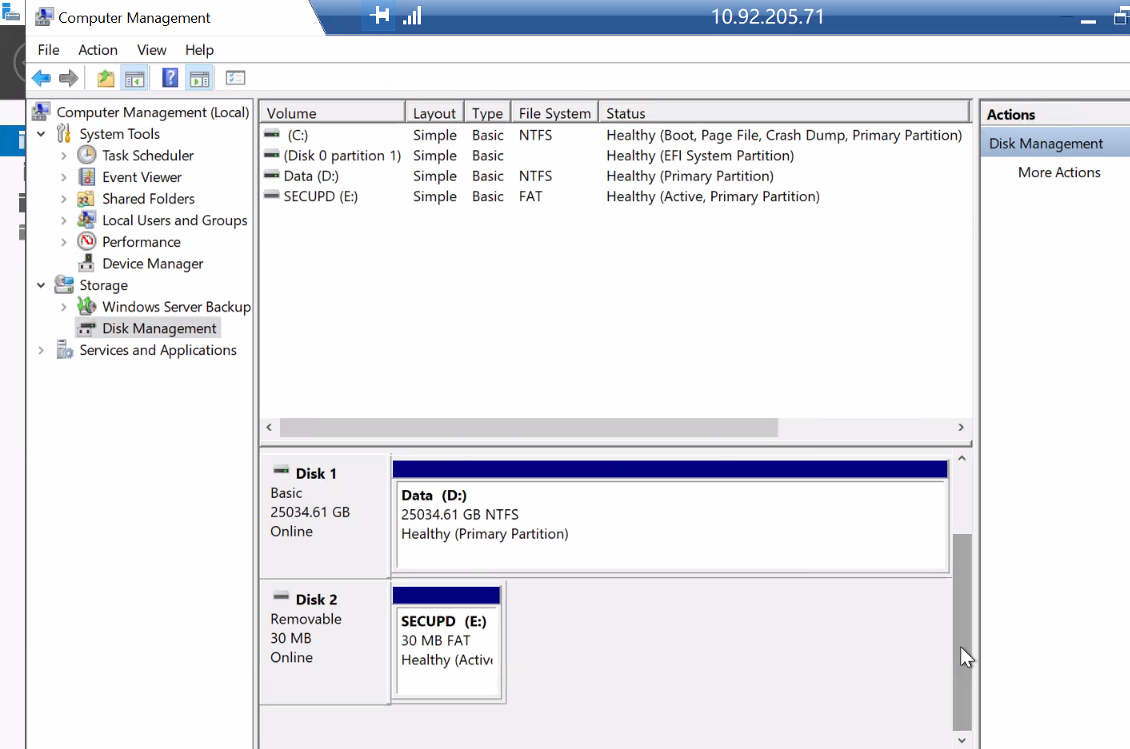


Troubleshooting:
1: TSR logs show that the user uses the DUP package to upgrade the NIC firmware in-band.
2024-12-12 17:57:43 221 PR36 Version change detected for Broadcom NetXtreme Gigabit Ethernet - C4:CB:E1:DA:46:C9 firmware. Previous version:22.91.5, Current version:23.11.4
2024-12-12 17:57:43 220 PR36 Version change detected for Broadcom NetXtreme Gigabit Ethernet - C4:CB:E1:DA:46:C8 firmware. Previous version:22.91.5, Current version:23.11.4
2024-12-13 09:57:08 219 SYS1005 The server power action is initiated because the host device initiated a warm-reset operation.
2024-12-13 09:56:39 218 SYS1003 System CPU Resetting.
2024-12-13 09:56:37 217 SEL9901 OEM software event.
2024-12-13 09:56:37 216 OSE0003 An OS graceful shut-down occurred.
2024-12-13 09:49:50 215 SYS336 An existing hash value is updated because some system configuration items are changed.
2024-12-13 09:49:50 214 LOG007 The previous log entry was repeated 1 times.
2024-12-13 09:49:48 213 USR0030 Successfully logged in using DUPD, from xxx.xxx.x.x and REDFISH.
Cause
This 'SECUPD' drive is a necessary DRAC USB partition used to quickly transfer the large payload of the DUP (BIOS and various images) to DRAC for the actual update once rebooted into LC/UEFI mode. The link you found shows that in the underlying registry key, the DUP lists both the drive and the DUP when checking for Windows. In reality, the DUP is available at any time
Because the OS needs to obtain inventory information, iDRAC will temporarily mount a SECUPD disk to the OS to read the inventory information, and then it will be automatically uninstalled.
Due to some reason, this temporary partition is not properly unmounted and thus appears as a disk partition device.
Resolution
By selecting the Linux SECUPD USB Device properties--- Uninstall> Device and then reset the iDRAC issue was resolved.
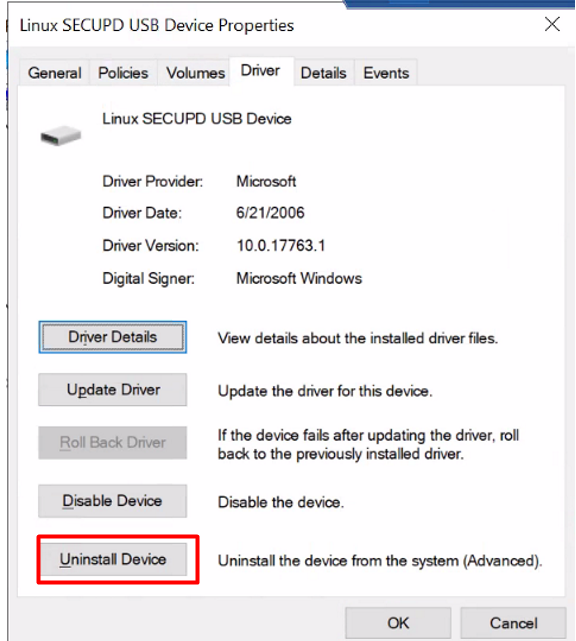
Labconducts the tests as follows:
1: If changing Virtual Media to Attached
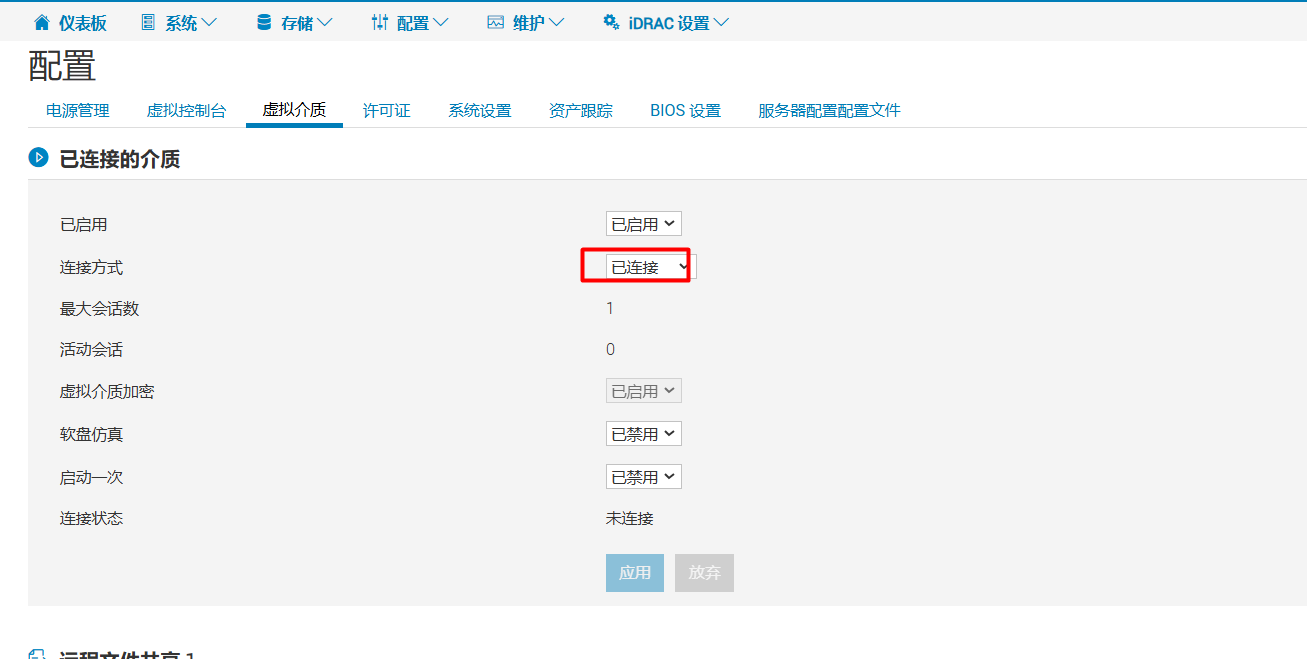
2: The linux virtual floppy USB device will appear in Windows

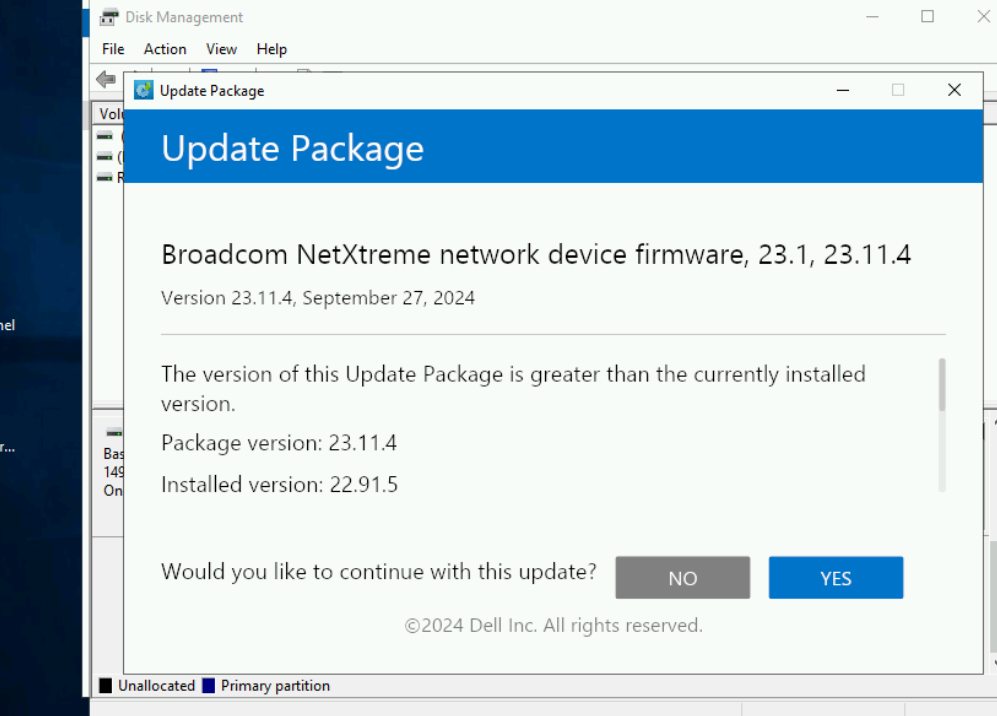
3: Through Win2019 in-band update of the network card firmware package, the SECUPD disk will appear temporarily on the disk management side, and then it will be automatically uninstalled.
Additional Information
NA
Affected Products
Microsoft Windows Server 2019, PowerEdge R750, PowerEdge R750XAArticle Properties
Article Number: 000265769
Article Type: Solution
Last Modified: 18 Feb 2025
Version: 2
Find answers to your questions from other Dell users
Support Services
Check if your device is covered by Support Services.