PowerStore:系統執行狀況檢查失敗,因為「由於通訊錯誤,無法進行執行執行狀況檢查」
Summary: 安裝 PowerStore-health_check-4.0.1.0-2416779-retail.tgz.bin 套件後,系統執行狀況檢查會失敗多個步驟,並出現「由於通訊錯誤,無法執行執行執行狀況檢查」的錯誤。控制路徑 (CP) 也可能因為 CPU0 高負載而受到影響。
This article applies to
This article does not apply to
This article is not tied to any specific product.
Not all product versions are identified in this article.
Symptoms
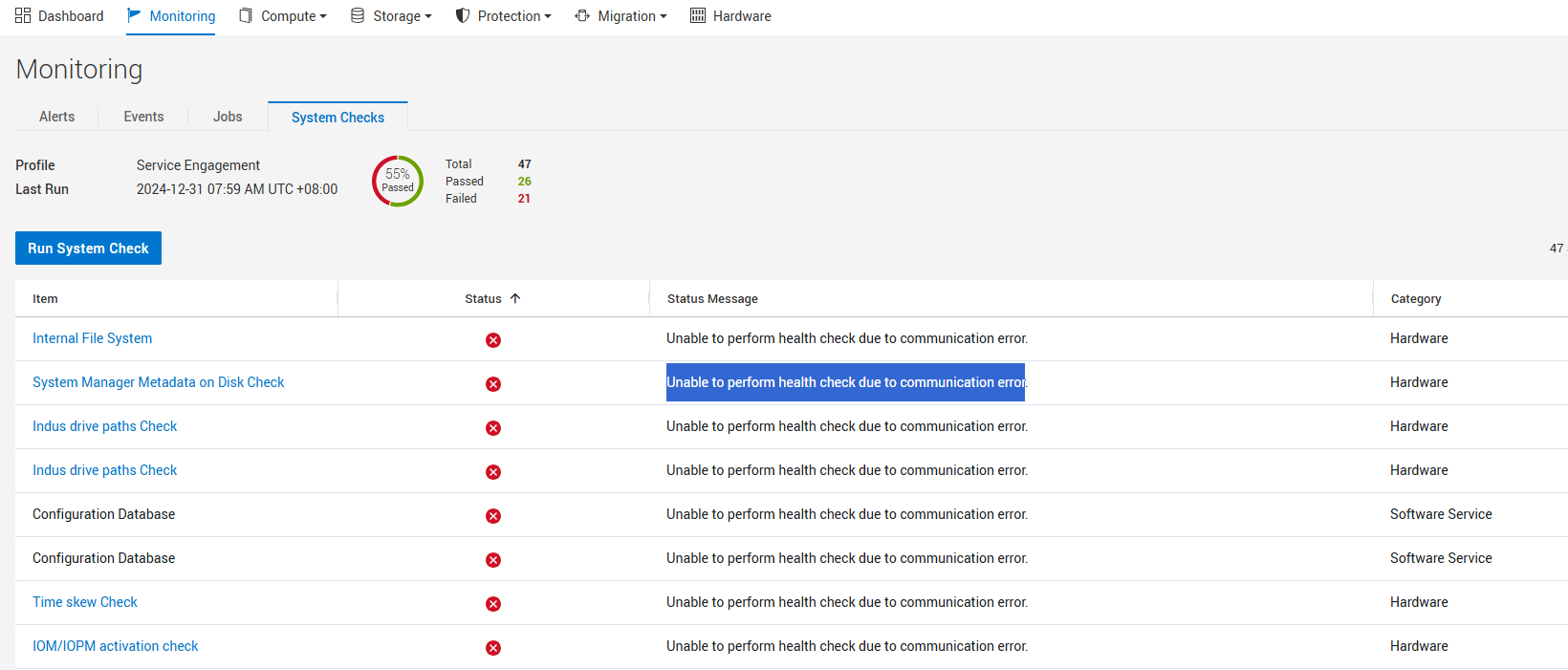
安裝 PowerStore-health_check-4.0.1.0-2416779-retail.tgz.bin 套件後,系統執行狀況檢查失敗多次檢查,並顯示錯誤「Unable to perform health check due to communication error."
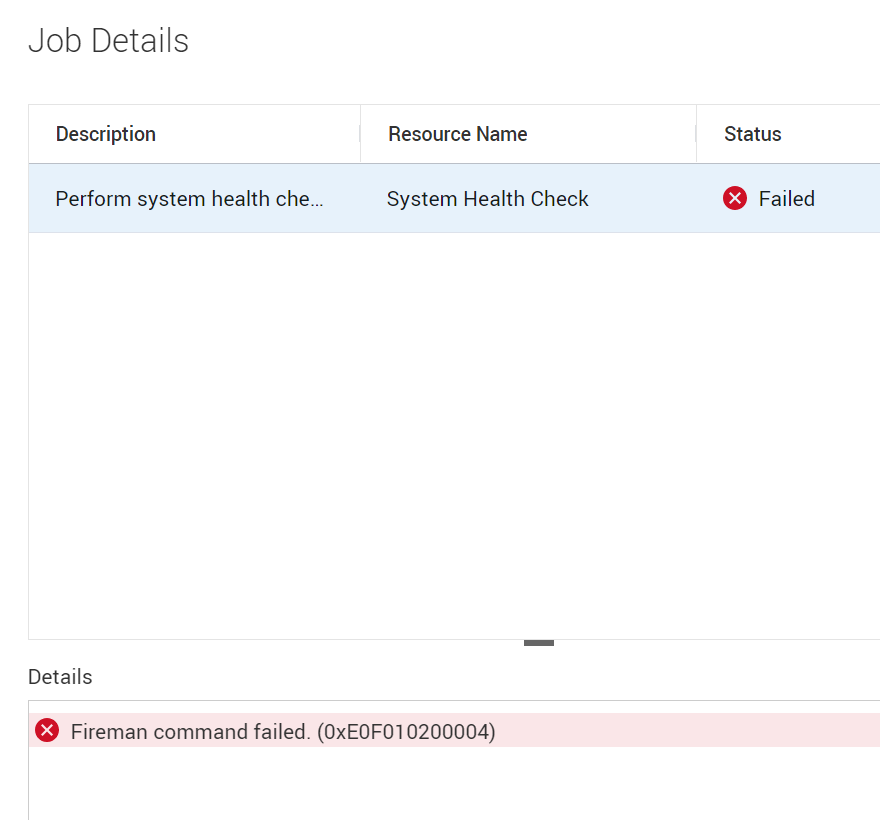
UI 詳細資料也可能會顯示系統執行狀況檢查 Fireman 命令失敗 (0xE0F010200004)
由於 CPU0 高負載,控制路徑 (CP) 和其他管理功能也可能受到影響。
Cause
在安裝 PowerStore-health_check-4.0.1.0-2416779-retail.tgz.bin 套件期間,服務 cyc.bsc_status_check_service.service 不會重新啟動。這會導致 CPU0 高負載,進而導致系統執行狀況檢查失敗,多次檢查失敗,並顯示錯誤「Unable to perform health check due to communication error“,因為超過超時值。
Resolution
因應措施:
使用 svc_node reboot 命令逐一重新開機每個節點,可解決此問題,並允許系統執行狀況檢查通過。建議您先重新開機對等 (非主要) 節點,然後再重新開機主要節點。重新啟動第二個節點之前,請務必先確認第一個節點已完全啟動並正常運作。svc_diag清單 --basic 命令可用來識別哪個節點是主節點。
===================== Nodes ======================

id: N1

name: WK-A1234-appliance-1-node-A

slot: 0

appliance_id: A1
is_primary: False


id: N2

name: WK-A1234-appliance-1-node-B

slot: 1

appliance_id: A1
is_primary: True
如果一次重新啟動一個節點不是可行的因應措施,Dell 技術支援部門可以發出根層級命令來重新啟動服務 cyc.bsc_status_check_service.service。向上呈報至 Dell 技術支援部門 ,並參考此知識文章以取得協助。
修正:
此問題已在 PowerStore-health_check-4.0.1.0-2424376-retail.tgz.bin 套件中修正。
Affected Products
PowerStoreArticle Properties
Article Number: 000267427
Article Type: Solution
Last Modified: 29 Jul 2025
Version: 5
Find answers to your questions from other Dell users
Support Services
Check if your device is covered by Support Services.