NMDA:NMCで新しいOracleクライアントを作成できません
Summary: NMCで新しいNMDA Oracleクライアントを作成できません。
This article applies to
This article does not apply to
This article is not tied to any specific product.
Not all product versions are identified in this article.
Symptoms
クライアント ウィザードを使用しているときに、NetWorker Management Console (NMC)で新しいNMDA Oracleクライアントを作成できません。次のエラーで失敗します。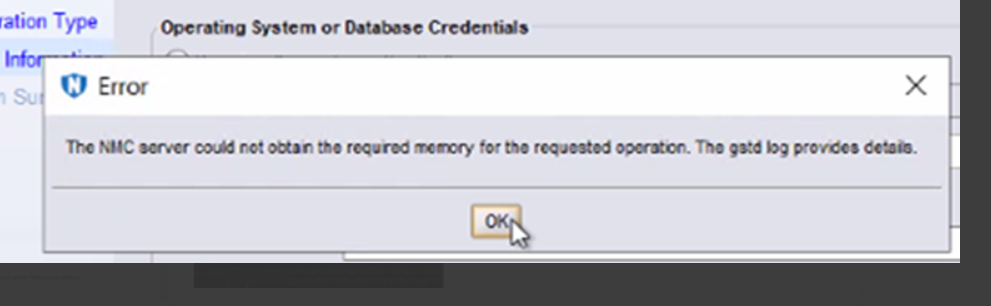
The NMC server could not obtain the required memory for the requested operation. The gstd log provides details.
実行可能nsrorara.binがクライアントに存在しません。
Cause
クライアントのnsrladbには、2つのNSRリモート エージェント リソースが登録されています。1つは実行可能 nsrorara.bin で、もう1つは nsroraraで登録されています
NMCのクライアント ウィザードは、最初に nsrorara.bin エージェントに接続するため、ウィザードが応答を停止します。
Resolution
- 「nsrorara」が登録されているかどうかを確認します。
nsradmin -p nsrexec
print type : nsr remote agent ; backup type : oracle
メモ: これにより、値として「nsrorara」を含む「remote agent executable」のエントリーが1つだけ表示されます。
- 不要な nsrorara リソースを削除します。たとえば、 nsrorara.binという実行可能ファイルがあるリソースなどを削除します。
nsradmin -p nsrexec
print type: NSR remote agent;remote agent executable: nsrorara.bin
delete
Delete? Y
nsradmin>
Article Properties
Article Number: 000269639
Article Type: Solution
Last Modified: 14 Feb 2025
Version: 1
Find answers to your questions from other Dell users
Support Services
Check if your device is covered by Support Services.