PowerStore: Pre upgrade health check (PUHC) to detect when SDNAS client certificate is about to get expired or gets expired
Summary: When SDNAS client certificate is about to get expired, or gets expired, the Pre-Upgrade Health Check (PUHC) to PowerStoreOS version 4.1 (or later) shows the alerts and warnings related to SDNAS client certificate. ...
This article applies to
This article does not apply to
This article is not tied to any specific product.
Not all product versions are identified in this article.
Symptoms
SDNAS functionality on a PowerStore cluster is impaired once the SDNAS certificate expires. It includes the SDNAS storage management and high availability features.
Following alerts are generated when automatic certificate renewal failing upon it's expiry or it's near expiry date.
- The sdnas_cert_renewal_expired alert is raised when the SDNAS client certificate has expired.
- The sdnas_cert_renewal_failure_internal_l1 alert is raised when the SDNAS client certificate is going to expire in 14 days or less.
The following snapshot is displayed in PowerStore Manager when the sdnas_cert_renewal_failure_internal_l1 alert was raised: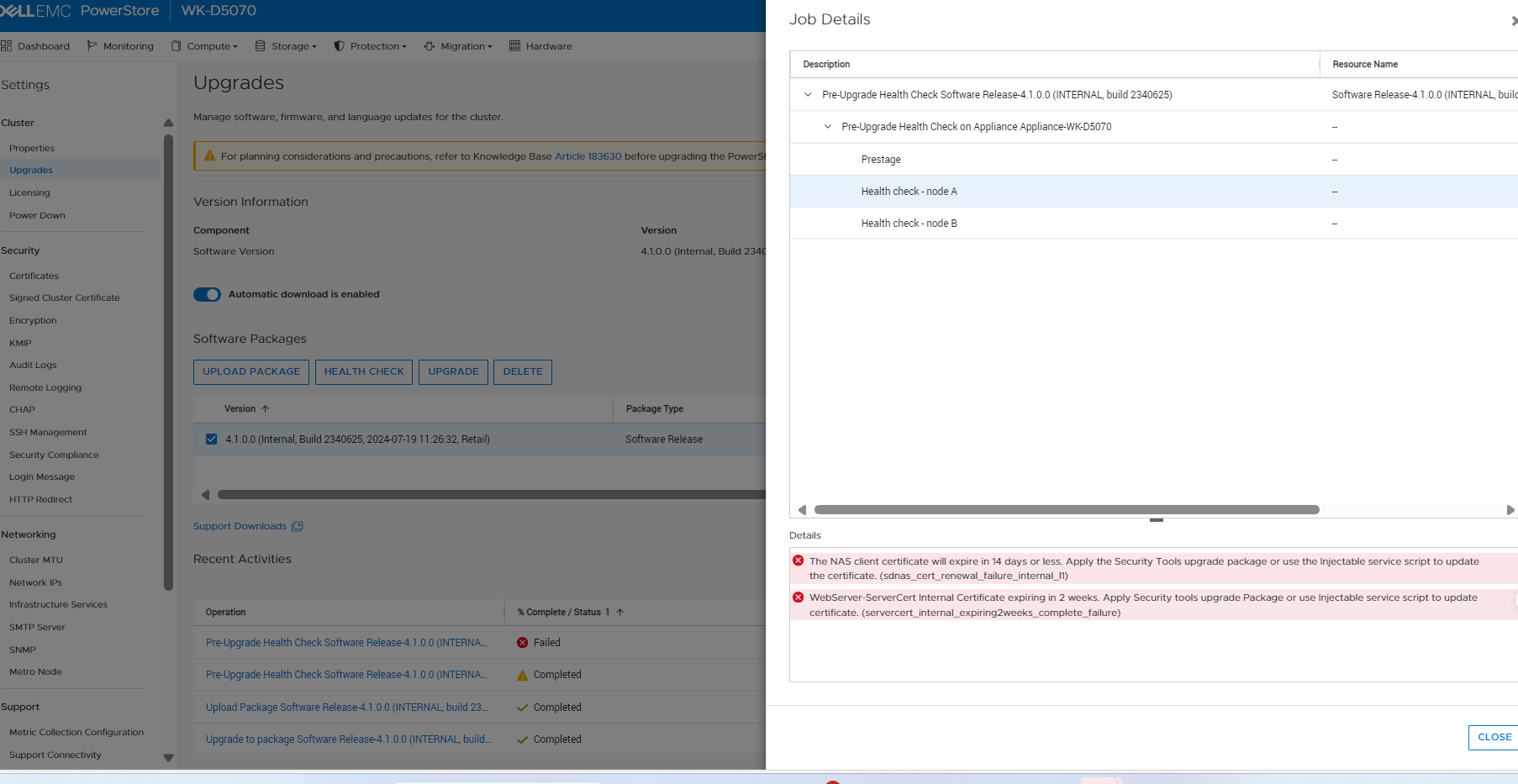
- The sdnas_cert_renewal_failure_internal_l2 alert is raised when the SDNAS client certificate is going to expire in 28 days or less
The following snapshot is displayed in PowerStore Manager when the sdnas_cert_renewal_failure_internal_l2 alert is raised: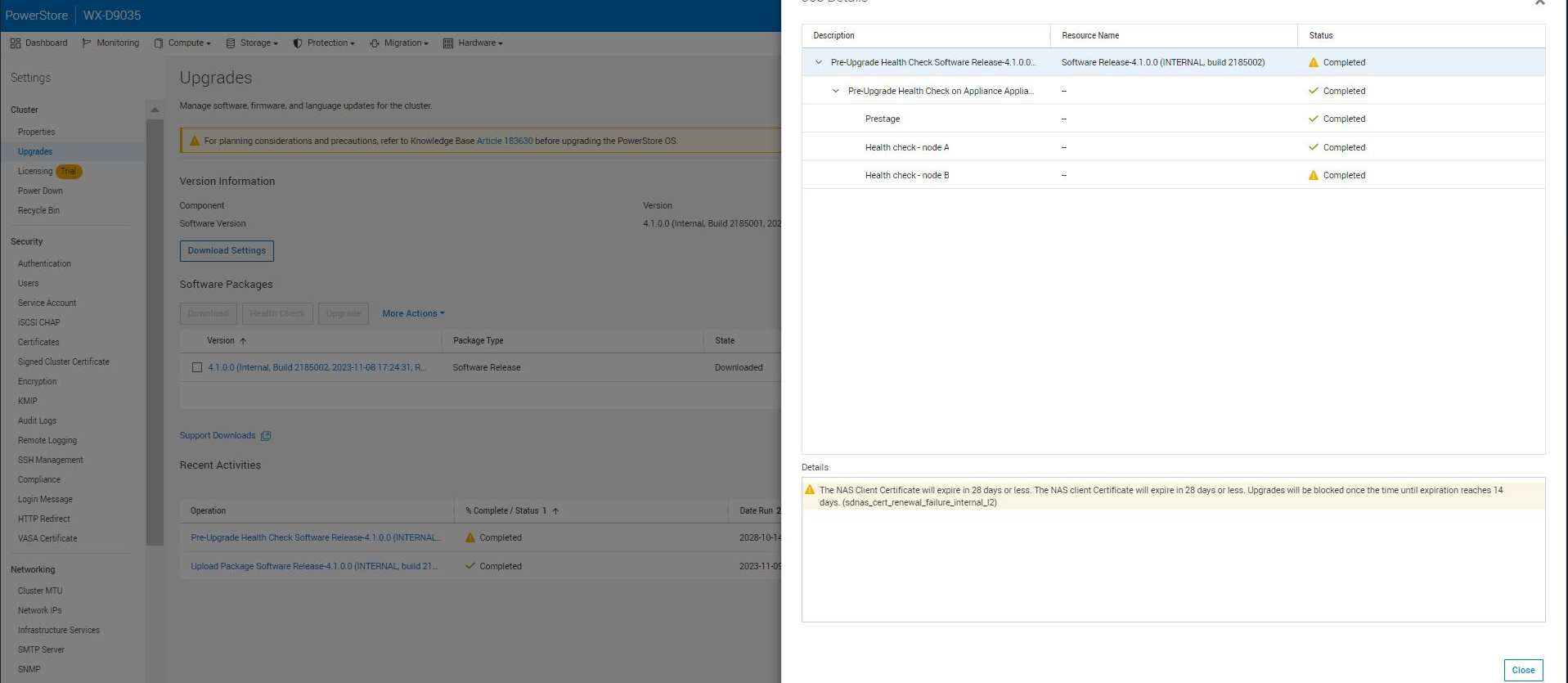
Alert
| Alert ID | sdnas_cert_expired(CRITICAL) |
| Alert Text | The SDNAS client certificate has expired on <Date>. |
| Error Code | 0xE1001020001A |
| Alert ID | sdnas_cert_renewal_failure_internal_l1(CRITICAL) |
| Alert Text | The SDNAS client certificate will expire in 14 days or less. |
| Error Code | 0xE1001020001B |
| Alert ID | sdnas_cert_renewal_failure_internal_l2(MAJOR) |
| Alert Text | The SDNAS Client Certificate will expire in 28 days or less. |
| Error Code | 0xE1001020001C |
Cause
This issue is caused when the SDNAS client certificate is going to expire or has expired, and auto-renewal of the certificate fails.
Resolution
The SDNAS client certificate must be renewed immediately.
Contact Dell Technical Support to confirm this issue has occurred. Reference this KB Article in the Service Request for expedited handling.
Affected Products
PowerStoreArticle Properties
Article Number: 000287151
Article Type: Solution
Last Modified: 14 Jun 2025
Version: 2
Find answers to your questions from other Dell users
Support Services
Check if your device is covered by Support Services.