PowerStore: Per-Upgrade Health Check to Detect if a Drive is Locked
Summary: This Pre-Upgrade Health Check (PUHC) detects any drive that is functioning normally on one node but is locked on the peer node. If such a drive is detected, the check off_release_locked_drive_check fails, and the upgrade is not permitted from proceeding. ...
This article applies to
This article does not apply to
This article is not tied to any specific product.
Not all product versions are identified in this article.
Symptoms
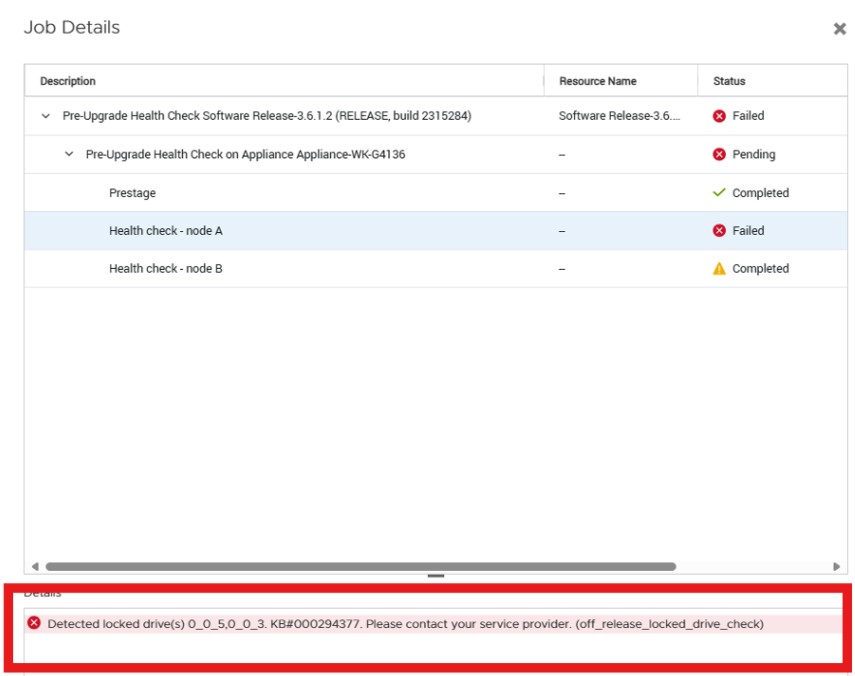
The PowerStore Pre-Upgrade Health Check (PUHC) may fail with the following error: "Detected locked drive(s) 0_0_4,0_0_3. KB#000294377. Please contact your service provider. (off_release_locked_drive_check)"
This may be detected when running the PUHC and will be displayed from PowerStore Manager as follows:
Cause
Prior to PowerStoreOS 4.0, an issue with the drive firmware upgrade may cause a drive to end up in a locked state. If a Non-Disruptive Upgrade (NDU) were to be started with a system with a drive in a locked state, the NDU would fail.
Resolution
To resolve this issue, contact technical support for assistance.
Affected Products
PowerStoreArticle Properties
Article Number: 000294377
Article Type: Solution
Last Modified: 18 Jun 2025
Version: 1
Find answers to your questions from other Dell users
Support Services
Check if your device is covered by Support Services.