サービス リクエストを開くためにPowerFlexのソフトウェア シリアルIDを識別する方法
Summary: 「ソフトウェア シリアルID」または「SWID」(通常はELMSIOで開始されます)は、PowerFlexのサービス リクエストを開き、ソフトウェア更新プロセスを開始するために使用されます。ソフトウェア シリアルIDが使用できない場合は、「システム シリアル番号」(通常は「ELMVX...」で始まります)を使用してケースを作成することもできます。
This article applies to
This article does not apply to
This article is not tied to any specific product.
Not all product versions are identified in this article.
Instructions
SWIDの場所 PowerFlexバージョン3.Xの場合:
Presentation Server>[Settings](歯車アイコン)>[License Information]>[SWID]

SWIDの場所 PowerFlexバージョン4.Xの場合:
PowerFlex Manager> Settings > Licenses Management> PowerFlex License> Production License> PowerFlex SWID


PowerFlexバージョン3.XでのELMVXの場所:
PowerFlex Manager> 設定 > 仮想アプライアンス > アラート コネクター


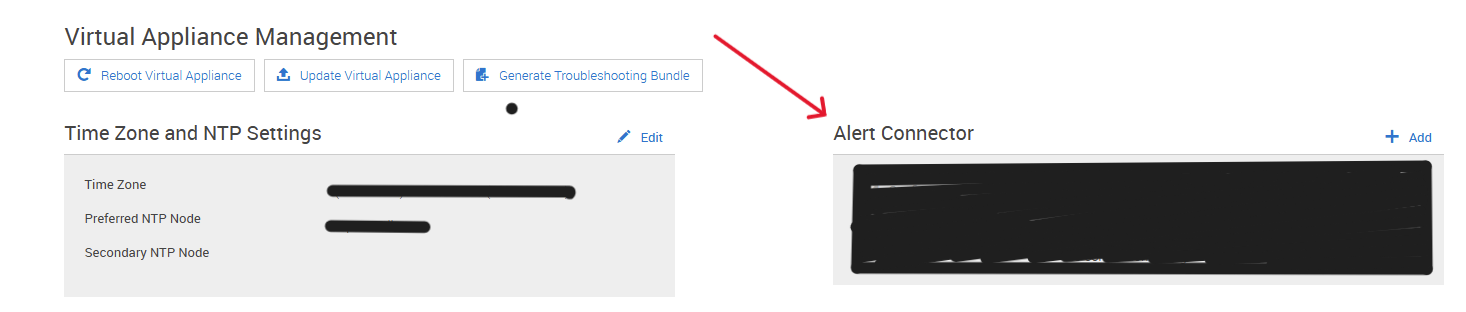
PowerFlexバージョン4.XでのELMVXの場所:
PowerFlex Manager> Settings > Events and alerts> Notification Policies > SupportAssist


Affected Products
PowerFlex rack, PowerFlex custom node, ScaleIO, PowerFlex SoftwareArticle Properties
Article Number: 000294556
Article Type: How To
Last Modified: 31 Mar 2025
Version: 1
Find answers to your questions from other Dell users
Support Services
Check if your device is covered by Support Services.