Live Optics | Workloads | SQL Server Auto Detection
Summary: This article explains how Live Optics gathers SQL Server data using WMI and DMV methods. The auto-discovery service simplifies data collection without user interaction, linking SQL instances to server projects for easy management. ...
This article applies to
This article does not apply to
This article is not tied to any specific product.
Not all product versions are identified in this article.
Instructions
For years, the Live Optics server/virtualization assessment, Optical Prime, has been a standard in the IT community for helping to gather and share server configurations and performance data.
For Microsoft Windows, this data is gathered through the Windows Management Instrumentation (WMI) interface. WMI is a standard management interface accessible in almost every environment, as many systems tools also use it.
Multiple instances of the Microsoft SQL Server can be installed on a single machine, and inside those instances, there can be one or many Databases.
This can make it difficult to gather data such as total capacities of the actual database files, performance metrics, or backup status as a regular Windows Admin. DBAs often maintain the security of the SQL Database, and in larger companies, the Windows Admins and the DBAs are most likely not the same person.
Live Optics supports two methods of collecting data from a SQL instance; through Dynamic Management Views (DMV) and WMI.
The DMV method requires dual authentication depending on how the security is established, but once authenticated to the SQL Instance, all the detailed information of the SQL Server can be brought to life.
This method will only create a project focused on the configuration of the SQL Instance.
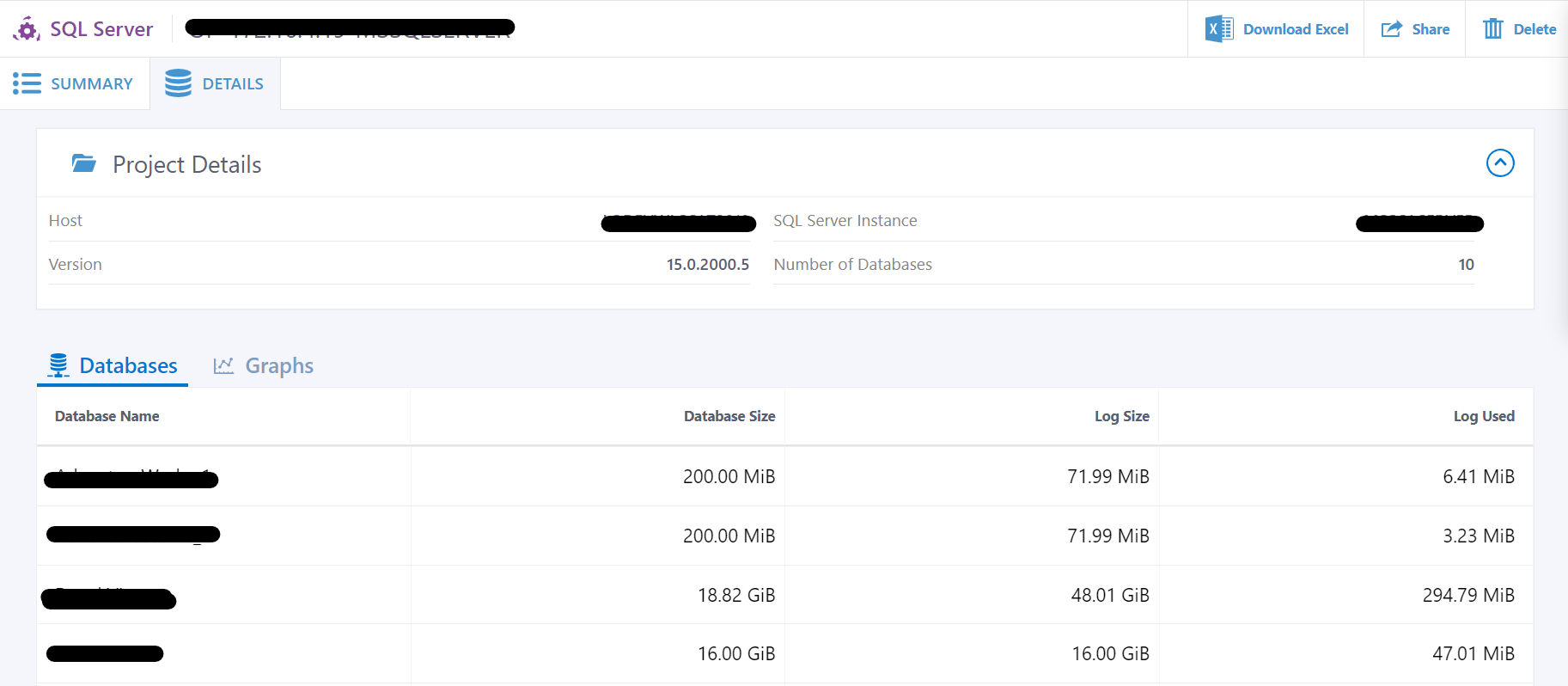
The resulting data from the DMV model will be saved into an SIOKIT file. These files are the proprietary Live Optics extension and are fully encrypted to protect their contents.
Alternatively, Microsoft SQL also publishes configuration and performance data through WMI. This is effectively Perfmon data for SQL, but this means that these metrics can be gathered without dual authentication and in the normal course of discovery for any supported Windows operating system.
This is a more efficient process since Live Optics can document these details without additional user interactivity, and therefore, this is considered an "auto-discovery" service.
The auto-discovery service through Optical Prime will only invoke the discovery of SQL Instances when the settings are selected to allow the data to be "streamed" or sent immediately to the Live Optics Portal. This is done to ensure that the instances are correctly tied to the corresponding server project.
Even while streaming, SIOKITs are created as a failsafe. In the circumstance where networking connectivity to the portal is dropped mid-collection, but the collection itself is completed successfully, there will be one SIOKIT file for one or more servers collection itself. However, every SQL Instance encountered will also have its own. SIOKIT that is identified by [SQL-]+[Server name or IP address-]+[instance name].SIOKIT syntax.
Live Optics currently only allows the upload of one SIOKIT at one time by using the "Upload SIOKIT" feature of the Collector. Simply start the collector, select Upload SIOKIT, and follow the prompts to return the files for processing.
Streamed Optical Prime projects that auto-discovery SQL Instances have a "SQL Server" tab that is automatically generated. This tab shows the links to all the associated SQL instances discovered in that collection and provides a "pop-out" for each Instance’s dedicated project page.
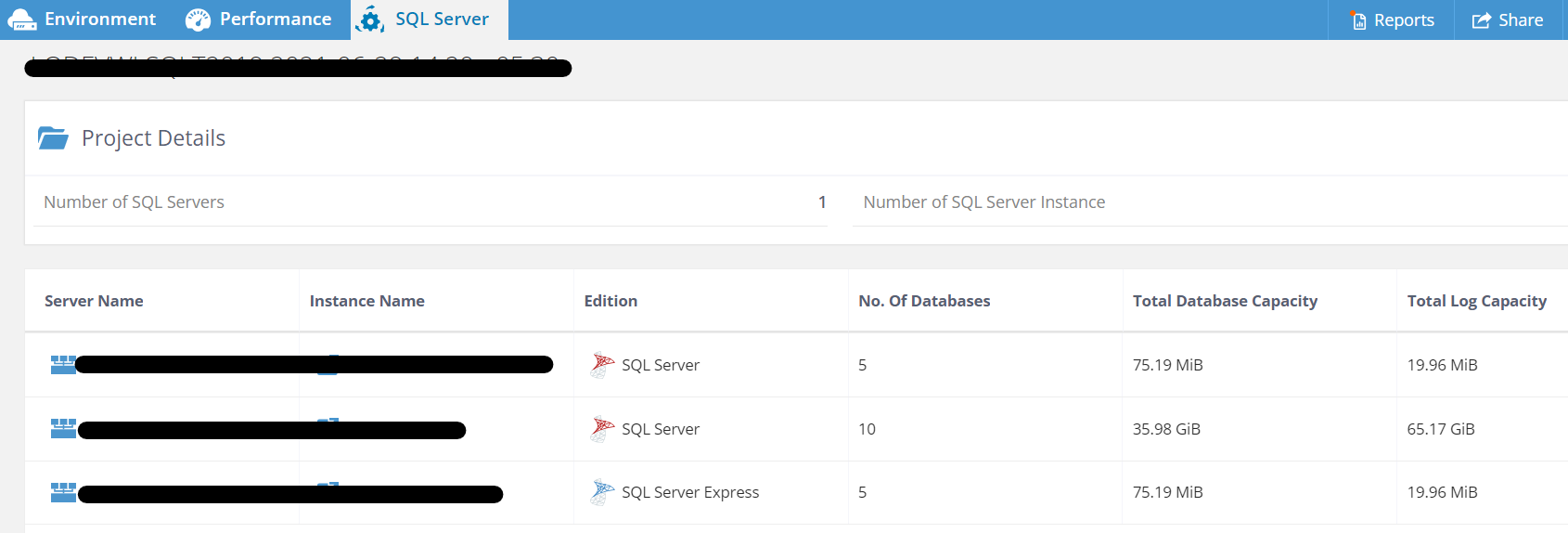
On rare occasions, a SQL Instance project may have been deleted or might become unlinkable for various reasons. These pop-out links become disabled and are no longer active.
Projects that need to be created due to manual upload of an SIOKIT will not be auto-linked to their corresponding Optical Prime projects. These projects can be viewed by clicking "View Projects" from the Dashboard, filtering by SQL Server to narrow the assessment types shown to Microsoft SQL Server.
Additional Information
If you have any questions, please reach out to Live Optics Support at liveoptics.support@dell.com.
Products
LiveOpticsArticle Properties
Article Number: 000297400
Article Type: How To
Last Modified: 04 Apr 2025
Version: 1
Find answers to your questions from other Dell users
Support Services
Check if your device is covered by Support Services.