Live Optics | Optical Prime | Create Project Using Multiple Collector Runs
Summary: This article describes how to create a single project using the results of multiple collector runs.
This article applies to
This article does not apply to
This article is not tied to any specific product.
Not all product versions are identified in this article.
Instructions
Prerequisite
All Optical Prime collector runs that are to be used to create a single project must already be available in the Live Optics web portal. Optical Prime collection data becomes available on the Live Optics web portal when:
- Collection data is streamed directly to Live Optics during a collector run
- SIOKIT files containing collection data are uploaded to the Live Optics web portal.
- Projects are shared with a Live Optics account
- Log into the Live Optics web portal to review your previous Optical Prime collector runs. On the left side of the screen click Projects, and select Optical Prime Collector Runs.
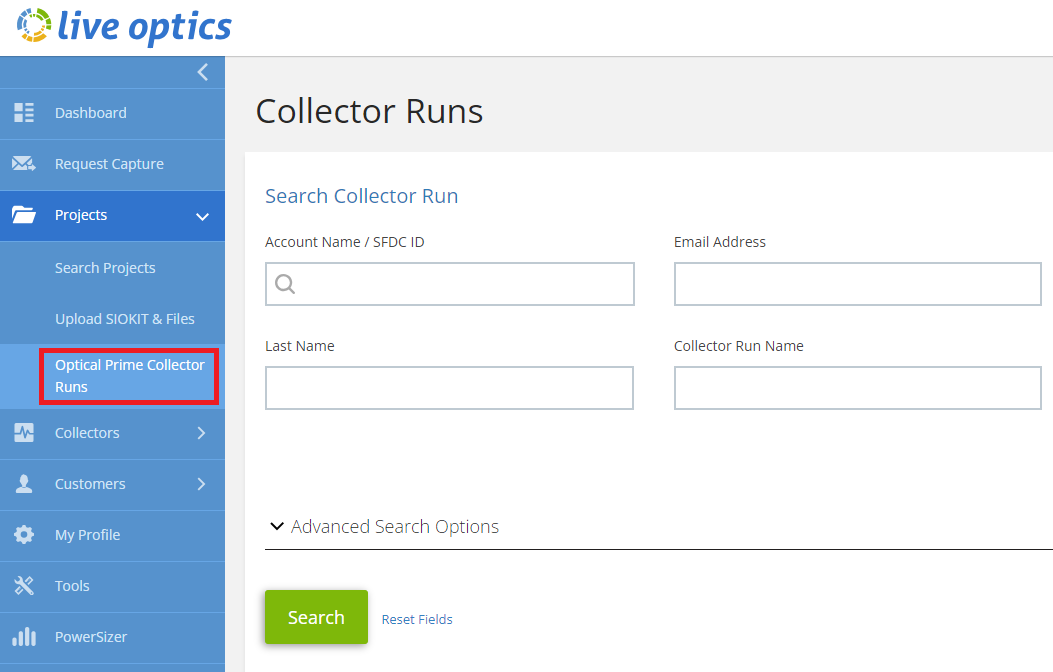
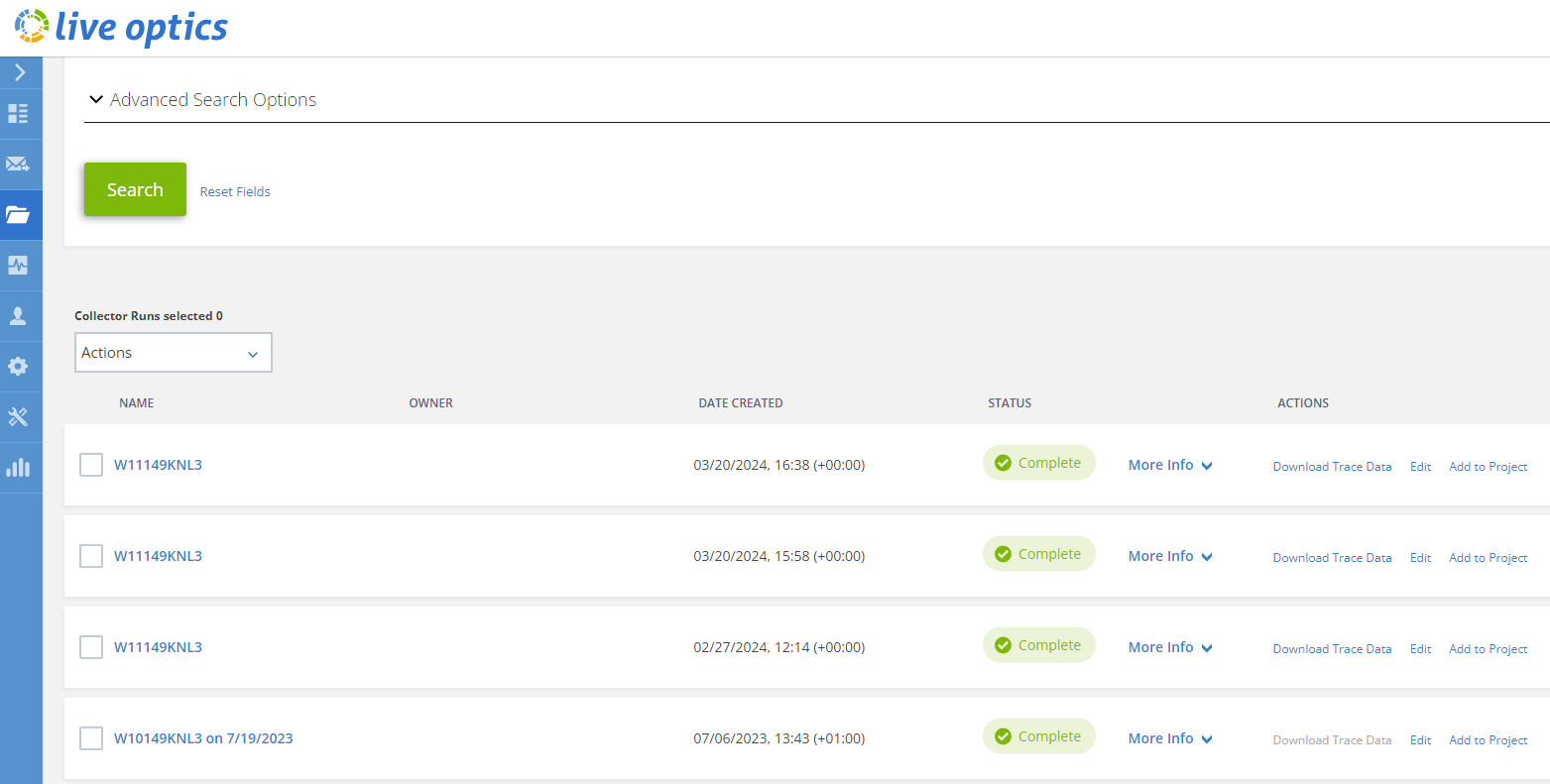
- The Collector Runs search panel displays. Here you can filter your Optical Prime collections by account name, email address, date range, and other advanced options. Enter your search criteria and click Search. You can also choose from your most recent Optical Prime collection runs by scrolling below the Advanced Search Options section.
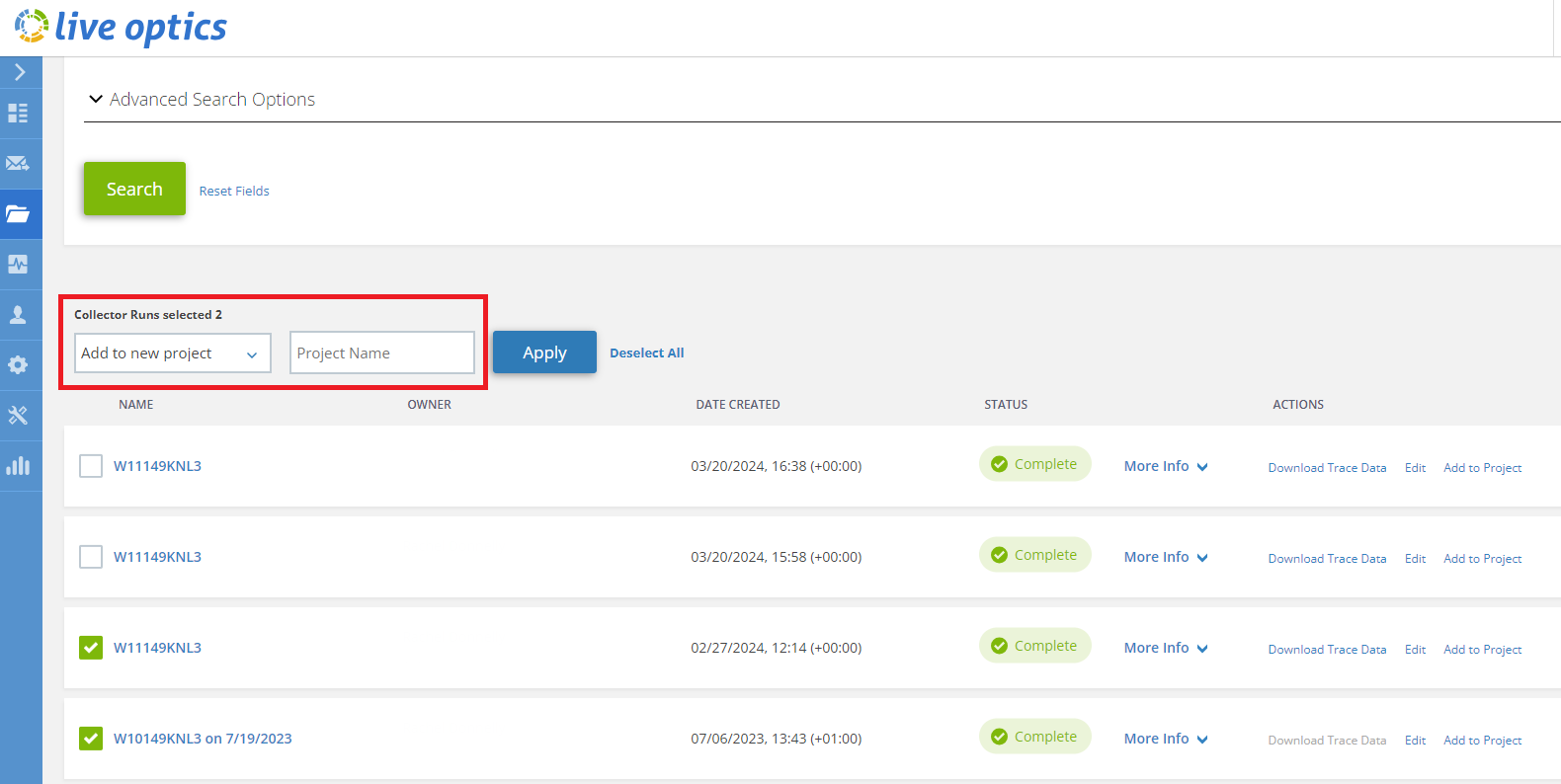
- Select the collection runs you wish to include in your project. When you have finished with your selections, click the drop-down menu and choose Add to new project. Enter a Project Name in the blank field to the right of the drop-down menu, then click Apply.
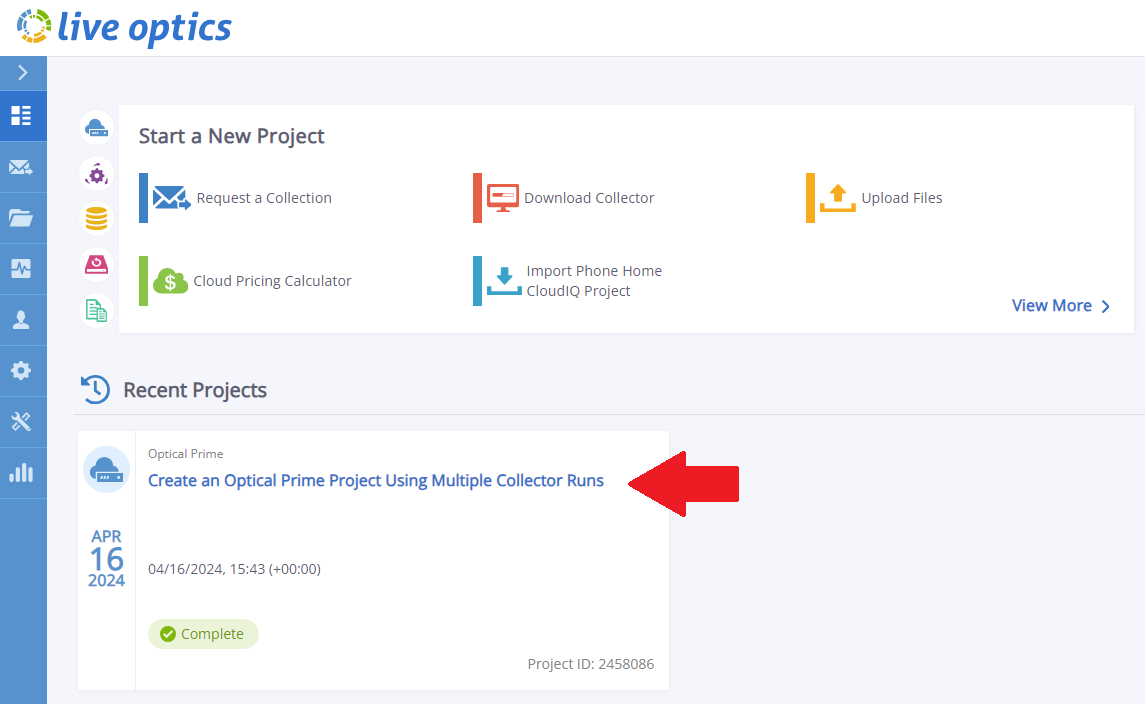
- When the project is created, a pop-up notification displays in the lower right corner of the screen. Return to the main Live Optics dashboard and locate your project under Recent Projects.
Additional Information
If you have any questions, please reach out to Live Optics Support at liveoptics.support@dell.com.
Affected Products
LiveOpticsArticle Properties
Article Number: 000297799
Article Type: How To
Last Modified: 08 Apr 2025
Version: 2
Find answers to your questions from other Dell users
Support Services
Check if your device is covered by Support Services.