VxRail: Het hoofdwachtwoord opnieuw instellen in vCenter Server Appliance zonder opnieuw op te starten
Summary: In dit artikel wordt uitgelegd hoe u een verloren root-wachtwoord opnieuw kunt instellen zonder opnieuw op te starten in VMware vCenter Server Appliance (VCSA) 6.7 U1, 7.x en 8.x.
This article applies to
This article does not apply to
This article is not tied to any specific product.
Not all product versions are identified in this article.
Instructions
In VMware vCenter Server Appliance (VCSA) 6.7 U1 kunnen SSO-gebruikers in SystemConfiguration.BashShellAdministrator heeft toegang tot Bash en kan uitvoeren sudo zonder wachtwoord, waardoor de kloof naar root wordt overbrugd. Standaard melden gebruikers zich aan bij de apparaatshell en moeten ze de shell inschakelen om toegang te krijgen tot Bash.
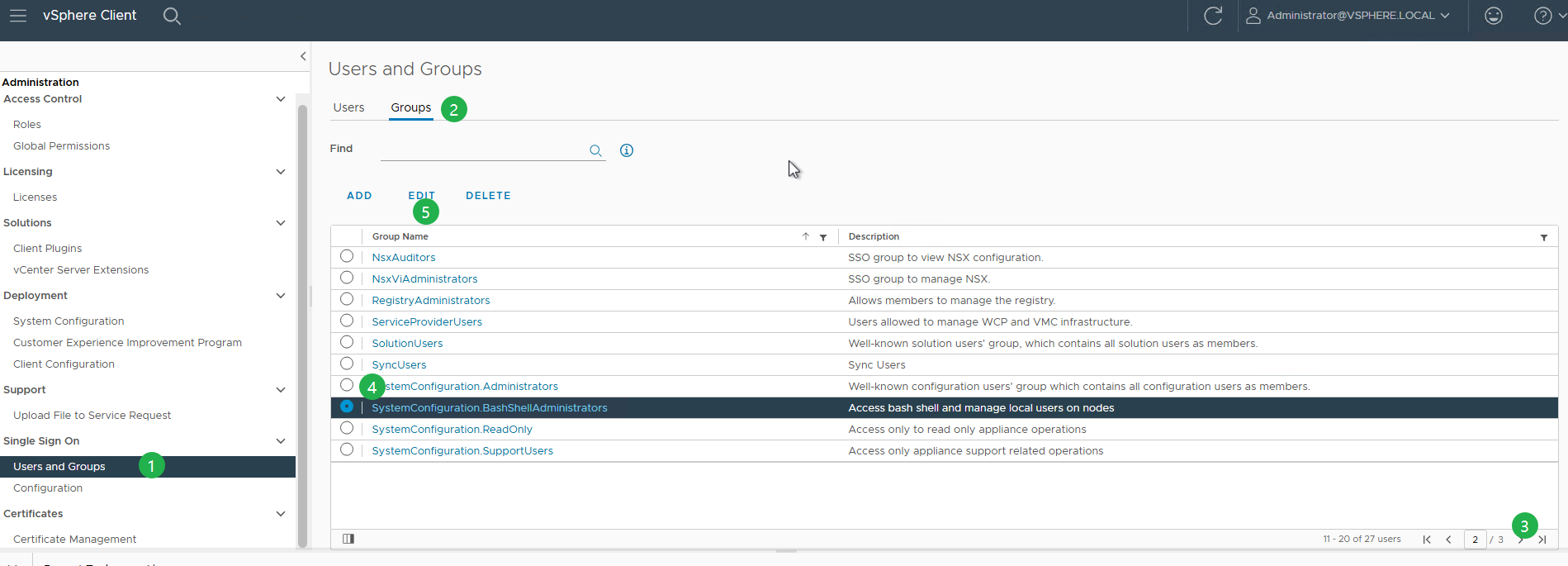
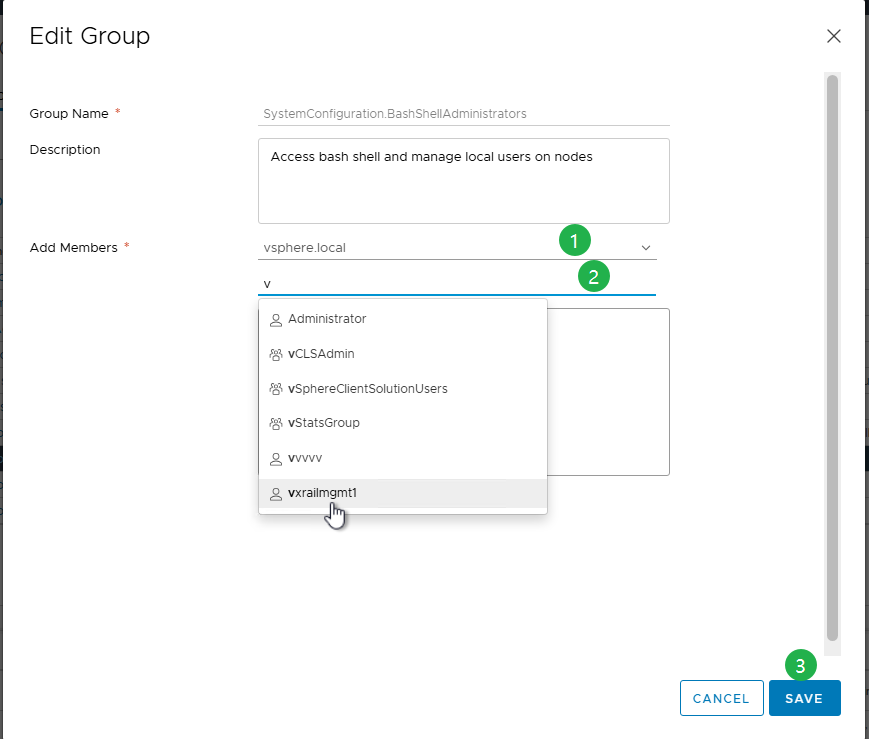
Proces voor het opnieuw instellen van het basiswachtwoord in VCSA:
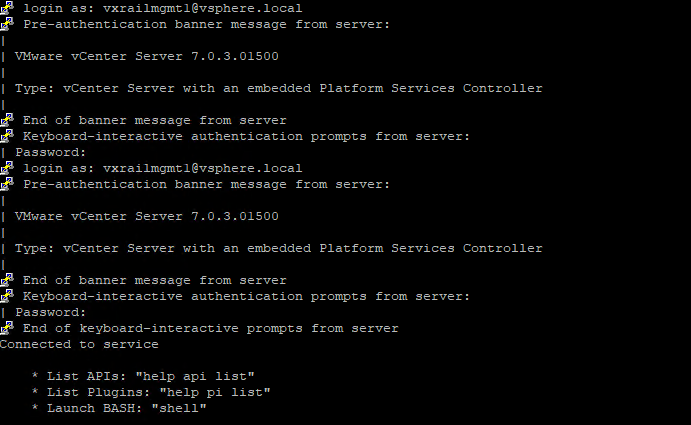
- Om verbinding te maken met de VCSA via SSH, meldt u zich aan met
administrator@vsphere.localwaarvsphere.localis uw standaard SSO-domein. - Als SSH is uitgeschakeld, schakelt u SSH in met behulp van de VAMI (
https://<vcenter_fqdn>:5480). - U kunt zich authenticeren als
administrator@vsphere.localof een ander lid van de SSO-beheerdersgroep. - Hiermee kunt u SSH- en bash-shelltoegang in- of uitschakelen.
- Als SSH is uitgeschakeld, schakelt u SSH in met behulp van de VAMI (
- Als dit de eerste keer is dat u zich aanmeldt, schakelt u eerst de shell in en typt u vervolgens shell om deze te openen.

shell.set --enable true
shell
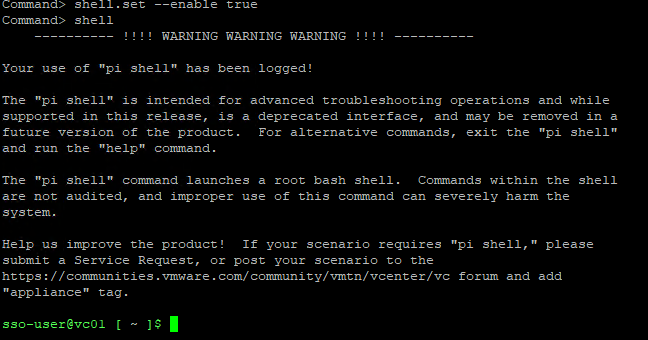
- Eenmaal in de schaal als de
sso-user, voer de volgende opdracht uit om over te schakelen naar de hoofdshell.
sudo -i
- Als het root-account is vergrendeld vanwege meerdere mislukte aanmeldingspogingen, ontgrendelt u het met de volgende opdracht.
pam_tally2 --user=root --reset

Vanaf 8.0 U2:
/usr/sbin/faillock --user root --reset
Opmerking:
pam_tally2 is afgeschaft in Photon 4, gebruik faillock in plaats daarvan.
- Eenmaal in de root shell voer je passwd uit om het root wachtwoord te wijzigen.
passwd
U kunt ook de volgende opdracht gebruiken:
sudo passwd root

- Controleer na het bijwerken van het wachtwoord de toegang tot de vCenter Server Appliance met de nieuwe referenties.
- Om dit probleem in de toekomst te voorkomen, stelt u het basiswachtwoord in om nooit te verlopen door de volgende opdracht uit te voeren.
chage -I -1 -m 0 -M 99999 -E -1 root or at the VAMI ( https://<vcenter_fqdn>:5480)
Additional Information
Zie voor meer informatie het Broadcom-artikel Het root-wachtwoord opnieuw instellen in vCenter Server Appliance zonder opnieuw opstarten/6.7u1/7.x/8.x (321369)
Article Properties
Article Number: 000302492
Article Type: How To
Last Modified: 06 Apr 2026
Version: 3
Find answers to your questions from other Dell users
Support Services
Check if your device is covered by Support Services.