无机箱入侵跳闸或重置日志事件查看器
Summary: 在卸下盖子或清除戴尔 Pro 14 Plus PB14255上的机箱入侵警告后,事件查看器中未出现机箱入侵错误。
This article applies to
This article does not apply to
This article is not tied to any specific product.
Not all product versions are identified in this article.
Symptoms
卸下护盖后,Windows 事件查看器不显示机箱防盗跳闸或重置错误。在 BIOS 中选择清除机箱入侵警告后也会发生这种情况。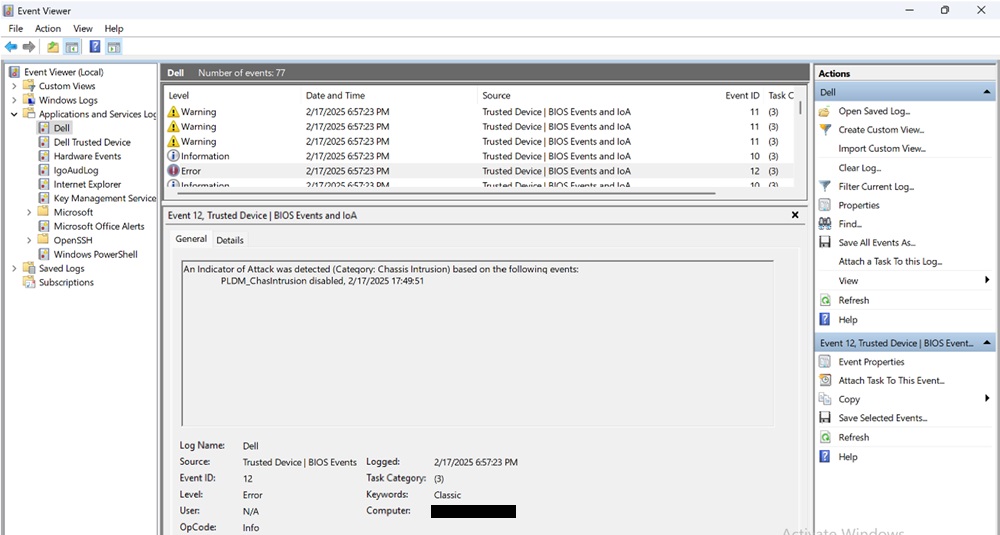
受影响的平台:
- 戴尔 Pro 14 Plus PB14255
Cause
戴尔可信设备 6.5 会导致此行为。
Resolution
将计算机上的 BIOS 版本更新到 7.0.3.0 或更高版本可解决此问题。要下载并安装 BIOS,请参阅 《Dell BIOS 和 UEFI 更新下载和安装指南》。
Affected Products
Dell Pro 14 Plus PB14255Article Properties
Article Number: 000309805
Article Type: Solution
Last Modified: 15 Sep 2025
Version: 2
Find answers to your questions from other Dell users
Support Services
Check if your device is covered by Support Services.