PowerProtect FLR Error 409 "A Mount Session is Already Running"
Summary: The PowerProtect Data Manager appliance is used to protect the vSphere environment. The file level restore (FLR) is failing to mount the copy indicating a mount session is already running. ...
This article applies to
This article does not apply to
This article is not tied to any specific product.
Not all product versions are identified in this article.
Symptoms
The PowerProtect FLR mount operation generates the error:
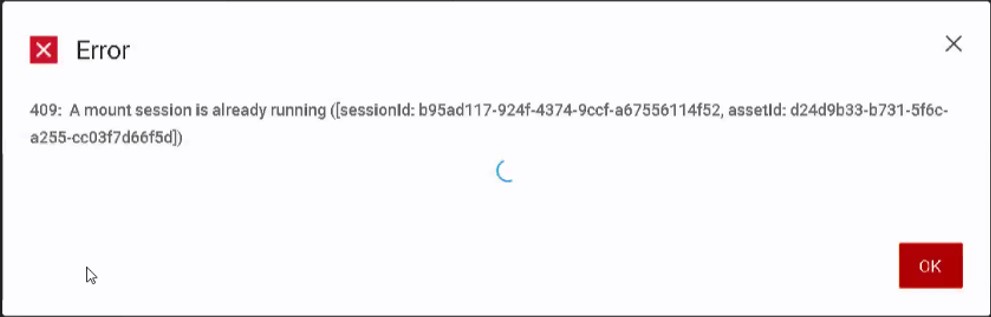
The PowerProtect Restore > Running Sessions shows no running sessions:
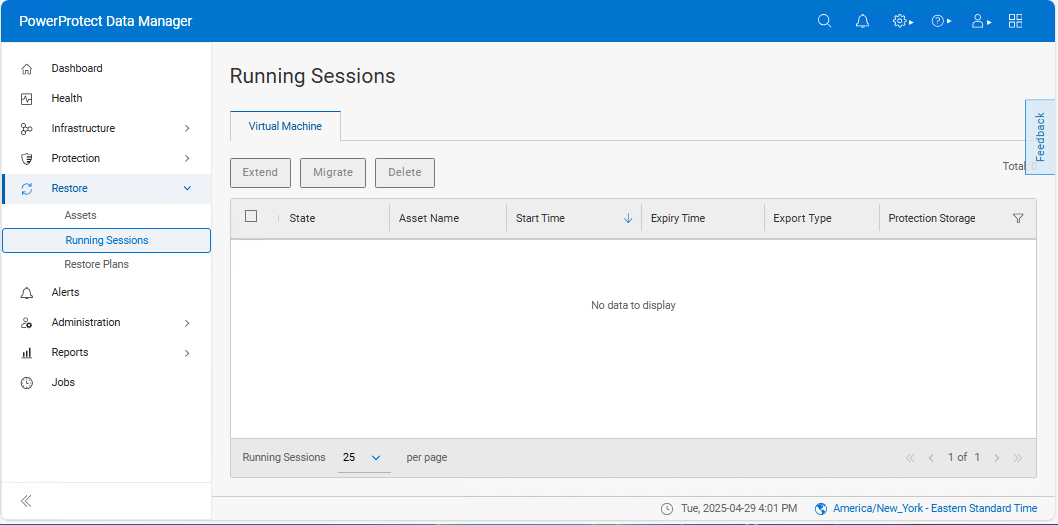
Cause
There are scenarios which can lead to an orphan mount:
- Multiple attempts to mount or unmount sessions simultaneously can lead to conflicts.
- Connection issue to the Data Domain during large file level restores.
Resolution
The orphan mount session may be manually cleaned from the PowerProtect environment.
- Validate there are no running sessions under Restore > Running Sessions.
- Validate there are no running backup sessions under Jobs > Protection Jobs.
- Authenticate to the vSphere Web Client and clear the value for the Dell VM Direct Engine Session Custom Attribute on the affected virtual machine.
- Open an SSH session to PowerProtect Data Manager and authenticate with the admin account.
- Use the Switch Users command and authenticate with the root password:
sudo su - Stop the
vproxydservice:systemctl stop vproxyd.service - Remove any available FLR blog files from the
/opt/emc/vproxy/runtime/state/vproxyddirectory:rm -r FlrMountSessions* FlrBrowseSessions* FlrRecoverSessions* - Remove the current date FLR session logs from the
/opt/emc/vproxy/runtime/logs/recycle/vproxyddirectory:rm -r ./[YYYYMMDD]/* - Start the
vproxydservice:systemctl start vproxyd.service
Article Properties
Article Number: 000314719
Article Type: Solution
Last Modified: 17 Sep 2025
Version: 2
Find answers to your questions from other Dell users
Support Services
Check if your device is covered by Support Services.