如何為 Microsoft Configuration Manager 封裝 Dell Core Services x64
Summary: 本文提供如何將適用於 Microsoft Configuration Manager 的 Dell Core Services x64 封裝為 Dell 軟體解決方案必要條件的相關資訊。
This article applies to
This article does not apply to
This article is not tied to any specific product.
Not all product versions are identified in this article.
Instructions
受影響的產品:
- Dell Pro AI Studio
- Dell 用戶端裝置管理員
- Dell Display 和 Peripheral Manager
先決條件:
- 下載最新版本的 Dell 核心服務。
注意:您可在需要 Dell 核心服務的 Dell 軟體解決方案下載套件中取得 (例如 Dell Pro AI Studio、Dell Client Device Manager、Dell Display 及 Peripheral Manager)。
- 將 Dell 核心服務 ARM64 安裝檔案放在環境中的檔案共用上。
Microsoft Configuration Manager 的套件:
- 開啟 Configuration Manager 主控台。

- 前往 軟體庫>應用程式管理>應用程式

- 按兩下頂部功能區中的 「創建應用程式 」 按鈕。

- 按一下 手動指定應用程式資訊 的選項按鈕,然後按下 一步。

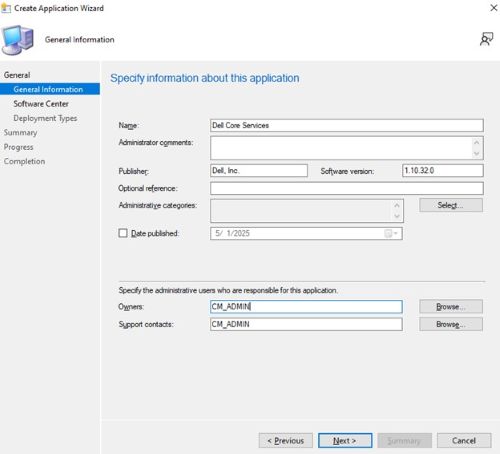
- 輸入名稱並提供任何所需資訊,例如發行者和軟體版本,然後視需要更新應用程式擁有者及支援聯絡人,然後按一下 下一步。
- 在「軟體中心」項目畫面上,視需要更新語言,然後按一下 「下一步」。

- 在「部署類型」畫面上,按一下 「新增」。

- 按一下選項按鈕 以手動指定部署類型資訊 ,然後按下 一步。
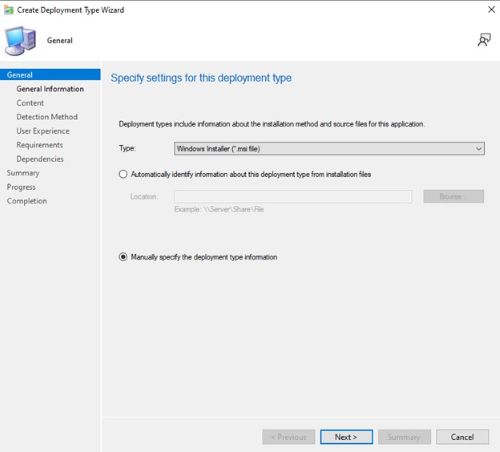
- 如有需要,請提供名稱並選取語言,然後按一下 下一步。

- 按一下 內容位置 旁的瀏覽,然後選取安裝程式所在的資料夾。
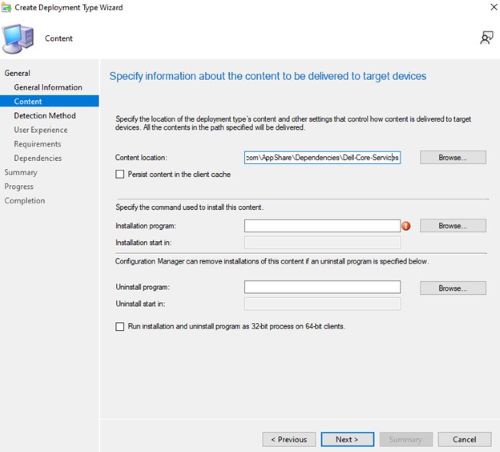
- 在安裝程式欄位中,輸入
msiexec /i Dell.Core.Services.Installer_Arm64.msi /norestart /qn。
- 對於卸載程式,請輸入
msiexec /x "Dell.Core.Services.Installer_Arm64.msi" /norestart /qn。然後按一下下一步。
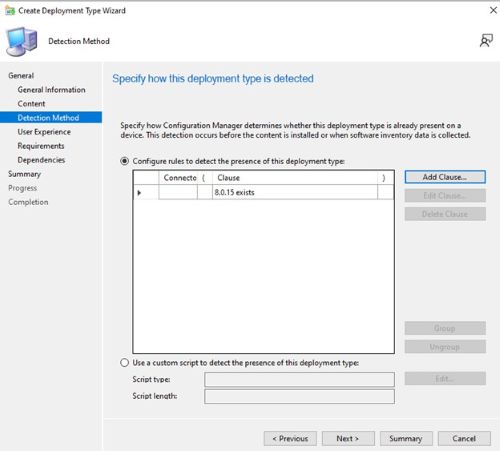
- 在「檢測方法」頁上,按下「 添加子句 」 按鈕。

- 在 設定類型 下拉式功能表中,選取 Windows 安裝程式 ,然後按一下產品代碼旁 的瀏覽 ,接著選取 Dell Core Services 安裝程式。然後按一下確定。

- 按一下下一步。
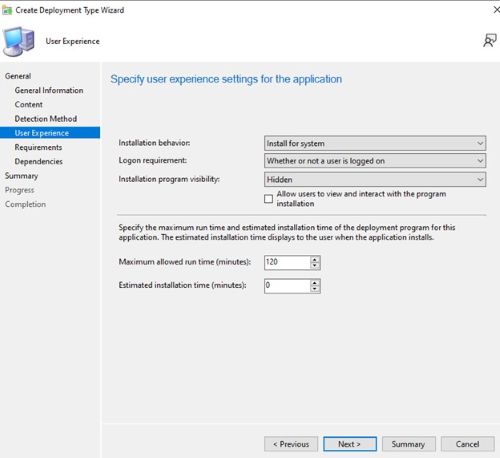
- 在 使用者體驗 頁面上,設定下列選項,然後按一下 下一步。
Installation behavior: Install for system
Logon requirement: Whether or not a user is logged on
Installation program visibility: Hidden
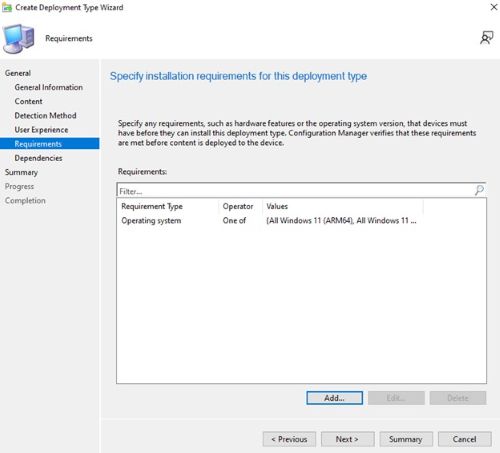
- 在“要求”頁上,按兩下 “添加 ”,然後根據需要選擇要求,然後按兩下 “確定 ”並添加任何其他要求。

- 完成後,按一下 下一步。
- 在相依性頁面上,按一下 新增。

- 提供相依群組名稱,然後按一下 新增。
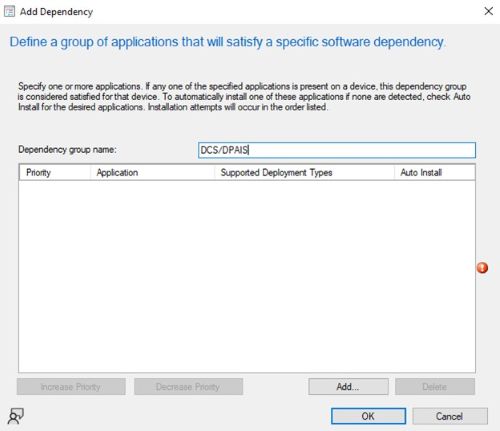
- 選取「 .NET Desktop Runtime 8 ARM64 」,然後按一下「 確定」。再次重複此過程 ASP.NET 然後選擇“ Core 8 Runtime ARM64 ”,然後按兩下 “確定”。

- 在「新增相依性」畫面上按一下 確定 。

- 返回相依性畫面,按一下 下一步。

- 在摘要頁面上,按一下 下一步 ,然後在完成頁面上按一下 關閉。

- 在部署類型頁面上按 一下下一步 。

- 在「摘要」頁面上,按一下 「下一步 」,然後在完成畫面上按一下 「關閉」。

Affected Products
Dell Client Device Manager, Dell Display and Peripheral Manager, Dell Pro AI StudioArticle Properties
Article Number: 000322294
Article Type: How To
Last Modified: 20 May 2025
Version: 1
Find answers to your questions from other Dell users
Support Services
Check if your device is covered by Support Services.