Computer Stops at Updating Intel Tbt Retimer During BIOS Update
Summary: This article provides more information about Alienware Area-51 computers stops responding while updating Intel Tbt Retimer during BIOS update.
This article applies to
This article does not apply to
This article is not tied to any specific product.
Not all product versions are identified in this article.
Symptoms
Affected Platforms:
- Alienware Area-51 AAT2250
This issue only occurs when:
Updating the BIOS from version 1.2.4 to 1.4.2 using the F12 menu or Windows update.
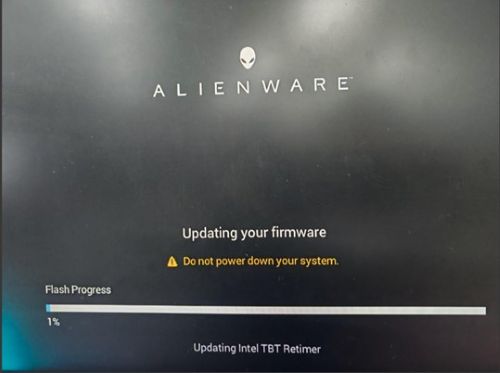
There have been no issues when downloading the BIOS from Dell.com and running update from the file on the hard drive.
Cause
This is a BIOS issue.
Resolution
There are two ways to recovery from this:
- Wait for about fifty-three minutes until the BIOS update completes.
- Press the power button to shut down the computer, then turn the computer on again triggers the BIOS auto recovery and update TBT retimer firmware successfully.
Update the BIOS to version 1.6.0. There is no issue when update BIOS from 1.4.2 to 1.6.0 from F12 or Windows Update.
Affected Products
Alienware Area-51 AAT2250Article Properties
Article Number: 000334234
Article Type: Solution
Last Modified: 15 Sep 2025
Version: 2
Find answers to your questions from other Dell users
Support Services
Check if your device is covered by Support Services.