VxRail: vCenter Unable to get Deployment Status
Summary: The VxRail deployment page freezes and the VxRail Management Interface (VAMI) shows “Unable to get deployment status” because vCenter cannot reach the DNS server.
This article applies to
This article does not apply to
This article is not tied to any specific product.
Not all product versions are identified in this article.
Symptoms
Deployment Page Stuck
The VxRail deployment page shows a job that does not progress.
Initial configuration vCenter
VAMI Error Message
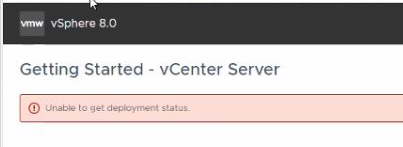
The VAMI page displays:
Unable to get deployment status
Cause
Network Connectivity Failure
vCenter is unable to resolve or reach the DNS server required for deployment validation.
Diagnostic Evidence
Firstbootlogindicates failure to configure network.
The inability to contact DNS prevents the VAMI pre‑check from retrieving deployment status.

Resolution
Resolve DNS Connectivity
- Verify that the vCenter Server Appliance can ping the DNS server.
- If ping fails, check network ACLs or firewalls that may block ICMP traffic between vCenter and DNS.
- Correct any DNS server address or routing issues and repeat the deployment pre‑check.
Affected Products
VxRail, VxRail Appliance Series, VxRail SoftwareArticle Properties
Article Number: 000340653
Article Type: Solution
Last Modified: 04 Aug 2026
Version: 3
Find answers to your questions from other Dell users
Support Services
Check if your device is covered by Support Services.