PowerProtect Cyber Recovery: CyberSense: Certificate Update Requirements after upgrade
Summary: Certificate update required after upgrade to Cyber Recovery 19.20 and CyberSense 8.12.
This article applies to
This article does not apply to
This article is not tied to any specific product.
Not all product versions are identified in this article.
Symptoms
A certificate update is required after upgrade to Cyber Recovery 19.20 and CyberSense 8.12.
In the Cyber Recovery UI, the following message is shown in the Infrastructure > Assets screen:

Click Edit and enter the username and password for an admin user in the CyberSense application.
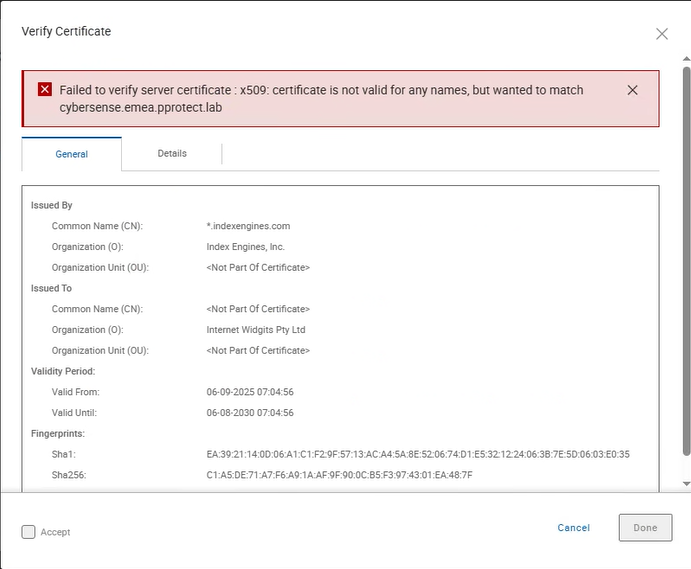
When you click Verify, an error occurs:
Cause
The certificate on CyberSense must be updated.
Resolution
Run the following commands:
cd /opt/ie/bin
ls
./generate_cert
dservice restart httpd
Check that the httpd service is running:
dservice status httpd
In the Cyber Recovery UI, edit the CyberSense asset and enter the username and password for the admin user.
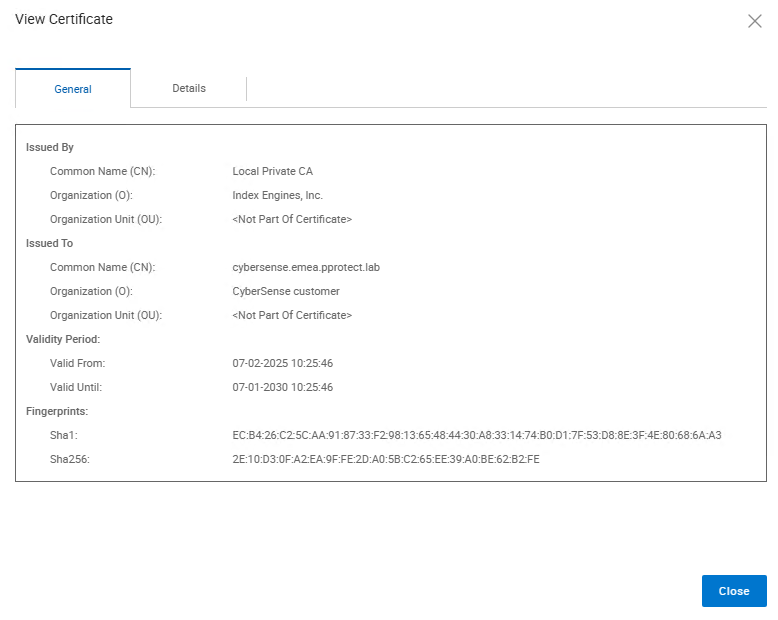
The certificate can now be verified:
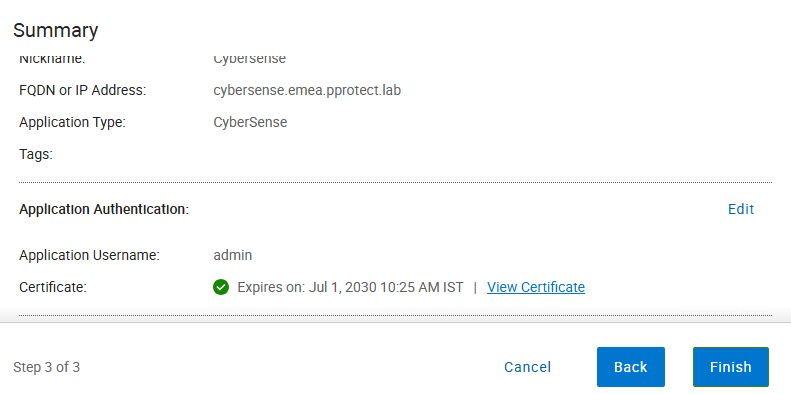
The certificate expiry date is shown:
Article Properties
Article Number: 000340843
Article Type: Solution
Last Modified: 08 Aug 2025
Version: 2
Find answers to your questions from other Dell users
Support Services
Check if your device is covered by Support Services.