Notebooki Alienware Area 51 wykazują zwiększoną prędkość wentylatora w trybie cichym Alienware Command Center
Summary: Dowiedz się więcej na temat prędkości wentylatora wyświetlanej w programie Alienware Command Center (AWCC) na notebooku Alienware Area 51.
This article applies to
This article does not apply to
This article is not tied to any specific product.
Not all product versions are identified in this article.
Symptoms
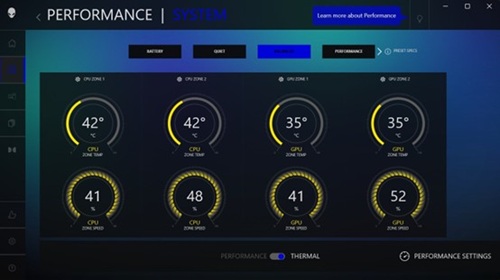
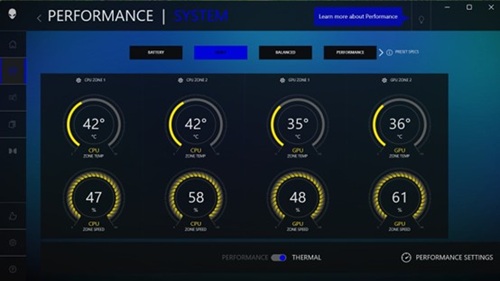
Prędkość wentylatorów może być wyższa w trybie cichym niż w trybie zrównoważonym w programie AWCC. W trybie cichym prędkość wentylatora może być o 5–10% wyższa niż w trybie zrównoważonym, gdy komputer jest w stanie bezczynności.
- Tryb zrównoważony:
- Tryb cichy:
Dotyczy platform:
- Alienware 16 Area-51 AA16250
- Alienware 18 Area-51 AA18250
Cause
Zastosowano nieprawidłową krzywą wentylatora.
Resolution
Aktualizacja systemu BIOS komputera do wersji 1.8.0 lub nowszej rozwiązuje problem. Aby pobrać i zainstalować system BIOS, zapoznaj się z instrukcją pobierania i instalacji aktualizacji systemu BIOS i UEFI firmy Dell.
Affected Products
Alienware 16 Area-51 AA16250, Alienware 18 Area-51 AA18250Article Properties
Article Number: 000365056
Article Type: Solution
Last Modified: 29 Oct 2025
Version: 2
Find answers to your questions from other Dell users
Support Services
Check if your device is covered by Support Services.