PowerFlex 4.X: コンプライアンス ファイルのロードが次のエラーで失敗します。無効なCENヘッダー暗号化エントリー
Summary: ファイルが暗号化されているため、RCMまたはICコンプライアンス ファイルをPowerFlex Managerにアップロードできません。
This article applies to
This article does not apply to
This article is not tied to any specific product.
Not all product versions are identified in this article.
Symptoms
新しいRCMまたはICコンプライアンス ファイルをPowerFlex Managerにアップロードすると、予期しないエラーが発生します。
RCM download error: Unexpected error while connecting to share: Invalid CEN header (encrypted entry)
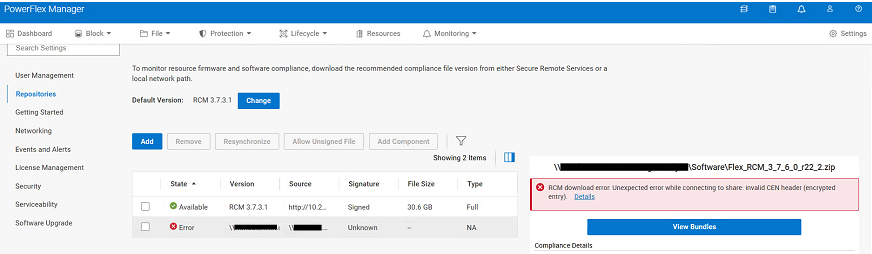
Cause
RCMまたはICコンプライアンス ファイルが暗号化されている。パスワードを削除するには、ファイルを一度抽出する必要があります。中に含まれる.zipファイルは、アップグレード プロセス中にCIFSまたはNFS共有からPowerFlex Managerにアップロードされます。
Resolution
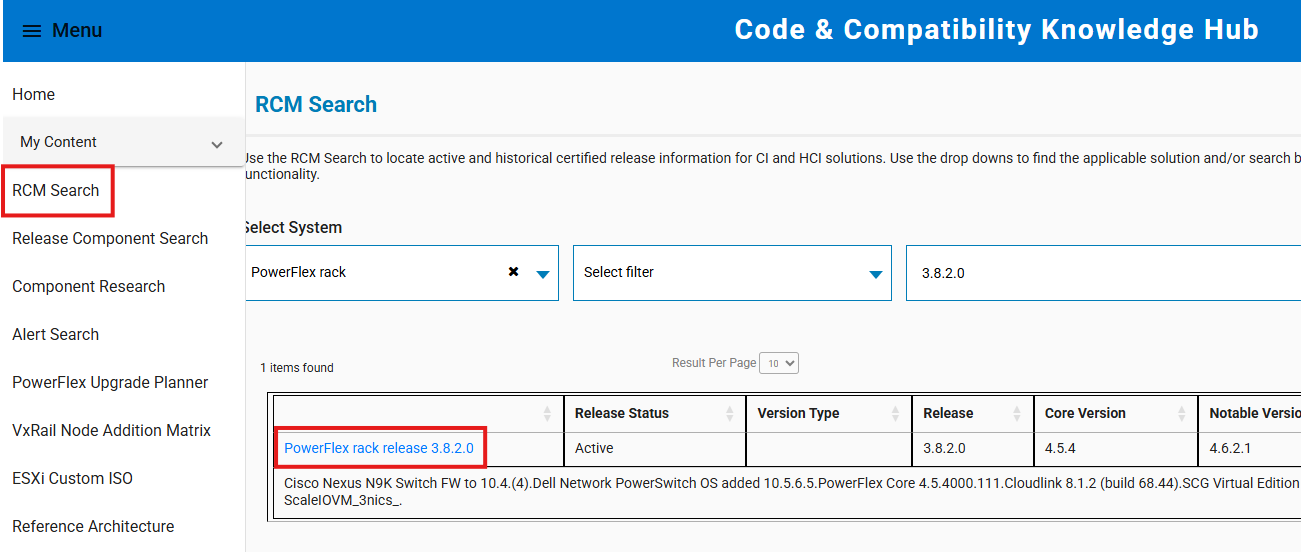
- https://cicodeportal.dell.com/ に移動
- 復号化しようとしているPowerFlexラックまたはアプライアンスのバージョンを検索し、リストされたらリリースをクリックします。
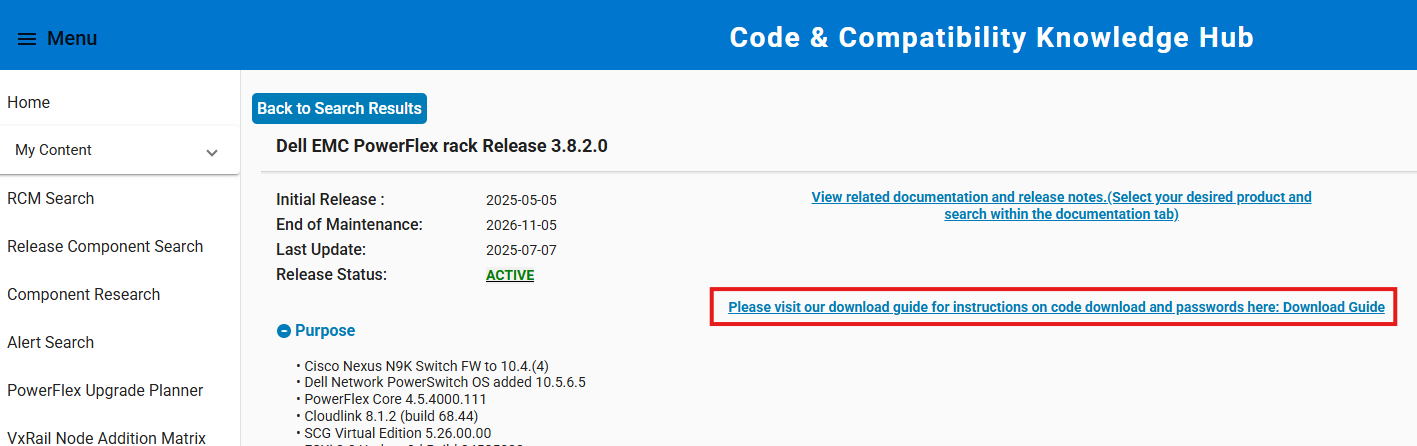
- リンクをクリックすると、RCMまたはICコンプライアンス ファイルの抽出に必要なパスワードを明らかにするダウンロード ガイドが表示されます。
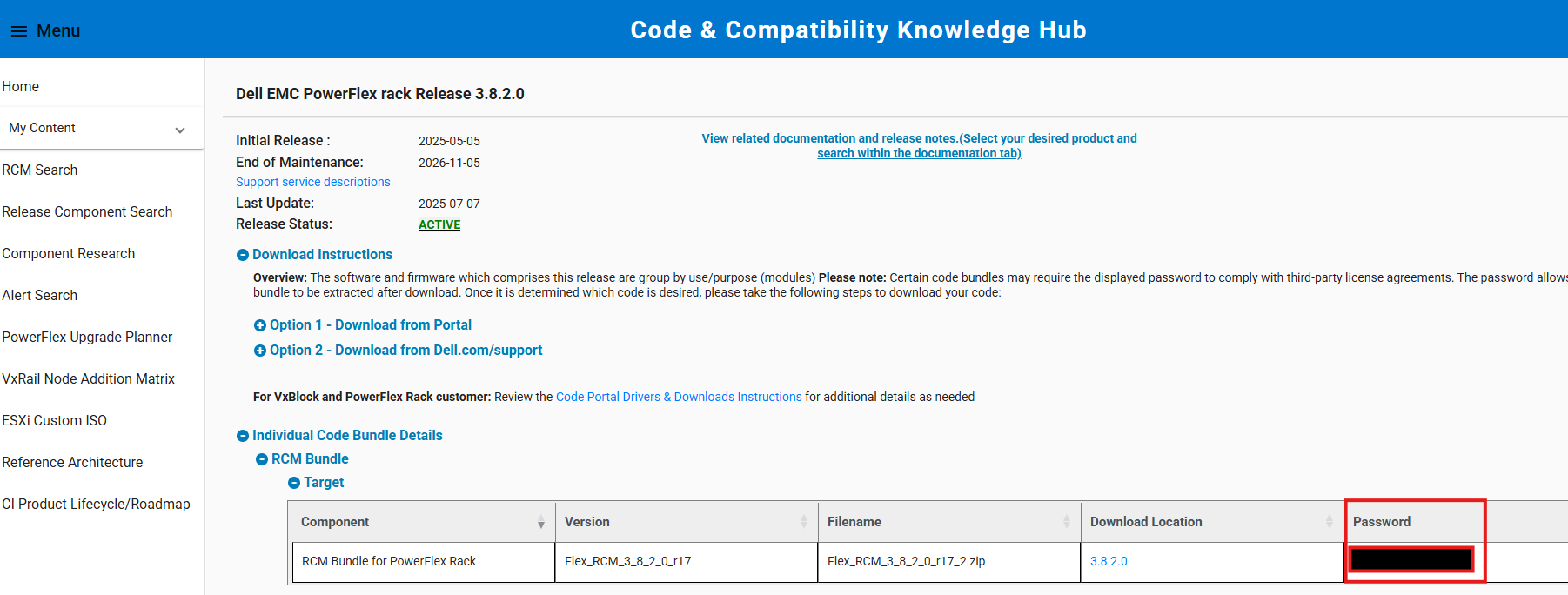
- 提供されたパスワードを使用して、コンプライアンス ファイルを抽出します。アップグレード プロセス中に、抽出したコンプライアンス ファイル(内部ZIPファイル)をCIFS/NFS共有からPowerFlex Managerにアップロードします。
注:Windowsシステムでファイルを解凍する場合は、統合されたZIP解凍ツールを使用します。7-Zipなどのサードパーティユーティリティは、提供されたパスワードを受け入れない場合があります。
Affected Products
PowerFlex appliance Intelligent Catalog Software, PowerFlex rack RCM SoftwareProducts
PowerFlex rack, ScaleIO, PowerFlex SoftwareArticle Properties
Article Number: 000378620
Article Type: Solution
Last Modified: 14 Nov 2025
Version: 2
Find answers to your questions from other Dell users
Support Services
Check if your device is covered by Support Services.