PowerFlex 4.X: Nalevingsbestand laden mislukt met fout: Ongeldige CEN header-versleutelde vermelding
Summary: Het uploaden van een RCM- of ICM-compatibel bestand naar PowerFlex Manager mislukt omdat het bestand is versleuteld.
This article applies to
This article does not apply to
This article is not tied to any specific product.
Not all product versions are identified in this article.
Symptoms
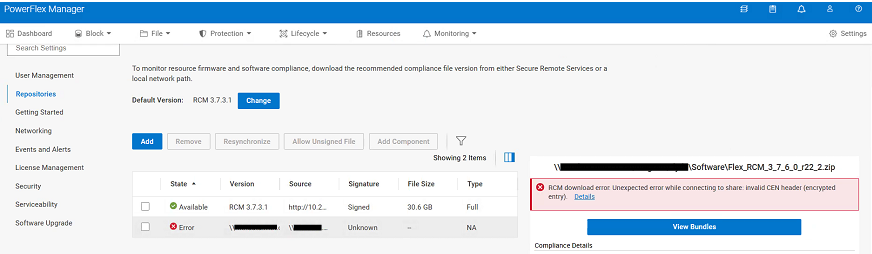
Er treedt een onverwachte fout op bij het uploaden van een nieuw RCM- of IC-nalevingsbestand naar PowerFlex Manager:
RCM download error: Unexpected error while connecting to share: Invalid CEN header (encrypted entry)
Cause
Het RCM- of IC-nalevingsbestand is versleuteld. Het bestand moet één keer worden uitgepakt om het wachtwoord te verwijderen. Het .zip bestand in het bestand wordt tijdens het upgradeproces geüpload naar PowerFlex Manager vanaf een CIFS- of NFS-share.
Resolution
- Ga naar https://cicodeportal.dell.com/
- Zoek naar de versie van het PowerFlex rack of apparaat die u probeert te ontsleutelen en klik op de release zodra deze in de lijst staat.
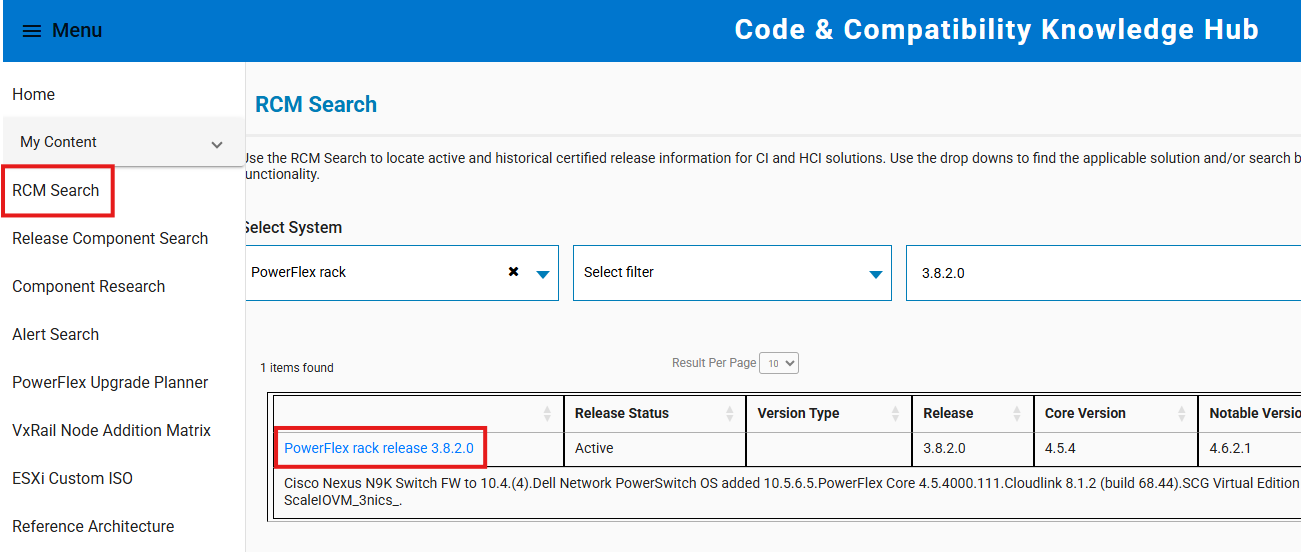
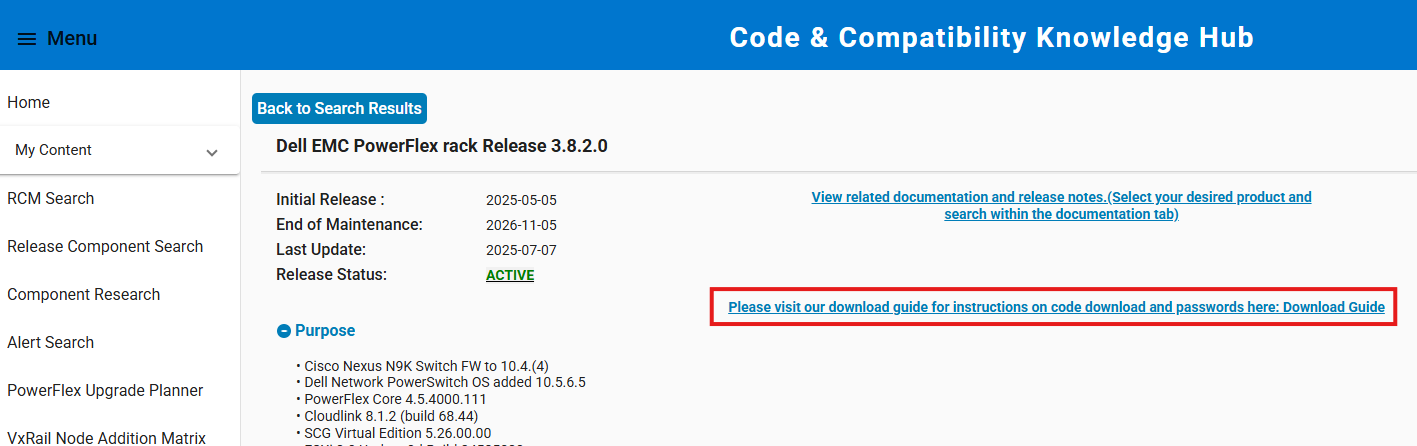
- Klik op de koppeling om de downloadhandleiding te zien waarin het wachtwoord wordt weergegeven dat nodig is om het RCM- of IC-nalevingsbestand uit te pakken.
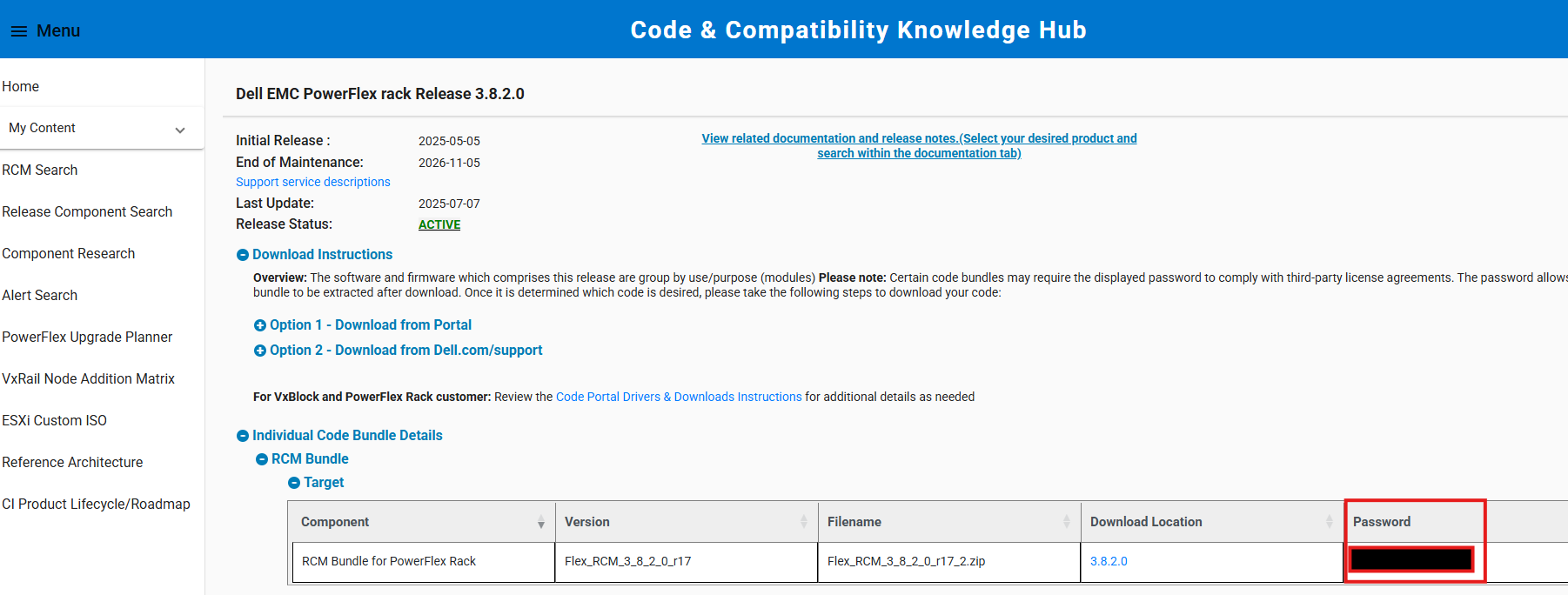
- Gebruik het opgegeven wachtwoord om het nalevingsbestand uit te pakken. Upload het uitgepakte nalevingsbestand (het binnenste ZIP-bestand) naar PowerFlex Manager vanaf een CIFS/NFS-share tijdens het upgradeproces.
Opmerking: Als u het bestand uitpakt op een Windows-systeem, gebruikt u het geïntegreerde zip-hulpprogramma. Hulpprogramma's van derden, zoals 7-Zip, accepteren het opgegeven wachtwoord soms niet.
Affected Products
PowerFlex appliance Intelligent Catalog Software, PowerFlex rack RCM SoftwareProducts
PowerFlex rack, ScaleIO, PowerFlex SoftwareArticle Properties
Article Number: 000378620
Article Type: Solution
Last Modified: 14 Nov 2025
Version: 2
Find answers to your questions from other Dell users
Support Services
Check if your device is covered by Support Services.