NVP vProxy: Troubleshooting Dynamic Rule Backups, VMs Missing From Selection
Summary: NetWorker "Rules" are configured to identify VMware Virtual Machines (VM) in a NetWorker Protection Group. This dynamically backs up new VMs based on the rule definitions defined and VMs that meet the rule criteria. Some or no VMs are listed. The approach outlined in this article outlines how to diagnose potential configuration issues that result in rules not identifying expected VMware resources correctly. ...
This article applies to
This article does not apply to
This article is not tied to any specific product.
Not all product versions are identified in this article.
Symptoms
NetWorker Rules are configured to protect VMware Virtual Machines (VM):
- NVP vProxy: Category Tagging based VMware Protection
- NetWorker: vProxy: How to enable a VMware group with Dynamic Association and Rules?
The following symptoms are observed:
- VMware backup workflows fail reporting the following:
180795 2025-10-22 11:47:06 AM  1 5 0 5616 11684 0 NetWorker_Server_Name nsrvproxy_save NSR notice No VM selected as part of static selection.
180797 2025-10-22 11:47:06 AM  1 5 0 5616 11684 0 NetWorker_Server_Name nsrvproxy_save NSR notice No VM's found as part of dynamic/rule based selection
180799 2025-10-22 11:47:06 AM  1 5 0 5616 11684 0 NetWorker_Server_Name nsrvproxy_save NSR notice No excluded VM's are present.
205487 2025-10-22 11:47:06 AM  0 0 2 5616 11684 0 NetWorker_Server_Name nsrvproxy_save NSR info No VMs obtained for Backup. Verify the static and rule based dynamic associations for VM selection.
OR, only some VMs are backed up. VMs which are suspected to be captured by the rule definitions are not, and thus not backed up. - No VMs are listed when doing "Preview All Virtual Machines" from the Protection Group Properties:
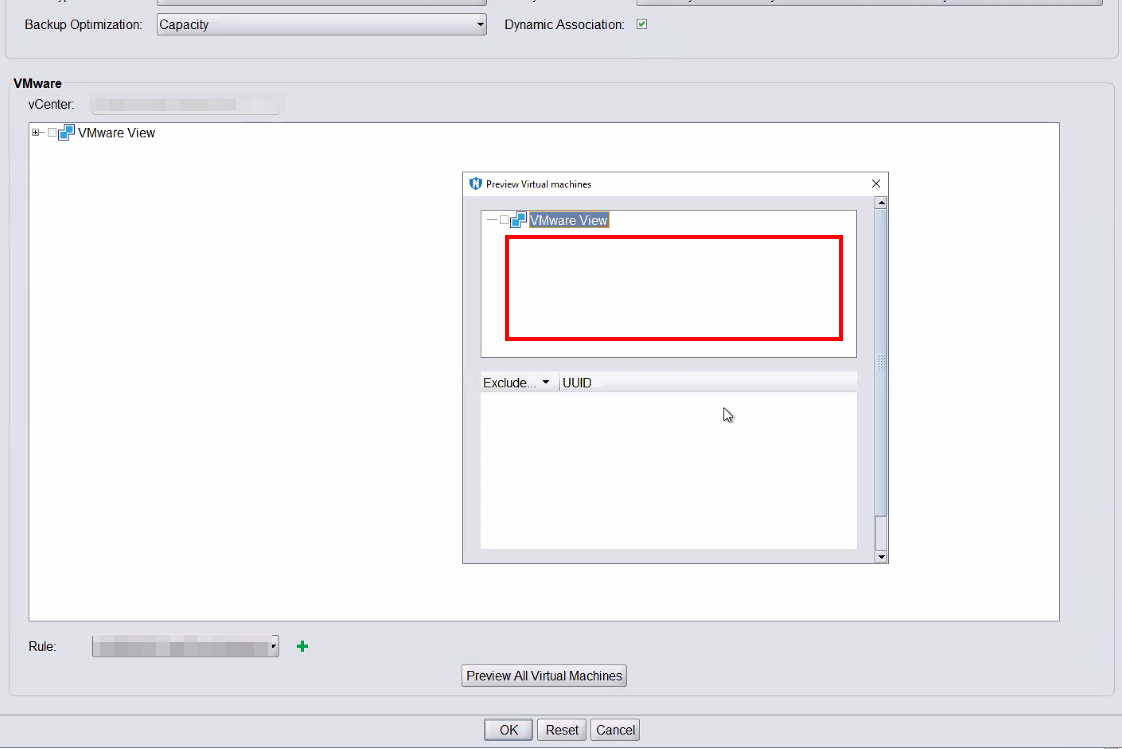
OR, only some VMs are shown. VMs which are suspected to be captured by the rule definitions are not, and thus, not displayed.
Cause
There is an issue with the rule definitions or "Match" logic used.
Resolution
Match Logic:
There are two match type options available in NetWorker Rules:
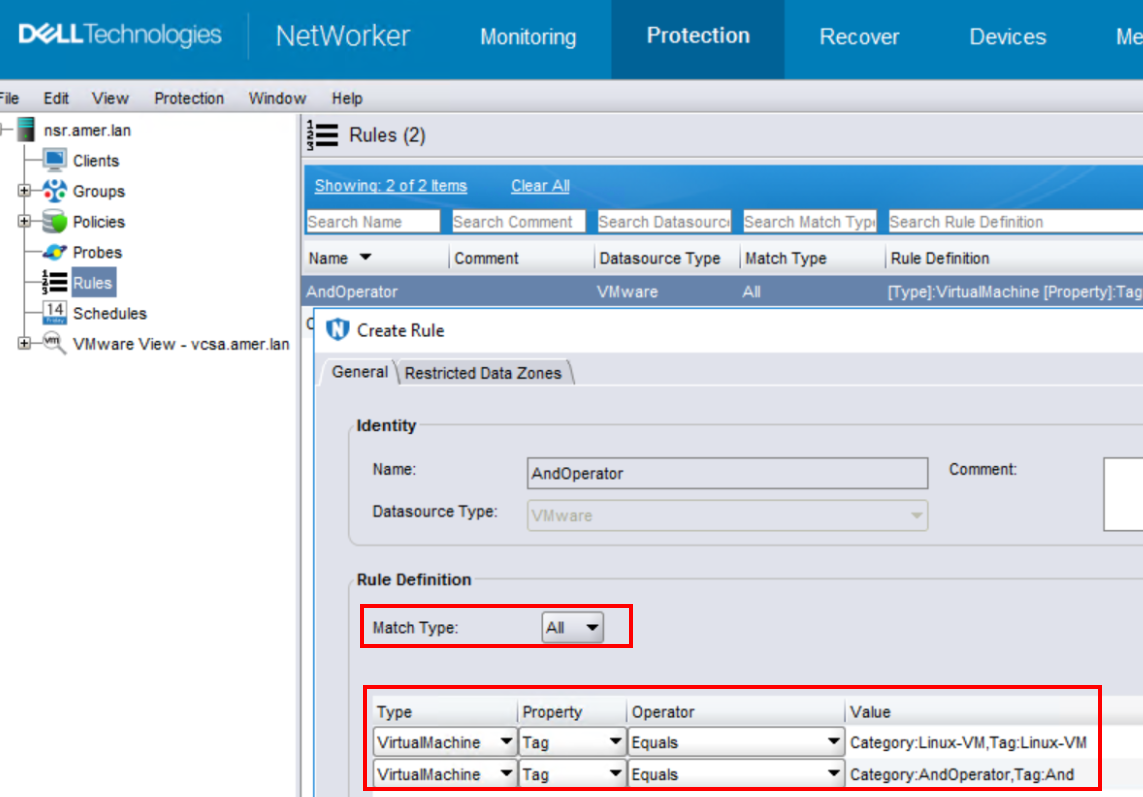
- ALL - This uses "AND" operator logic. This means that in order for any VM to be identified by the rule, it must meet the requirements of ALL the rules. For example, if the rule has two rule definitions defined, then the VMs that are picked up must meet the requirements of both of the rule definitions.
Case Scenario:
A VM in VMware has two tags assigned:
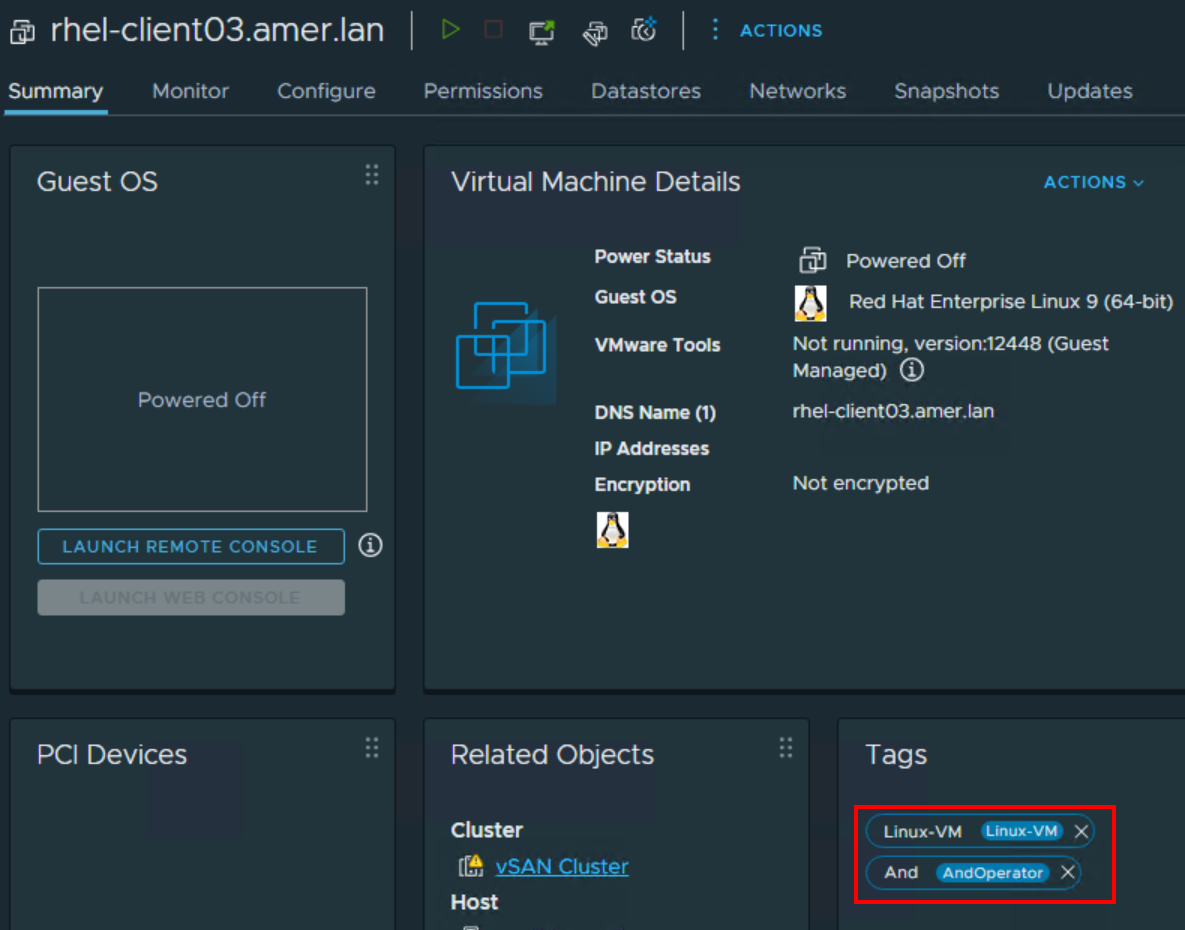
The following "Match Type: All" Rule is configured defining both of these tags:
Only VMs which meet All of the rule definitions are identified by the rule: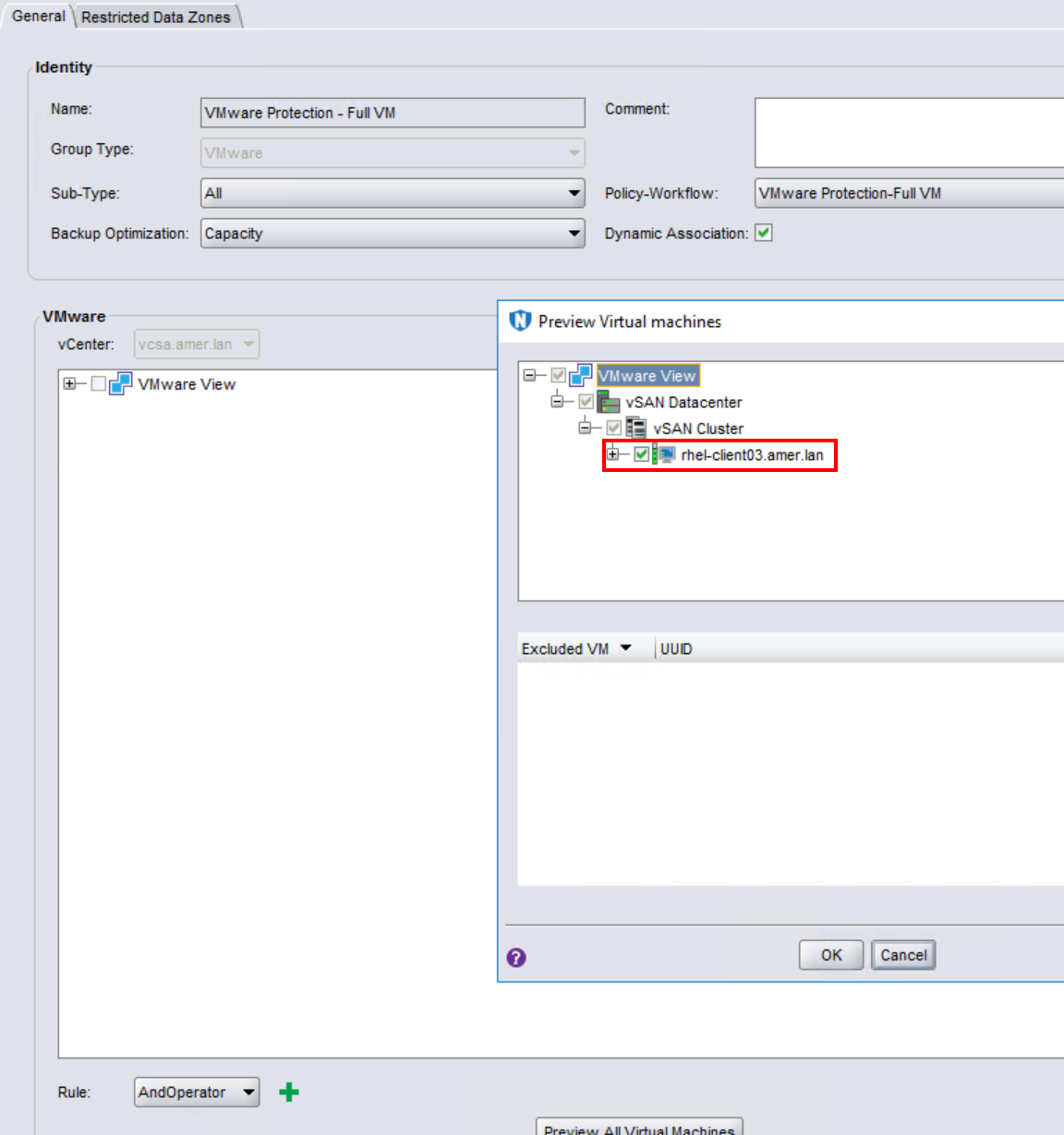
Other VMs that have only one of the VMware tags assigned do not get picked up by the rule because they do not match All of the required conditions.
- ANY - This uses "OR" operator logic. This means that any VM that meets the requirements of ANY rule definition is picked up or ignored (depending on the Operator used). For example, if there are two rule definitions but a VM only meets the requirement of one of the rules, it is identified by the rule.
Case Scenario:
The following "Match Type: Any" rule is configured in NetWorker: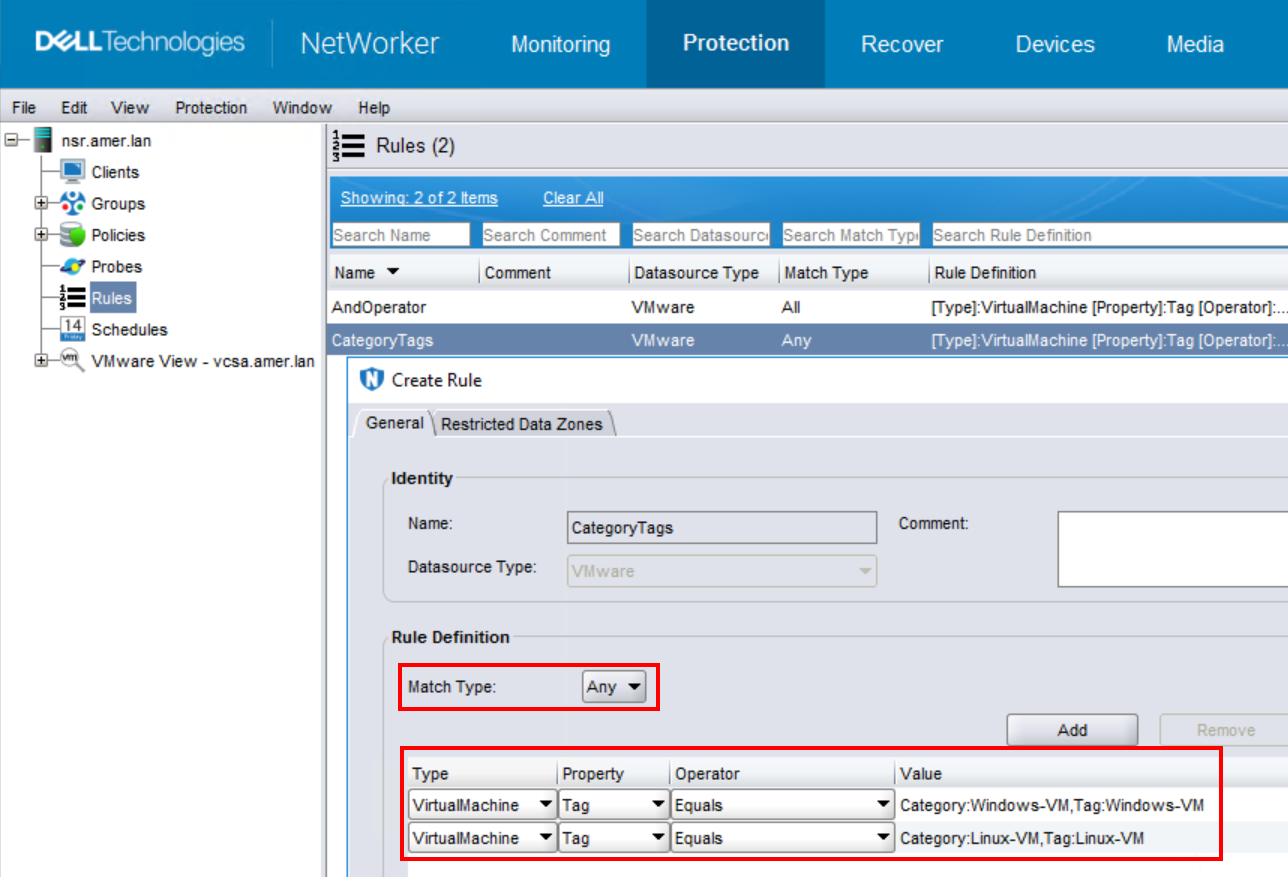
Any VM that contains either of these tags is identified by the rule: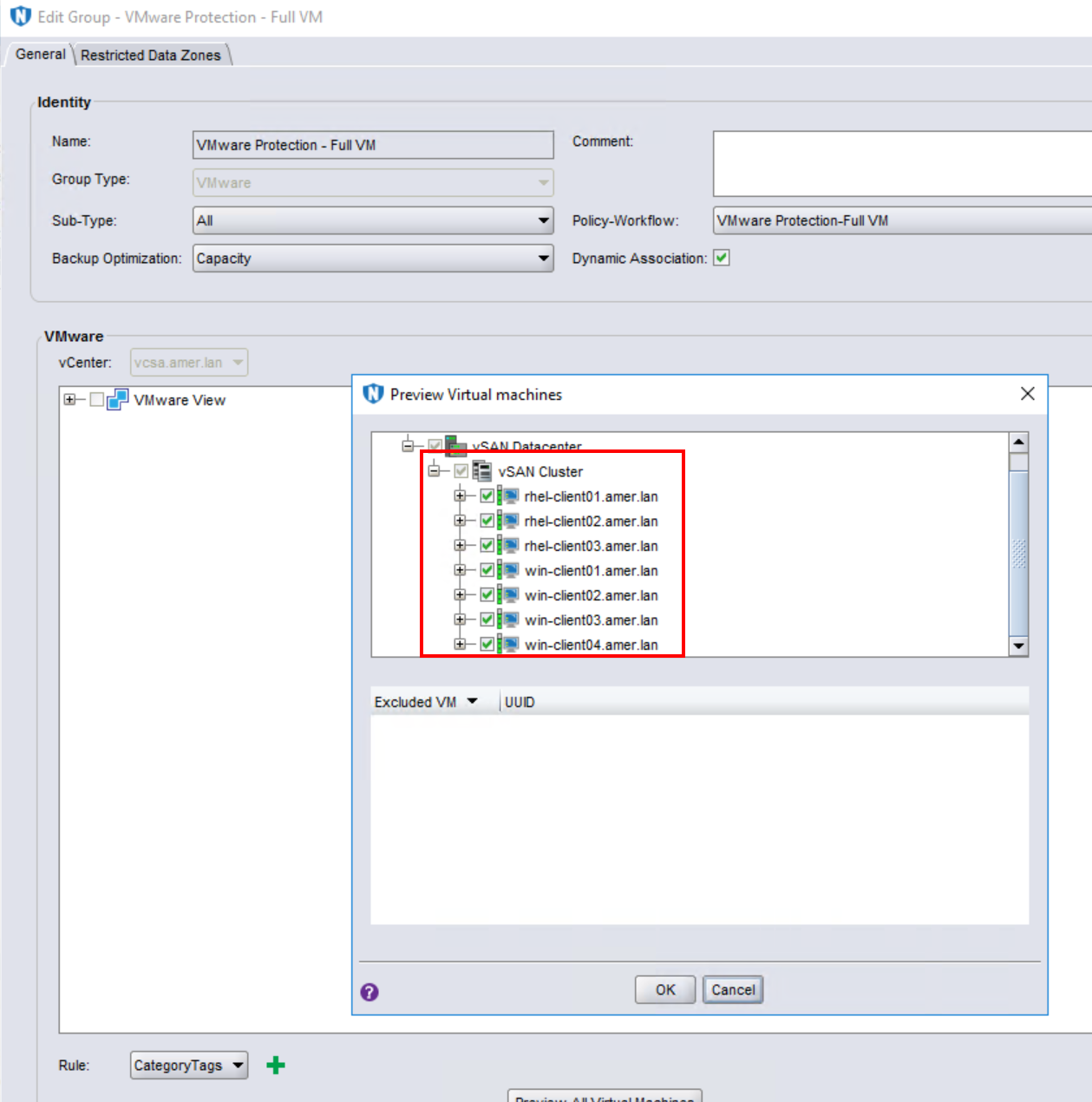
In summary, "Match Type: All" is appropriate when you want to ensure that All of the rule definitions must be met when identifying VMs to be backed up or ignored during a backup. "Match Type: Any" is appropriate when you have a mix of varying rule definitions and you want VMs to be identified based on any single rule definition in the rule.
Types and Operators:
If VMs are still not being identified correctly after confirming the correct Match Type is used, Review the Types and Operators in the rule definitions.
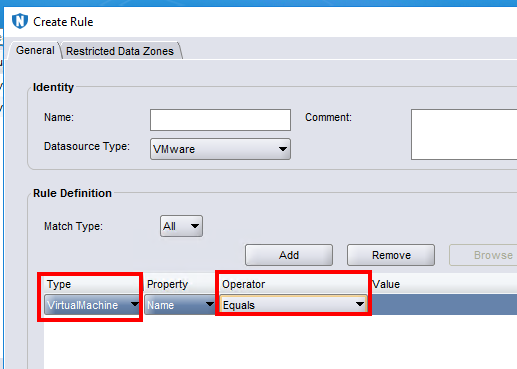
The rule definitions allow for the following types:
VirtualMachineHost/ClustervAppVmFolderDatacenterResourcePool
Each of these types corresponds to VMware resources.
The rule definition has the following logical operators:
EqualsDoes not EqualContainsDoes not ContainStarts WithDoes Not Start WithEnds WithDoes Not End WithRegular Expression
While reviewing these settings, ensure that there are no conflicting rules that could cancel one another out. The Operators must also be correspond to Type values which exist in the VMware infrastructure.
Properties and Values:
There are two property types:
- Name - Associates directly with the "Name" of something in VMware. For example, the Name of a VirtualMachine, Host/Cluster, vApp, VmFolder, Datacenter, or ResourcePool. Depending on the Operator used this could be an exact match or partial string. For example VirtualMachine name must equal "rhel-client01.amer.lan," VirtalMachine name must include "rhel-client," or VmFolder must equal "VM Clients."
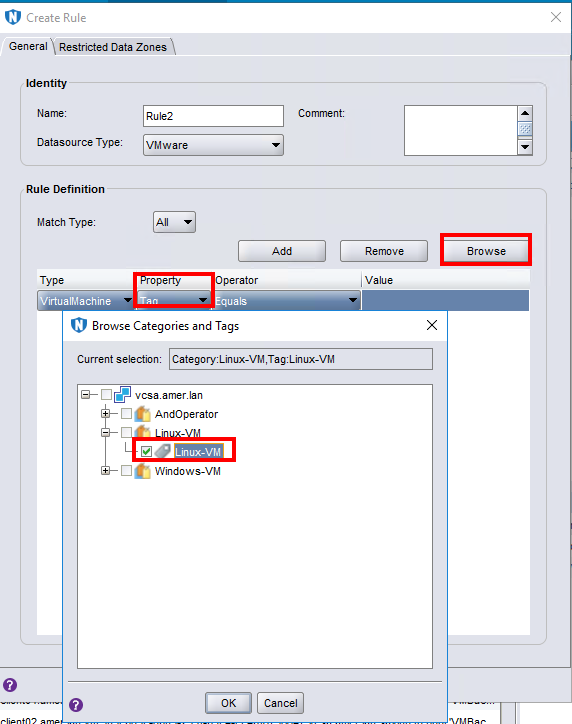
- Tag - uses VMware Category Tagging. Categories and Tags are configured directly in VMware and assigned to various resources. The Categories and Tags defined must exist in VMware and must be assigned to the resources correctly. This is discussed in greater detail under NVP vProxy: Category Tagging based VMware Protection.
Logs and Additional Troubleshooting Measures:
- Review the NetWorker server
daemon.rawfor any errors regarding the VMware inventory process (nsrvim)- Linux:
/nsr/logs/daemon.raw - Windows (Default):
C:\Program Files\EMC NetWorker\nsr\logs\daemon.raw - NetWorker: How to use nsr_render_log to render .raw log files
- Linux:
- Review the NetWorker server inventory session logs (
nsrvisd) to see if any errors reported when identifying dynamic rules:- Linux:
/opt/nsr/logs/vproxy/logs/nsrvisd/ - Windows (Default):
C:\Program Files\EMC NetWorker\nsr\vproxy\logs\nsrvisd\
- Linux:
- Generate vCenter dump files. These files list what VMware resources exist in the VMware environment and are picked up during the NetWorker inventory process.
- From an elevated prompt on the NetWorker server, run:
nsrvim --dump --names=vCEnter_Server_Name - This generates three XML files. On Windows servers, the files are generated in the same location from which the command was run. On Linux, the files are generated under
/nsr/cores/nsrvim
vCenter_Name.xml- Lists VMware objects: VMs, datastores, folders, so forthvCenter_Name-cat_tags.xml- Lists VMware category tags and which resources have the tags assigned.vCenter_Name-mapping.xml- Lists VMware objects: Port groups, hosts, folders, VMs, so forth
Affected Products
NetWorkerProducts
NetWorker FamilyArticle Properties
Article Number: 000382843
Article Type: Solution
Last Modified: 09 Jan 2026
Version: 3
Find answers to your questions from other Dell users
Support Services
Check if your device is covered by Support Services.