PowerSwitch: Enterprise SONiC: Dynamic Licensing
Summary: This article guides you through locating the Software ID (SWID) for your Dell Enterprise SONiC license. This ID is required to verify your support level and will be requested when contacting support. ...
This article applies to
This article does not apply to
This article is not tied to any specific product.
Not all product versions are identified in this article.
Symptoms
You may require this guide in the following cases:
- You are contacting Dell support for your Network Operating System (NOS) and have been asked to provide your Software ID (SWID).
- You must verify your support level for your dynamic NOS license.
- You are unsure where to locate your Software ID in Dell Digital Locker (DDL).
Cause
Dell Enterprise SONiC licensing is transitioning from traditional licensing to dynamic licensing. As part of this change, a Software ID (SWID) is now required to verify your support level when contacting support.
Resolution
The following steps can be used to find your Dell Enterprise SONiC Software ID (SWID) in order to engage Dell Support.
There are two methods that you can employ:
Using the Software and License Central Portal
- Log in to your Dell My Account using your account email and password.
for more information, see How to Access Your Dell Software Licenses and Digital Subscriptions - Go to the Software Licenses page
- In the license table, find your product license. If you have multiple licenses, search by Order Number or Product Name to locate the correct one.
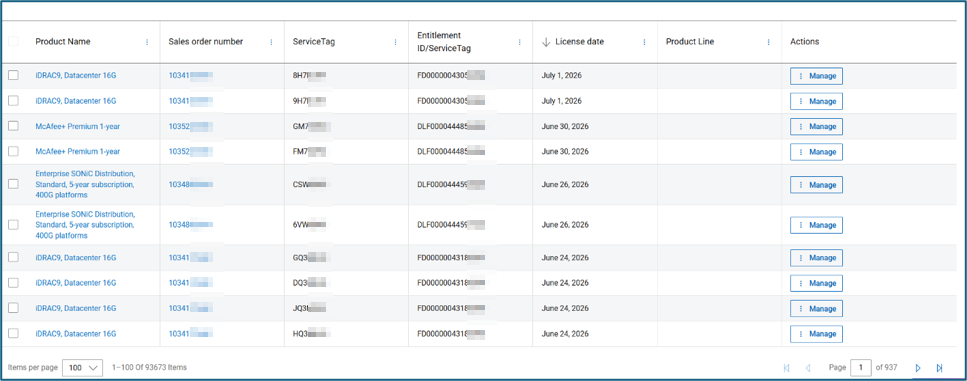
- Select the license that you want to get the Software ID for.
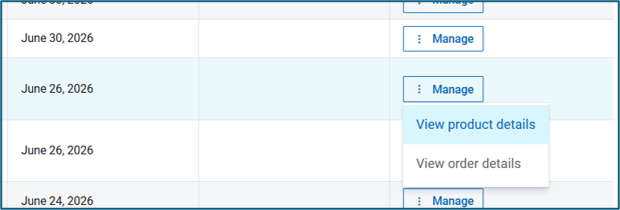
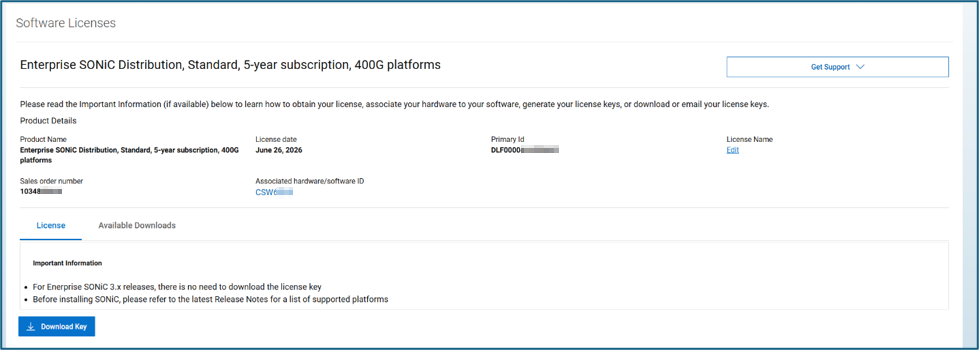
- Locate the Associated hardware/software ID. This will be your Software ID (SWID).
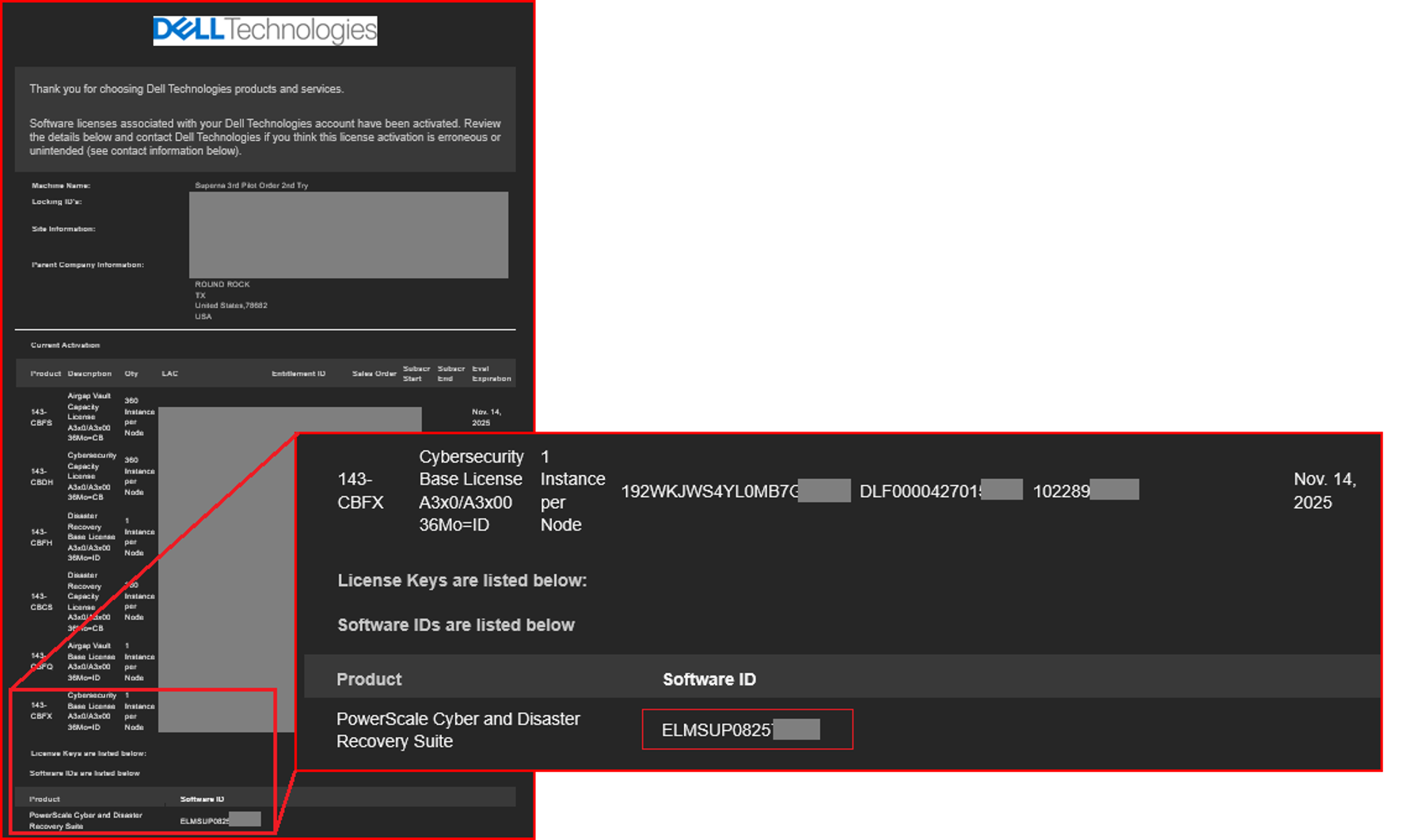
Using the License Authorization Code (LAC) Letter
You will have received an email with your product SWID in a License Activation email. Example below:
Article Properties
Article Number: 000504717
Article Type: Solution
Last Modified: 31 Aug 2026
Version: 1
Find answers to your questions from other Dell users
Support Services
Check if your device is covered by Support Services.