DisplayPort Monitor not Detected or Only Two Displays on Dell Universal Dock UD22
概要: This article documents how to resolve a Dell Universal Dock (UD22) that does not show a DisplayPort connected display, or the dock is limited to only two external displays.
この記事は次に適用されます:
この記事は次には適用されません:
この記事は、特定の製品に関連付けられていません。
すべての製品パージョンがこの記事に記載されているわけではありません。
現象
A Dell Universal Dock may only display video on two external monitors. These monitors only operate when connected to the HDMI port and either the DisplayPort 1 port (near HDMI) or the USB Type-C port. A monitor connected to DisplayPort #2 (Next to the network connection) may not display video at all (Figure 1).
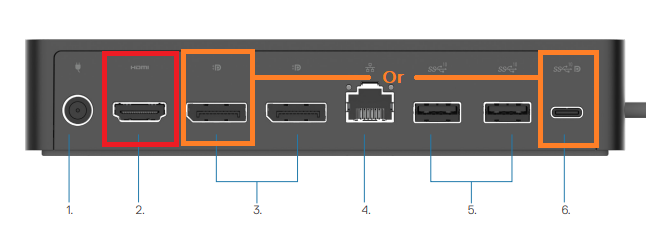
Figure 1. External monitors only work on HDMI (Red) and DisplayPort1 or USB Type-C ports (Orange)
Only the HDMI port and DisplayPort #1 or USB Type-C port are active without installation of the DisplayLink video driver. DisplayPort #2 depends on the DisplayLink driver and does not function when the DisplayLink driver is not installed on the connected computer.
原因
The dock is working as designed because the DisplayLink driver is not installed on the docked computer.
解決方法
The Dell Universal Dock requires installation of the DisplayLink driver to operate in three or four monitor configurations. The driver can be downloaded from the Dell Support Website (Figure 2).
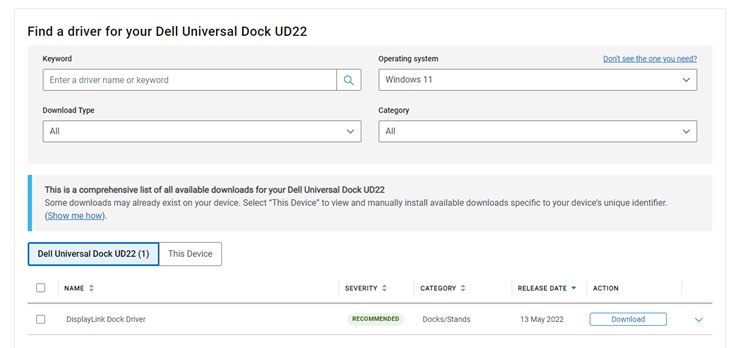
Figure 2. Downloading the Dell Universal Dock (UD22) DisplayLink driver
Note: Dell Technologies recommends that you install the latest BIOS update and any available firmware updates for the dock to ensure optimal dock performance.
Before installation of the DisplayLink driver the external displays in DisplayLink Manager shows no DisplayLink device detected (Figure 3).
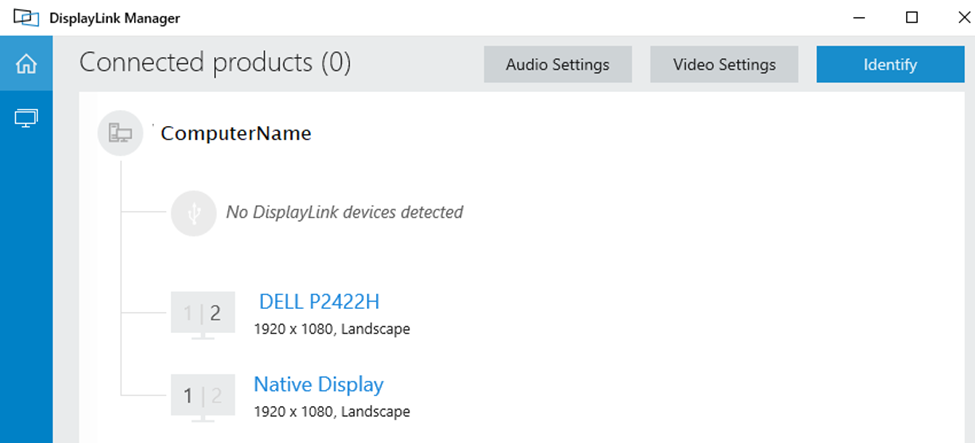
Figure 3. No DisplayLink Device is detected.
The displays detect after installing the DisplayLink driver (Figure 4).
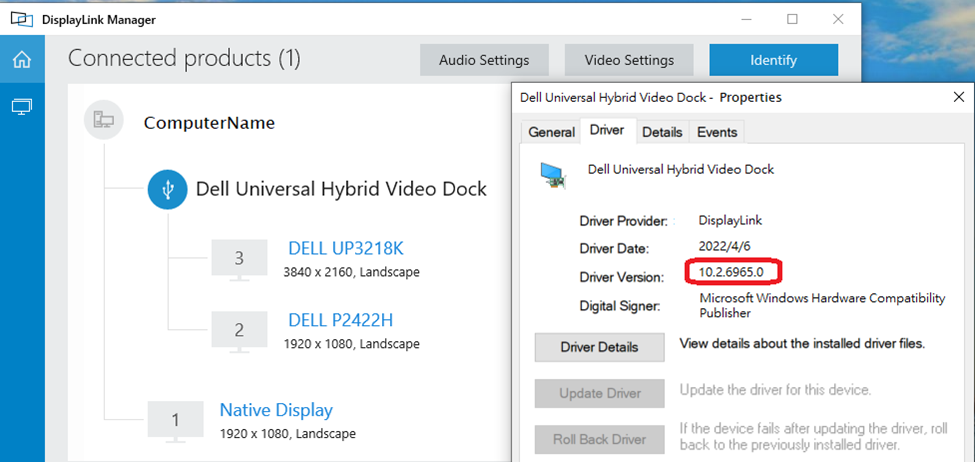
Figure 4. Displays detected after Display link driver installation
For more information about configuring multiple external displays on the Dell Universal Dock (UD22), go to our support page.
対象製品
Dell Universal Dock UD22文書のプロパティ
文書番号: 000202555
文書の種類: Solution
最終更新: 24 4月 2025
バージョン: 6
質問に対する他のDellユーザーからの回答を見つける
サポート サービス
お使いのデバイスがサポート サービスの対象かどうかを確認してください。