Dell Unity: Failed to Add Role Mapping for LDAP User When Forest Level Authentication Is Configured
概要: Customer configured forest level LDAP authentication on Unity for UI management. The LDAP connection was verified OK, but customer was unable to add role mapping for LDAP users. (User Correctable) ...
この記事は次に適用されます:
この記事は次には適用されません:
この記事は、特定の製品に関連付けられていません。
すべての製品パージョンがこの記事に記載されているわけではありません。
現象
Customer configured forest level LDAP authentication on LDAP server port 3268 for Unisphere management. Customer followed the Security Configuration Guide to specify userPrincipalName in the User ID Attribute field in the Advanced window.
Dell EMC Unity Family Security Configuration Guide (delltechnologies.com)
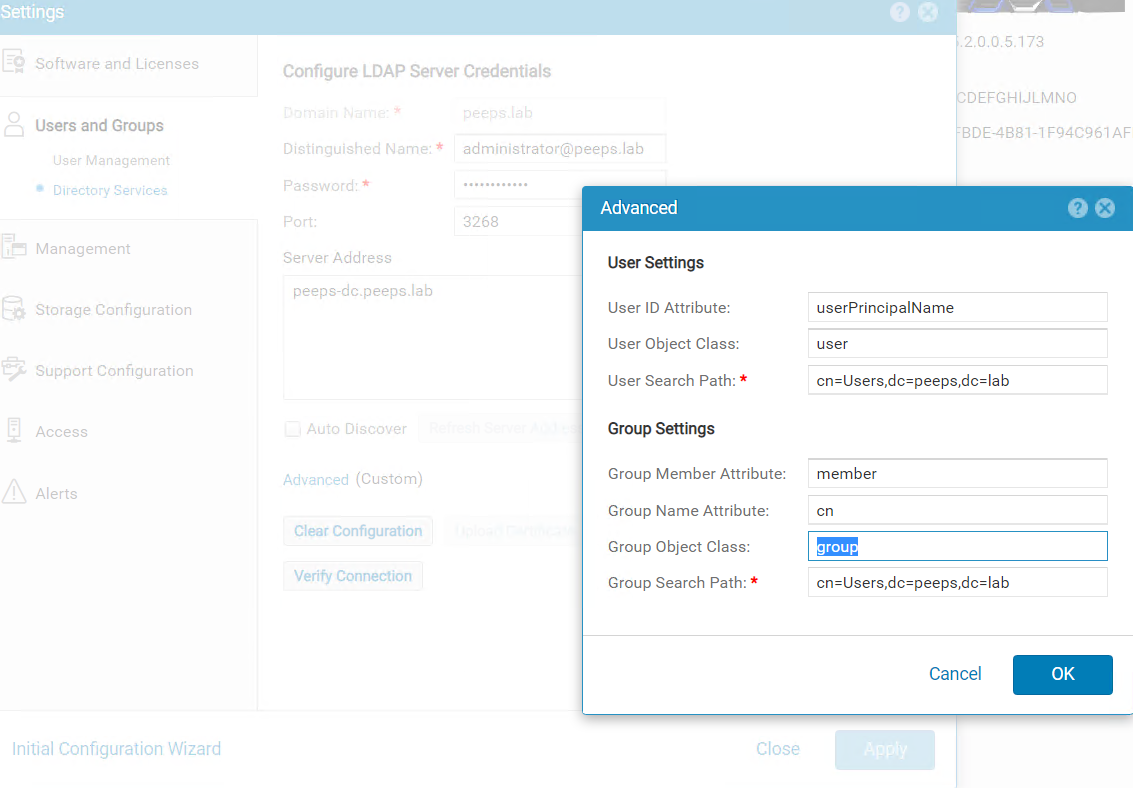
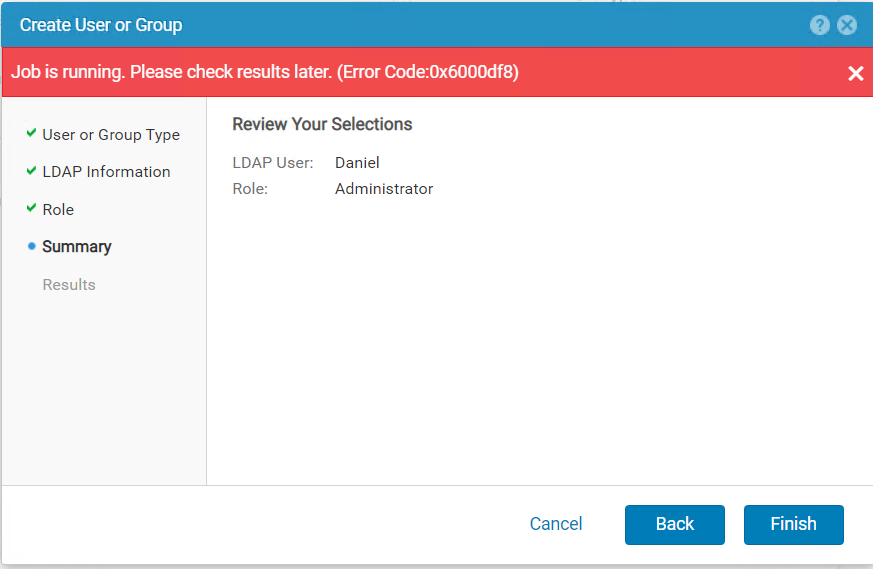
When trying to add LDAP user in Users and Groups --> User Management --> Manage Users & Groups, the following errors were received.
原因
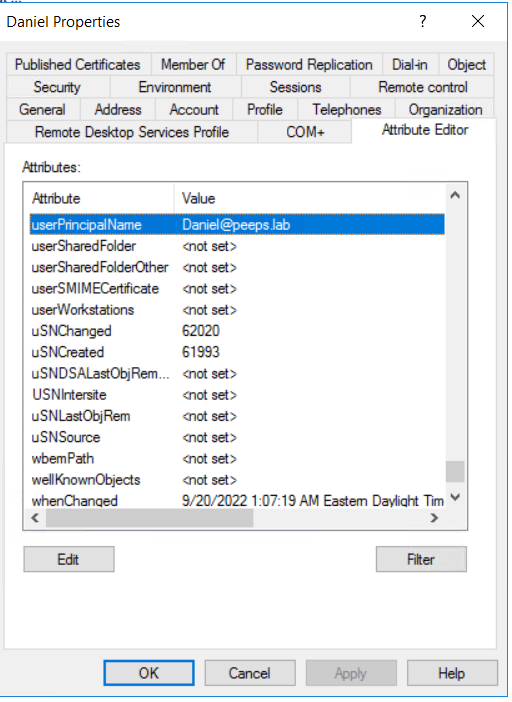
When forest level LDAP authentication is configured, the username of the LDAP user for role mapping should be configured in the format of <username>@<domain> which is exactly the userPincipalName that customer configures for the user in the LDAP server.
解決方法
If the Windows domain controller is the LDAP server, the userPrincipalName can be retried from user's properties using Active Directory Users and Computers.
Note: The Advanced Features in View tab must be enabled to show the Attribute Editor of the user.
対象製品
Dell EMC Unity文書のプロパティ
文書番号: 000203550
文書の種類: Solution
最終更新: 03 6月 2026
バージョン: 5
質問に対する他のDellユーザーからの回答を見つける
サポート サービス
お使いのデバイスがサポート サービスの対象かどうかを確認してください。