SRM 4.6 and 4.7: Unity snapshot causing massive inactive metric in database.
概要: Unity Snapshots that build up and causes backend processing's delays which in turn causes QDF files to start backing up.
この記事は次に適用されます:
この記事は次には適用されません:
この記事は、特定の製品に関連付けられていません。
すべての製品パージョンがこの記事に記載されているわけではありません。
現象
Database is slow to process data due to massive number of Unity snapshot inactive metrics. We can see it through report below: Report Library >>System Health >> Operations >> Metrics>> Metrics Per Data Group
原因
Unity Snapshots increase fast due to customer has large number of Unity arrays in SRM setup.
解決方法
If customer does not want or care about Unity snapshot report. Customer can use the workaround below to stop collecting Unity snapshot.
Step 1: Login into the collector instance
Step 2: Go to the folder <APG-INSTALLED-PATH>/Collecting/Variable-Handling-Filter/<instance-name>/conf
Step 3: Back up the file “vhf-cleanup.xml”
Step 4: Go to collector host >> Pack and Modules >> search for "vnx" then click on Variable-Handling-Filter module.
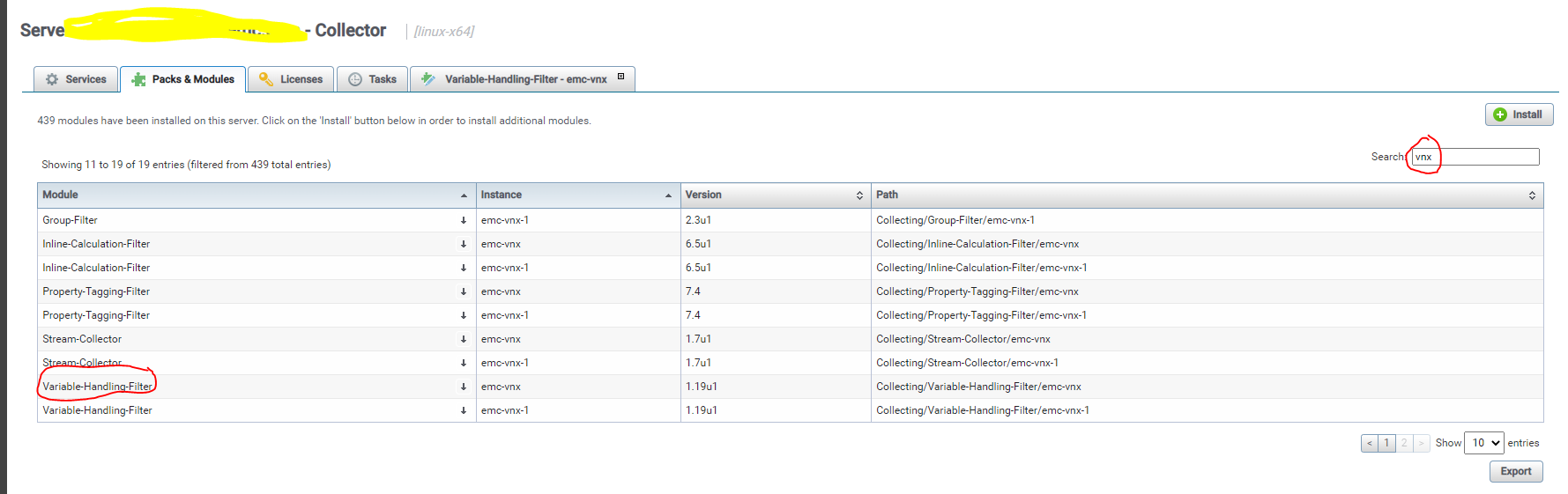
Step 5: When the new tab opens. Search for vhf-cleanup.xml >> then click on the small pencil icon to edit the file.
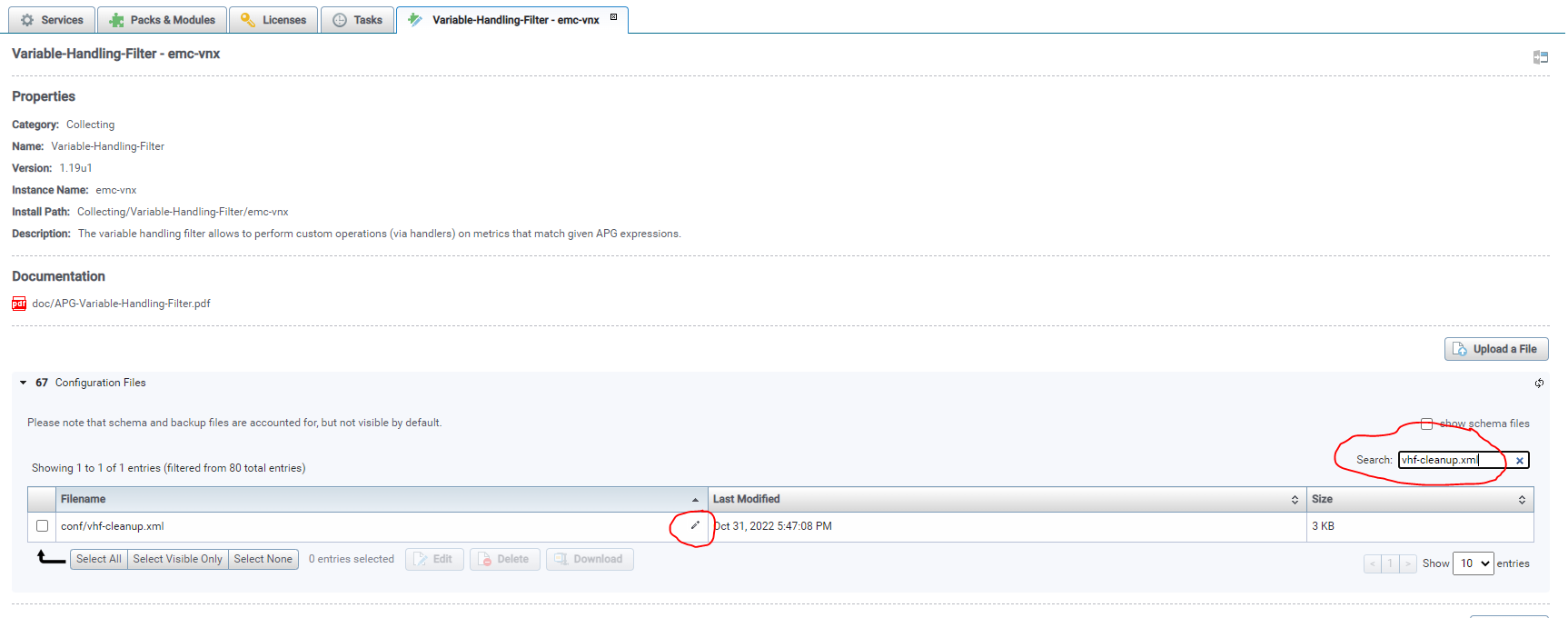
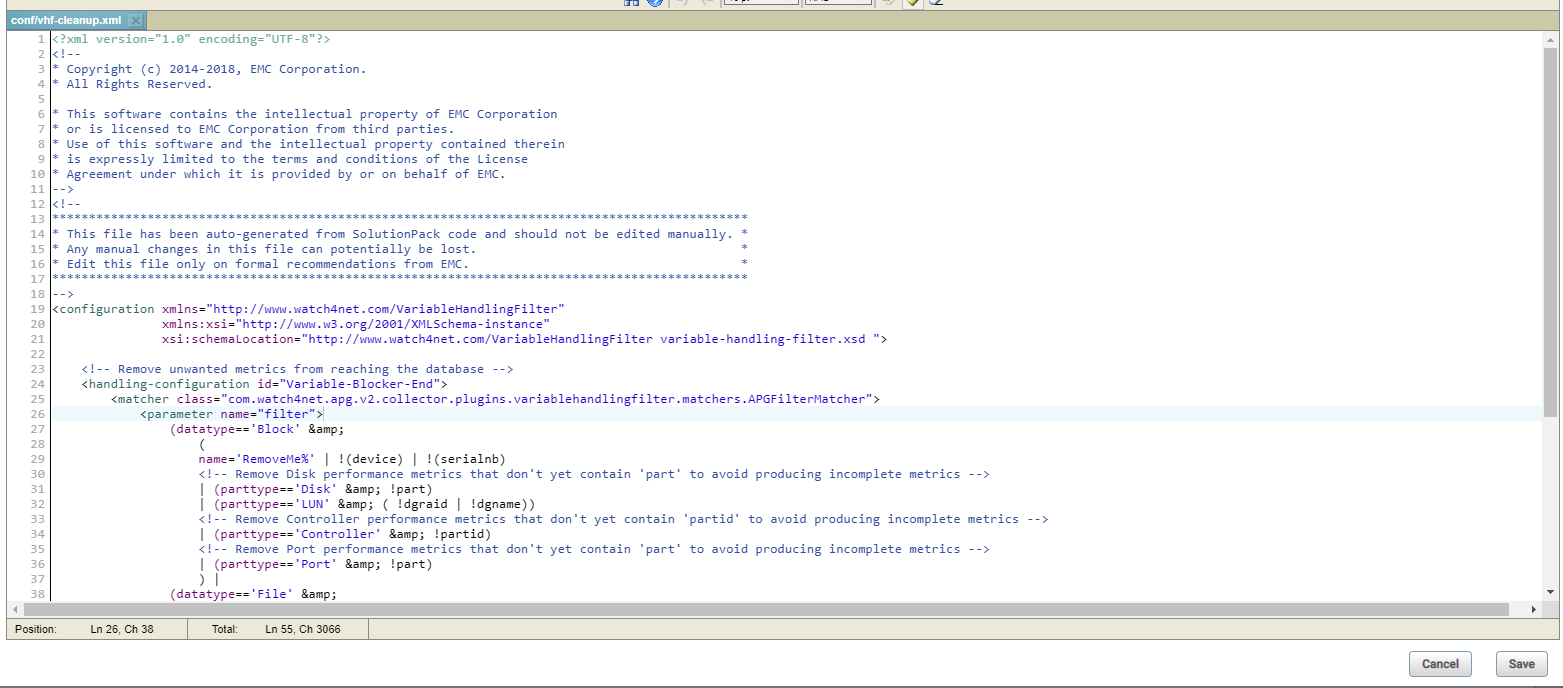
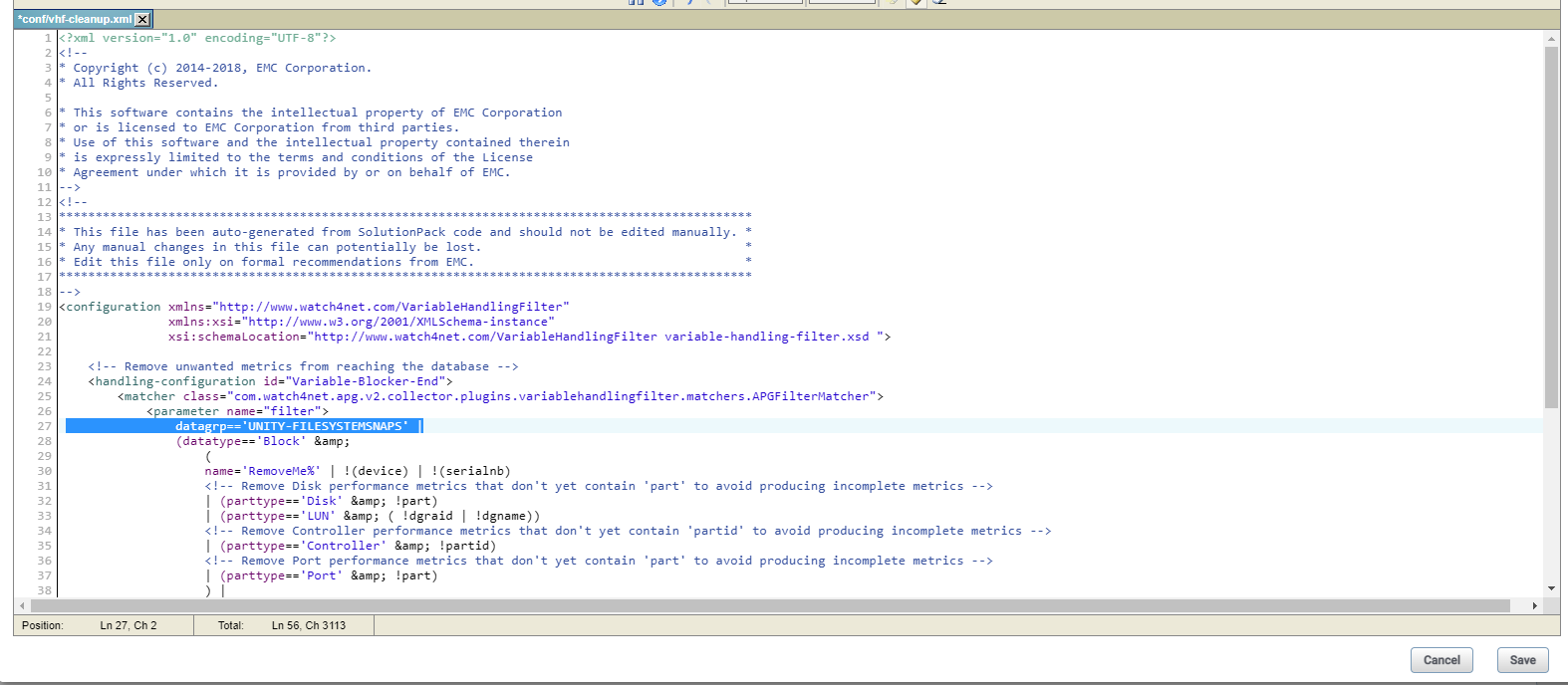
Step 6: Add the below “datagrp=='UNITY-FILESYSTEMSNAPS' |” to block only file system snapshot change in line no 27 the file “vhf-cleanup.xml”.
Before edit:
After edited:
Step 7: Saved the edit then restart the collector.
Note: Previously collected snapshot metrics will turn inactive and also, we would see snapshot related reports/metrics will be empty after those value turn inactive.
Step 1: Login into the collector instance
Step 2: Go to the folder <APG-INSTALLED-PATH>/Collecting/Variable-Handling-Filter/<instance-name>/conf
Step 3: Back up the file “vhf-cleanup.xml”
Step 4: Go to collector host >> Pack and Modules >> search for "vnx" then click on Variable-Handling-Filter module.
Step 5: When the new tab opens. Search for vhf-cleanup.xml >> then click on the small pencil icon to edit the file.
Step 6: Add the below “datagrp=='UNITY-FILESYSTEMSNAPS' |” to block only file system snapshot change in line no 27 the file “vhf-cleanup.xml”.
Before edit:
After edited:
Step 7: Saved the edit then restart the collector.
Note: Previously collected snapshot metrics will turn inactive and also, we would see snapshot related reports/metrics will be empty after those value turn inactive.
対象製品
SRM文書のプロパティ
文書番号: 000206702
文書の種類: Solution
最終更新: 19 1月 2023
バージョン: 2
質問に対する他のDellユーザーからの回答を見つける
サポート サービス
お使いのデバイスがサポート サービスの対象かどうかを確認してください。