What is the Personal Computer Game Pass and How Can I Get Support
概要: This article describes the support scope for personal computer Game Pass and the Xbox app on Dell devices.
この記事は次に適用されます:
この記事は次には適用されません:
この記事は、特定の製品に関連付けられていません。
すべての製品パージョンがこの記事に記載されているわけではありません。
手順
What is the PC Game Pass?
PC Game Pass is designed for PC players. Play high-quality PC games, including new games on day one, and get an EA Play membership, Riot Games benefits, discounts & deals, and more. Starting June 01, 2025, every Dell device includes 3 months of PC Game Pass.*
*PC Game Pass: Subscription continues automatically at the regular monthly price unless cancelled. Subject to xbox.com/subscriptionterms 
PC Game Pass Promotional Offer:
Dell customers can claim your 3-month PC Game Pass subscription either during the Windows 11 Out-of-Box Experience (OOBE) or through the Microsoft Store.
How to Claim your 3-month PC Game Pass subscription through the Microsoft Store:
- Select the Microsoft Store icon on the Taskbar, or, in the Search Box on the taskbar, type "Microsoft Store," and then select it from the results.
- Sign into the Microsoft Store with your Microsoft Store Account (MSA) (if not already signed in).
- Click the "Library" button in the lower-left corner.
- Select the tab "Included with device."
- Click the "Claim" button next to "PC Game Pass | 3-month subscription."
- Enter a valid payment instrument and click "Subscribe."
- You can cancel at any time. Simply go to account.microsoft.com
How to claim your 3-month PC Game Pass subscription during the Windows Out-of-Box Experience (OOBE):
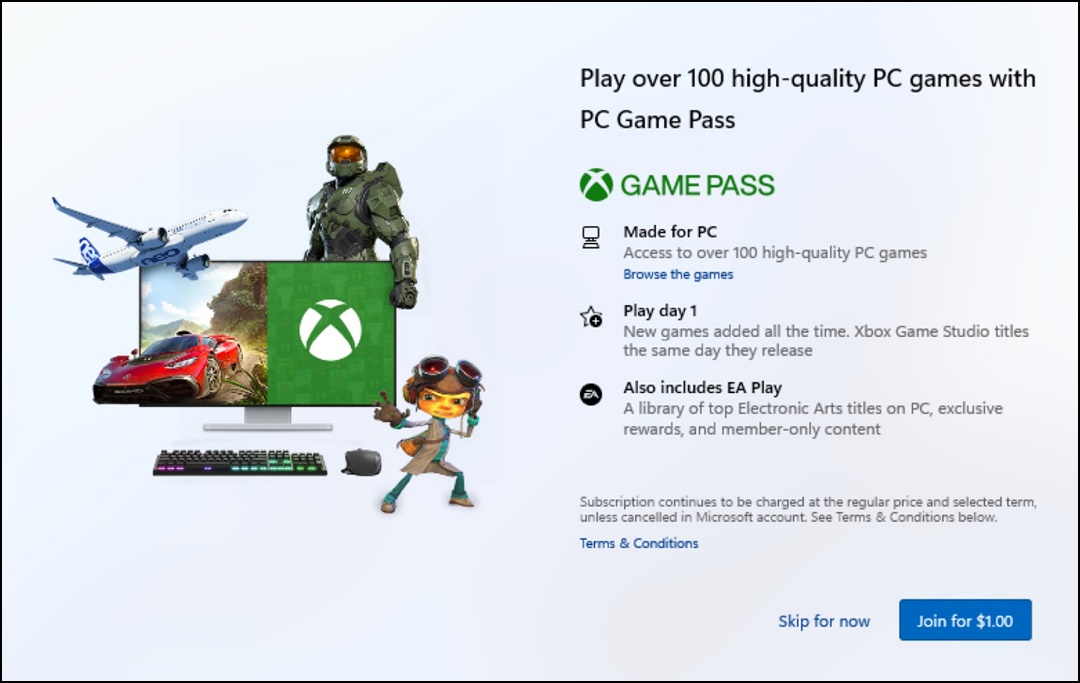
Your 3-month PC Game Pass subscription is automatically presented during the Windows Out-of-Box Experience (OOBE). To claim your 3-month PC Game Pass, you must sign into your Microsoft Account during the OOBE.
- Click "Claim" to start the process.
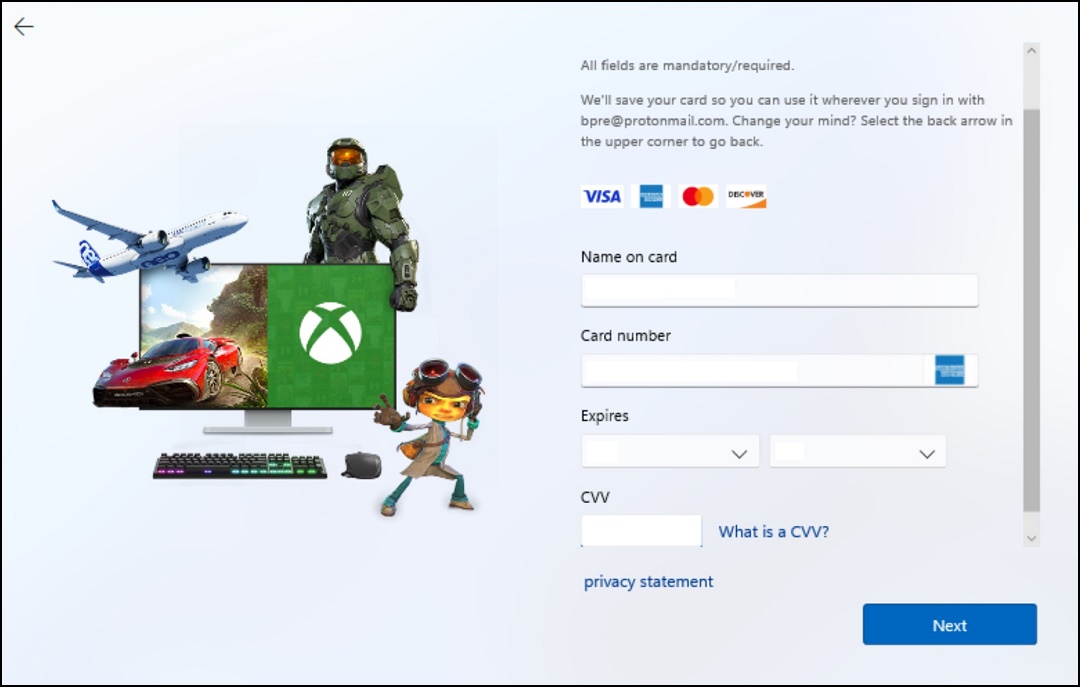
- Enter the payment method and click "Next."
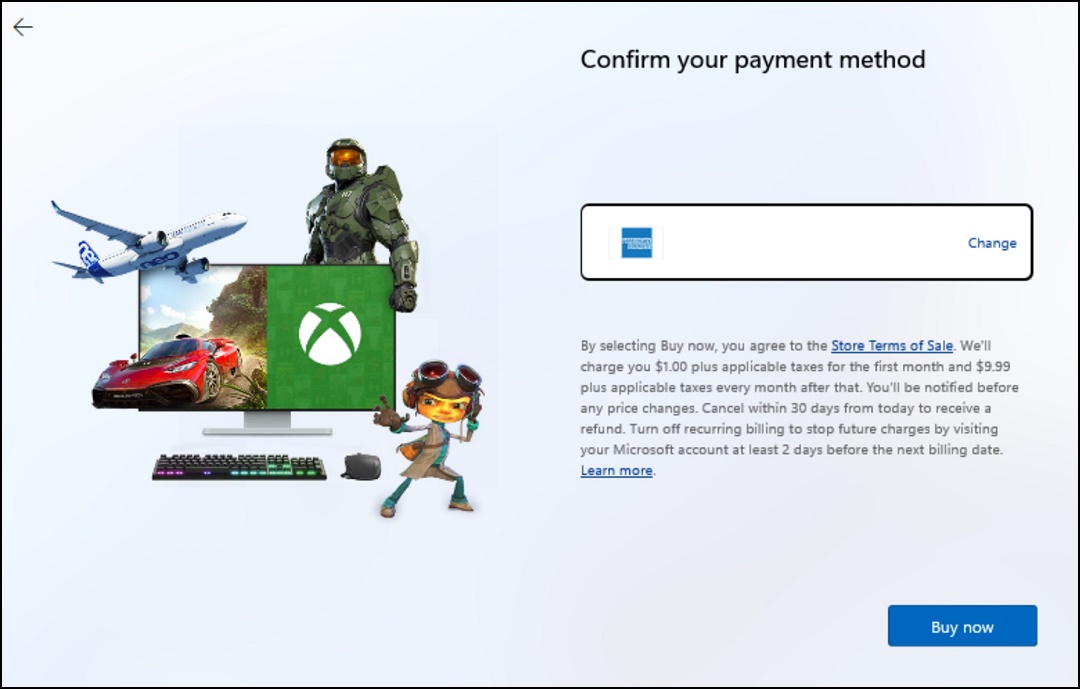
- Confirm the payment method and click "Buy Now."
Accessing PC Game Pass Games:
Click "Start," then click the "Xbox" icon. Click "Game Pass" to discover and download new games with Game Pass.
If the Xbox app is not already installed, you can install it from the Microsoft Store
対象製品
Alienware, Dell All-in-One, Dell Pro All-in-One, Dell Pro Max Micro, Dell Pro Max Slim, Dell Pro Max Tower, Dell Pro Micro, Dell Pro Slim, Dell Pro Tower, Dell Slim, Dell Tower, Inspiron, OptiPlex, Vostro, XPS, G Series, G Series, Alienware
, Dell Laptops, Dell Plus, Dell Pro, Dell Pro Max, Dell Pro Plus, Dell Pro Premium, Inspiron, Latitude, Dell Pro Rugged, Vostro, XPS, Fixed Workstations, Mobile Workstations, Dell Pro Max Micro XE FCM2250, Dell Pro Max Slim XE FCS1250, Dell Pro Max Tower T2 XE FCT2250, Dell Pro Max 16 XE MC16250, Dell Pro Micro Plus XE QBM1250, Dell Pro Slim Plus XE5 QBS1250, Dell Pro Tower Plus XE5 QBT1250
...
文書のプロパティ
文書番号: 000207179
文書の種類: How To
最終更新: 16 7月 2025
バージョン: 9
質問に対する他のDellユーザーからの回答を見つける
サポート サービス
お使いのデバイスがサポート サービスの対象かどうかを確認してください。