Steps to retain the Proxy on the vCenter even after the Proxy Deployment Manager fails to deploy the proxy successfully...
概要: While deploying the proxy on Avamar using Proxy Deployment Manager (PDM) if the deployment of the proxy server fails after 50% or 70%; Avamar deletes the failed VM from the vCenter.
この記事は次に適用されます:
この記事は次には適用されません:
この記事は、特定の製品に関連付けられていません。
すべての製品パージョンがこの記事に記載されているわけではありません。
手順
Plan of action to mitigate this issue:
- SSH to Avamar as admin.
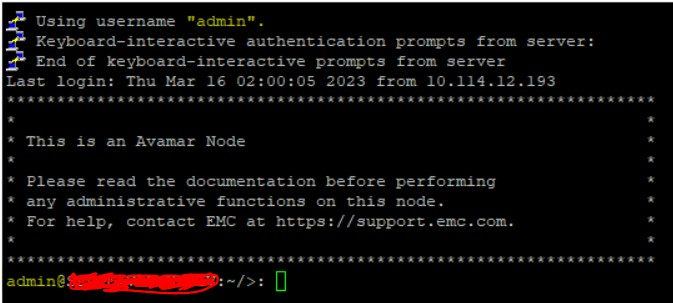
- Switch over to root.
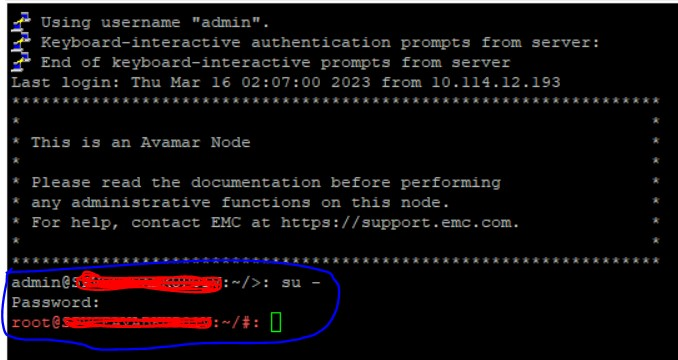
- Navigate to the location /etc/vcs

- Locate the file dm.properties.
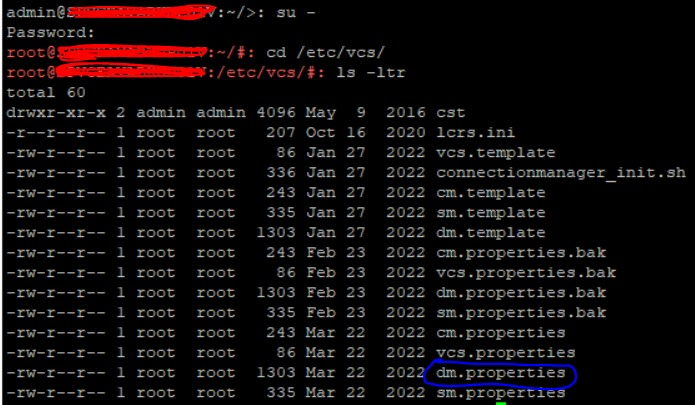
- Edit the file using “vi” editor.

- Locate the key “keep_deploy_failed_proxy”.
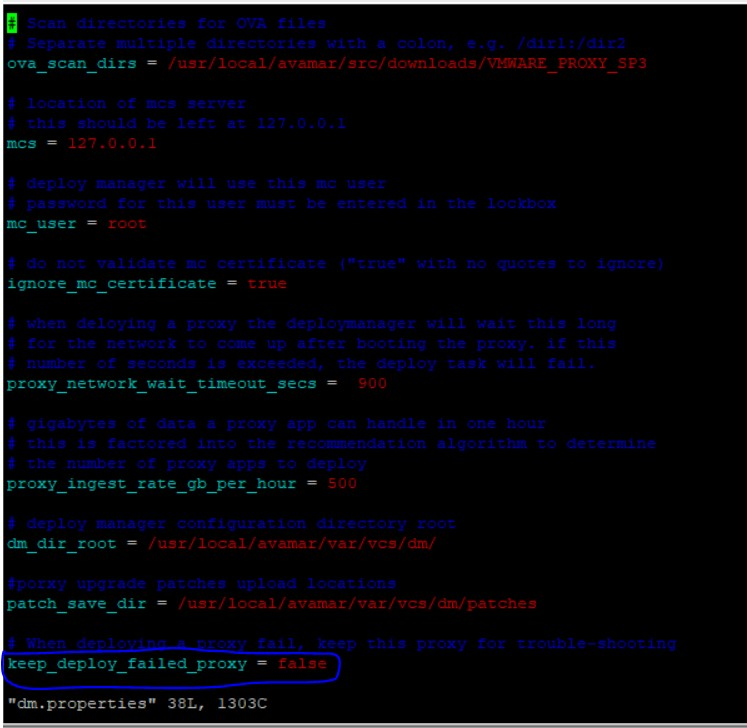
- Modify the value of the key to “true”.

- Save and quit the “vi” editor.
- Now, try to redeploy the proxy. If it fails again, you will still have the proxy retained on the vCenter to further troubleshoot and provide the details to support.
対象製品
Avamar文書のプロパティ
文書番号: 000214253
文書の種類: How To
最終更新: 25 8月 2023
バージョン: 2
質問に対する他のDellユーザーからの回答を見つける
サポート サービス
お使いのデバイスがサポート サービスの対象かどうかを確認してください。