Dell Cloudlink: Deploying Cloudlink 8.x VM in Linux KVM fails with error /dev/disk/by-uuid/ does not exist
概要: A new deployment of a Cloudlink 8.x qcow2 image in Linux KVM boots into Emergency Mode.
この記事は次に適用されます:
この記事は次には適用されません:
この記事は、特定の製品に関連付けられていません。
すべての製品パージョンがこの記事に記載されているわけではありません。
現象
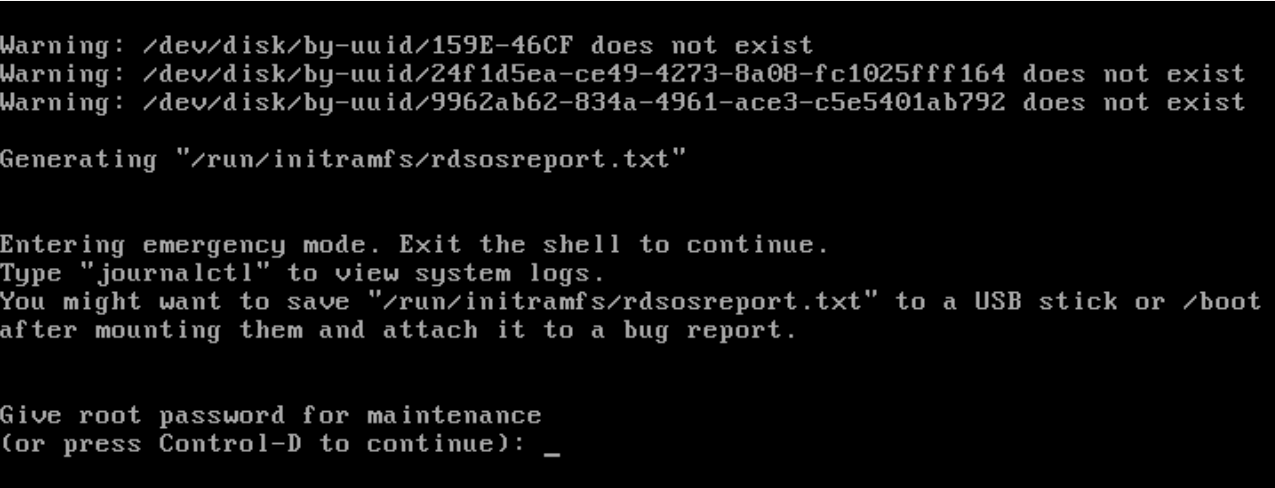
After a new deployment of a Cloudlink 8.x qcow2 image in Linux KVM boots into Emergency Mode and displays this error:
Warning: /dev/disk/by-uuid/159E-46CF does not exist
Warning: /dev/disk/by-uuid/24f1d5ea-cd49-4273-8a08-fc1025fff164 does not exist
Warning: /dev/disk/by-uuid/9962ab62-834a-4961-ace3-c5e5401ab792 does not exist
原因
Disk bus type was not set correctly.
解決方法
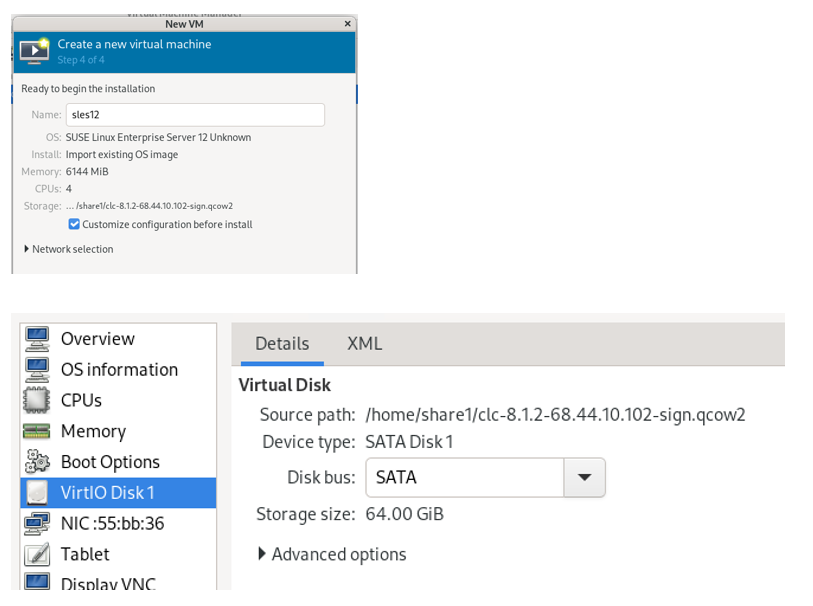
Select Customize configuration before install and select SATA for the Disk bus.
The default Disk bus is VirtIO, and you will have this issue if it is not set correctly.
The Cloudlink Deployment Guide does state that the Disk bus should be set to SATA.
対象製品
CloudLink文書のプロパティ
文書番号: 000323281
文書の種類: Solution
最終更新: 09 2月 2026
バージョン: 4
質問に対する他のDellユーザーからの回答を見つける
サポート サービス
お使いのデバイスがサポート サービスの対象かどうかを確認してください。