NetWorker: NMC failed to launch. Authentication is required.
概要: The NetWorker Management Console (NMC) failed to launch. When attempting to open the application, a message appears, stating "Authentication required."
この記事は次に適用されます:
この記事は次には適用されません:
この記事は、特定の製品に関連付けられていません。
すべての製品パージョンがこの記事に記載されているわけではありません。
現象
The NetWorker Management Console (NMC) failed to launch. When attempting to open the application, a message appears, stating the proxy server requests authentication.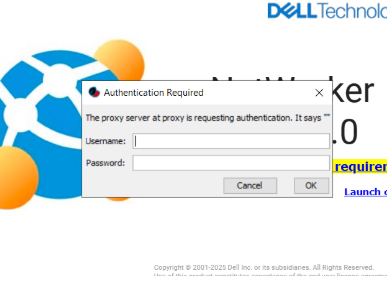
When you click "Cancel," it proceeds to display the NMC log in screen.
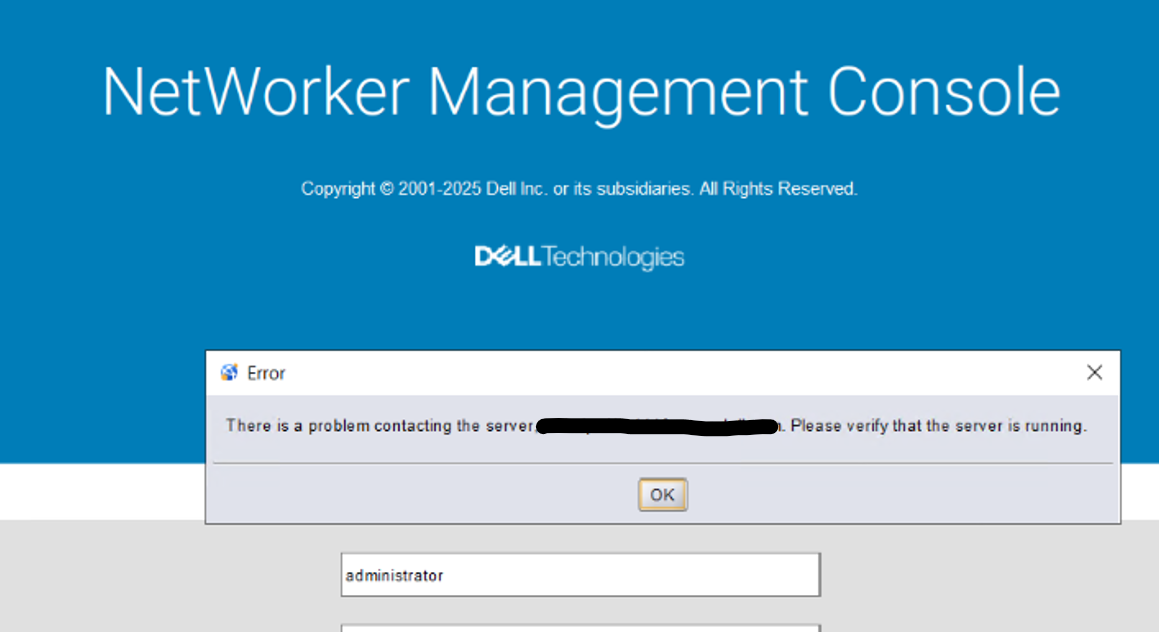
The NMC service is running on the NMC server:
- Linux:
systemctl status gst - Windows:
sc query gstd
The NMC port (9000) is reachable from the host accessing the NMC:
- Linux:
curl -v NMC_SERVER_ADDRESS:9000 - Windows (PowerShell):
tnc NMC_SERVER_ADDRESS -p 9000
The NMC server can communicate with the AUTHC server: NetWorker: How To Identify Which Server is the Authentication Server Used By NMC and NWUI
原因
The web browser on the host accessing the NMC is configured with Proxy settings.
A proxy server should not be configured on a system running the NetWorker Management Console. The proxy interferes with NMC’s ability to communicate directly with the NetWorker Authentication Service on port 9090.
解決方法
Disable proxy setting in the browser.
Edge Browser:
- Open Edge and click the three dots (menu) in the upper right corner.
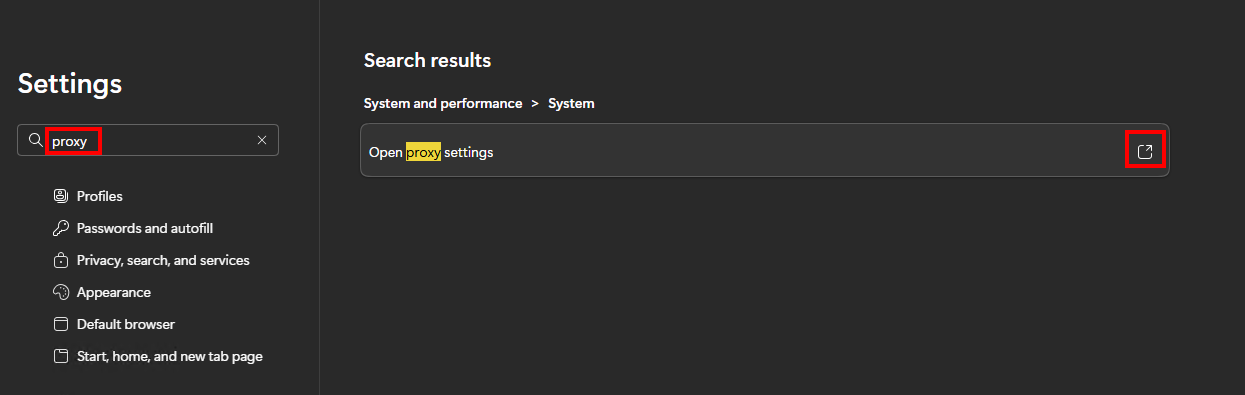
- Search "Proxy" then click Open proxy settings.
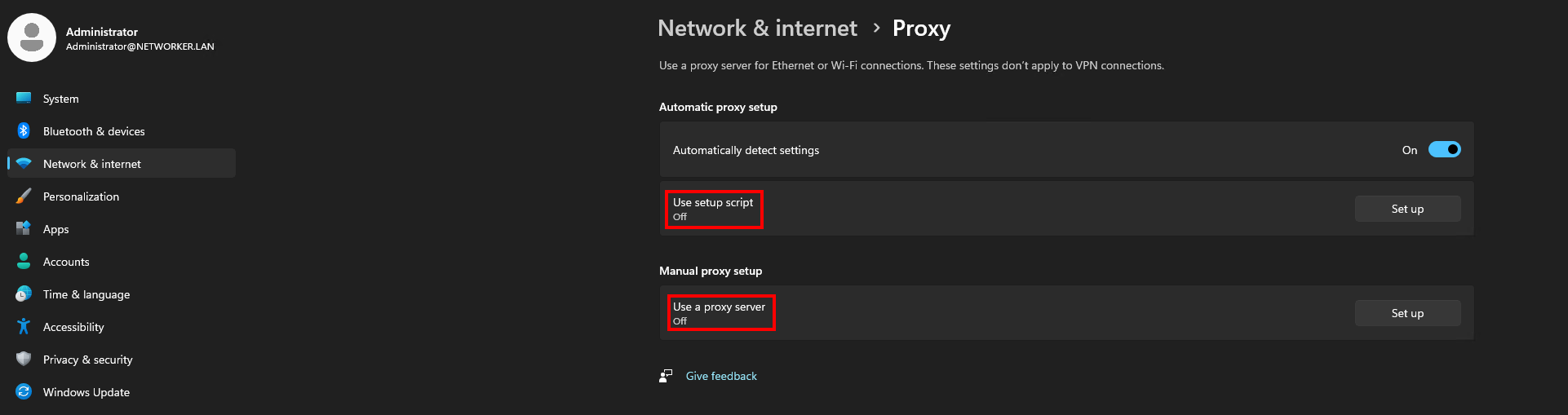
- In the proxy settings, turn off Use a proxy server under Manual proxy setup.
- Ensure Automatically detect settings is turned on.
- Launch the NMC.
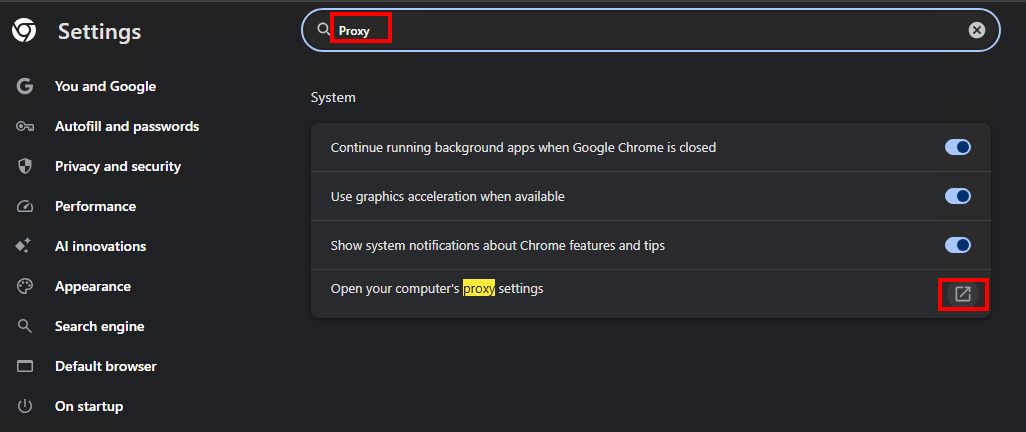
On Chrome Browser:
- Open Chrome. Click the three dots (...) in the upper right corner.
- Search "Proxy" then click Open your computer's proxy settings.
- Under Automatic proxy setup → turn Off Automatically detect settings (optional).
- Under Manual proxy setup → turn Off Use a proxy server.
- Click Save.
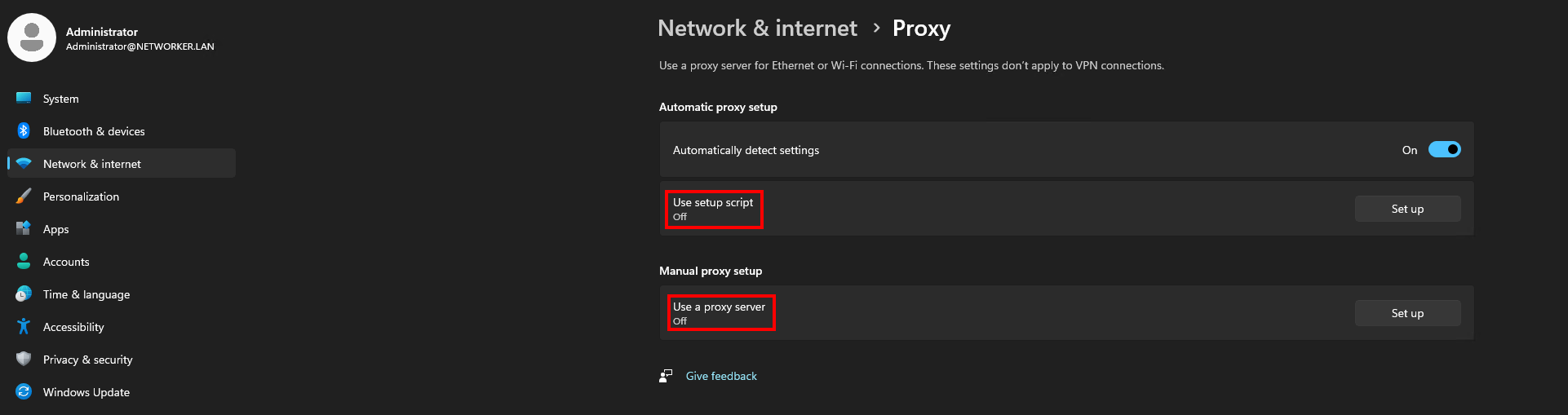
- Launch the NMC.
対象製品
NetWorker文書のプロパティ
文書番号: 000338041
文書の種類: Solution
最終更新: 17 2月 2026
バージョン: 1
質問に対する他のDellユーザーからの回答を見つける
サポート サービス
お使いのデバイスがサポート サービスの対象かどうかを確認してください。