Dell Pro Desktop Speakerphone SP3022 Missing from Audio Devices After Resuming from Standby or Hibernate
Summary: Customer may find the Dell Pro Desktop Speakerphone SP3022 appears to be turned off, not responding, or may be missing from the audio devices in the Windows setup screen.
Acest articol se aplică pentru
Acest articol nu se aplică pentru
Acest articol nu este legat de un produs specific.
Acest articol nu acoperă toate versiunile de produs existente.
Symptoms
Affected Products:
- Dell Pro Desktop Speakerphone SP3022
Affected Versions:
- FW 1.1.5
Cause
During modern standby, the Dell Pro Desktop Speakerphone SP3022 is turned off and periodically scans for USB wake when the computer wakes up from standby. The device can sometimes miss the USB wake command and does not wake up.
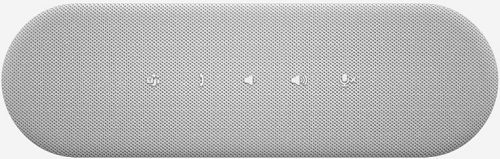
Figure 1: The speakerphone appears turned off and not responding
In the device manager, there maybe an instance of USB Device descriptor failed;

Figure 2: (English Only) Device Manager
Resolution
- Download and upgrade Speakerphone firmware 1.17.4, or later to fix the issue:

Figure 3: (English Only) Dell Pro Desktop Speakerphone SP3022 Firmware Update Utility
- Perform a hot plug (unplug the USB, wait 3sec, and plug again).
- Alternative, perform a power cycle.
Produse afectate
Dell Pro Desktop Speakerphone SP3022Proprietăți articol
Article Number: 000197511
Article Type: Solution
Ultima modificare: 01 Jul 2025
Version: 7
Găsiți răspunsuri la întrebările dvs. de la alți utilizatori Dell
Servicii de asistență
Verificați dacă dispozitivul dvs. este acoperit de serviciile de asistență.