Decrypting a Dell Data Protected Drive Without Uninstalling Dell Data Protection Personal Edition
Zhrnutie: This article provides a walkthrough of the decryption process without uninstalling Dell Data Protection | Personal Edition.
Tento článok sa vzťahuje na
Tento článok sa nevzťahuje na
Tento článok nie je viazaný na žiadny konkrétny produkt.
V tomto článku nie sú uvedené všetky verzie produktov.
Pokyny
Affected Products:
- Dell Data Protection | Personal Edition
Affected Versions:
- v8.0 - 8.13
Affected Operating Systems:
- Windows
Users may want to remove encryption from the computer for various reasons. Should the user want to decrypt a drive without uninstalling the Dell Data Protection software, this guide demonstrates how to remove the software for Windows 7, 8.1, and 10.
How to Remove Encryption in Windows:
- Launch the Dell Data Protection | Encryption software.
Windows 10
- Go to the Start icon on the task bar.

- Go to All Apps.

- Go to Dell.

- Go to Dell Data Protection Encryption.
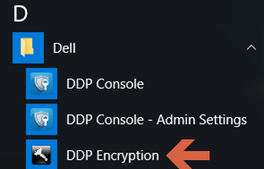
Windows 8.1
- Go to the Start Icon.

- Select the arrow to see the Applications.

- Go to the Dell folder and select Dell Data Protection | Encryption.
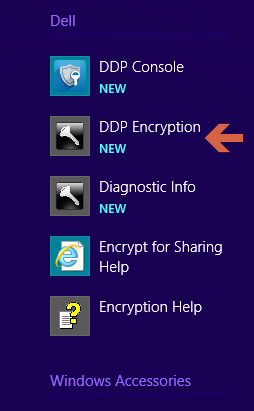
Windows 7
- Go to the Start Icon.

- Go to All Programs.

- Go to Dell.
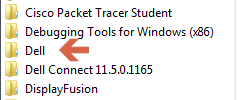
- Go to Dell Data Protection | Encryption.
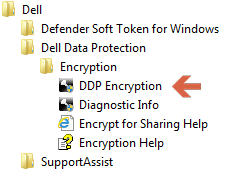
- Go to the Start icon on the task bar.
- Select advanced in the bottom-right corner.
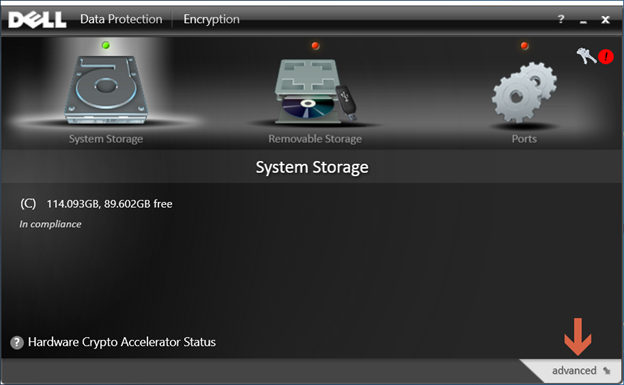
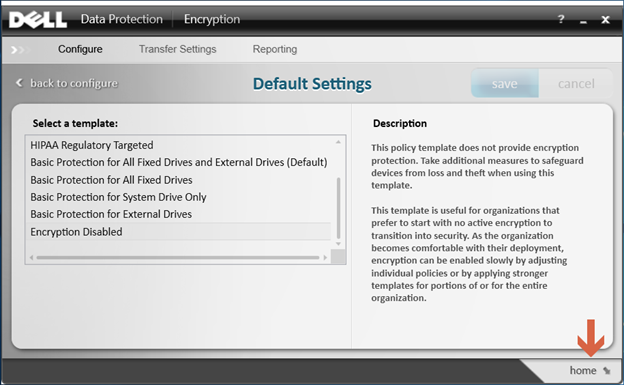
- Choose Default Settings.
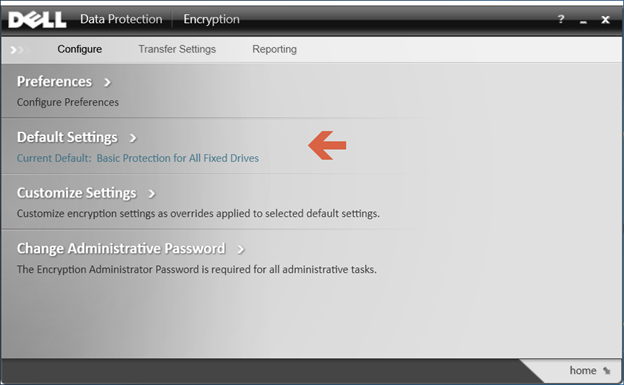
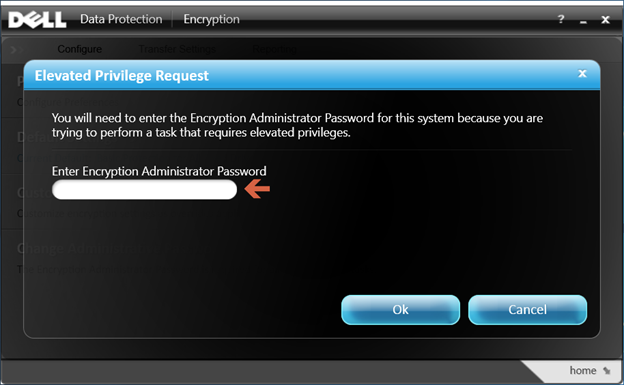
- Enter the Encryption Administrator Password that is created upon setup of the Dell Data Protection software.
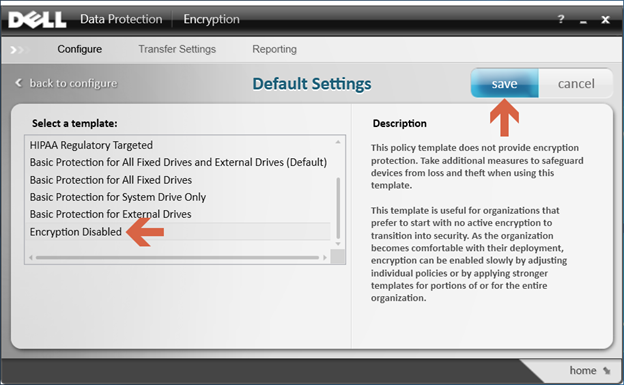
- Under Select a Template, use the scroll options to go to the option for Encryption Disabled and then select save.
- Select the option to go home in the bottom-right corner.
- The decryption process begins.
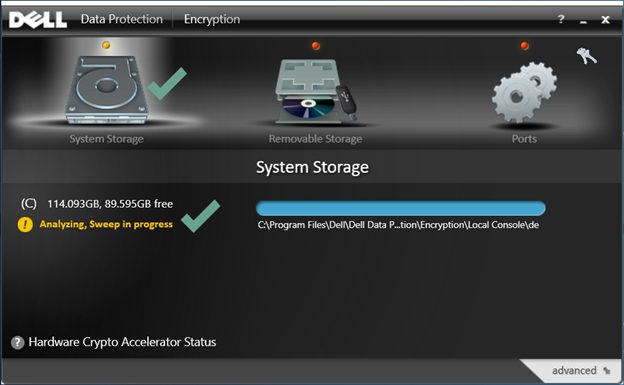 Note: This may take several hours to complete depending on the computer and the number of files encrypted.
To contact support, reference Dell Data Security International Support Phone Numbers.
Go to TechDirect to generate a technical support request online.
For additional insights and resources, join the Dell Security Community Forum.
Dotknuté produkty
Dell EncryptionVlastnosti článku
Číslo článku: 000125212
Typ článku: How To
Dátum poslednej úpravy: 19 apr 2026
Verzia: 15
Nájdite odpovede na svoje otázky od ostatných používateľov spoločnosti Dell
Služby podpory
Skontrolujte, či sa na vaše zariadenie vzťahujú služby podpory.