How to Determine the NetWorker Server and Client Software Version by Using NMC
Summary: Using the NetWorker Management Console (NMC) to determine the NetWorker server and client software version
This article applies to
This article does not apply to
This article is not tied to any specific product.
Not all product versions are identified in this article.
Instructions
Finding NetWorker server software version:
Determining the NetWorker server software version by using NMC
Use NMC to connect to the NetWorker server with a user that is a member of the Application Administrators user group on the NetWorker server.
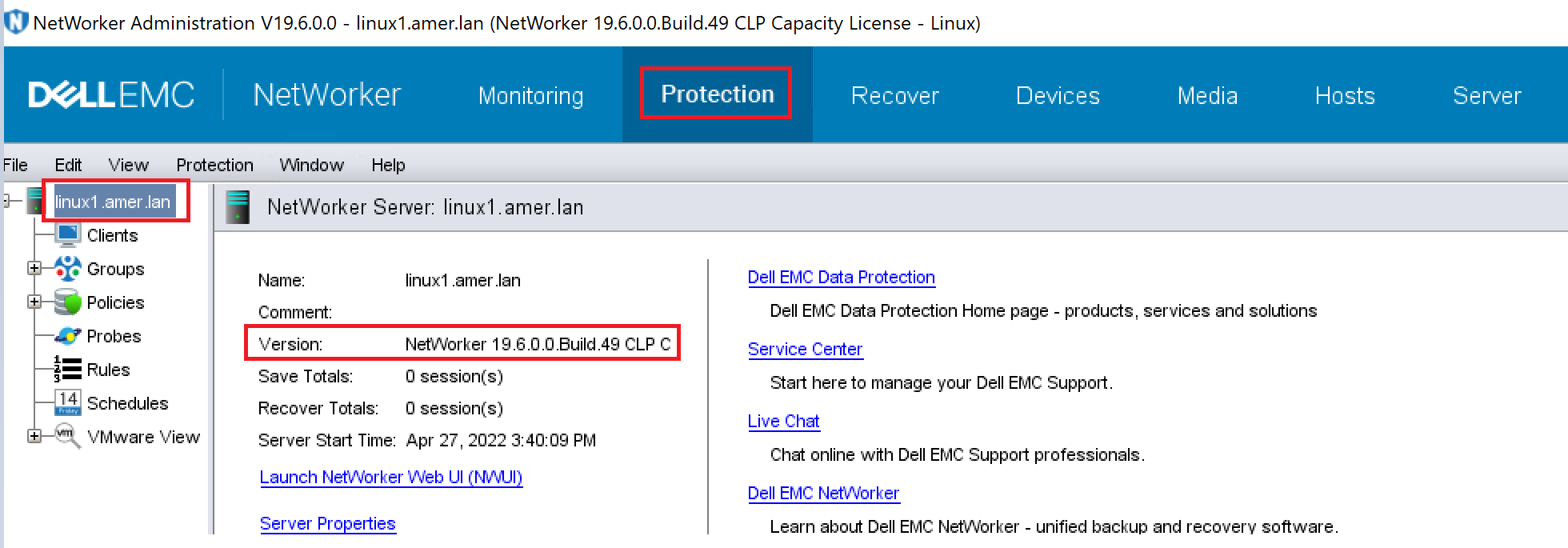
- Click on Protection Tab, then click on NetWorker Server name in the left pane. The version is shown in the right pane.
Determining the NetWorker server software version by using nsradmin
Use the nsradmin program on the NetWorker server to determine the version of the NetWorker software that is installed on a host, from a command prompt.
- At the command prompt, type:
nsradmin -p nsrexecd
On the nsradmin prompt, type "p nsrla"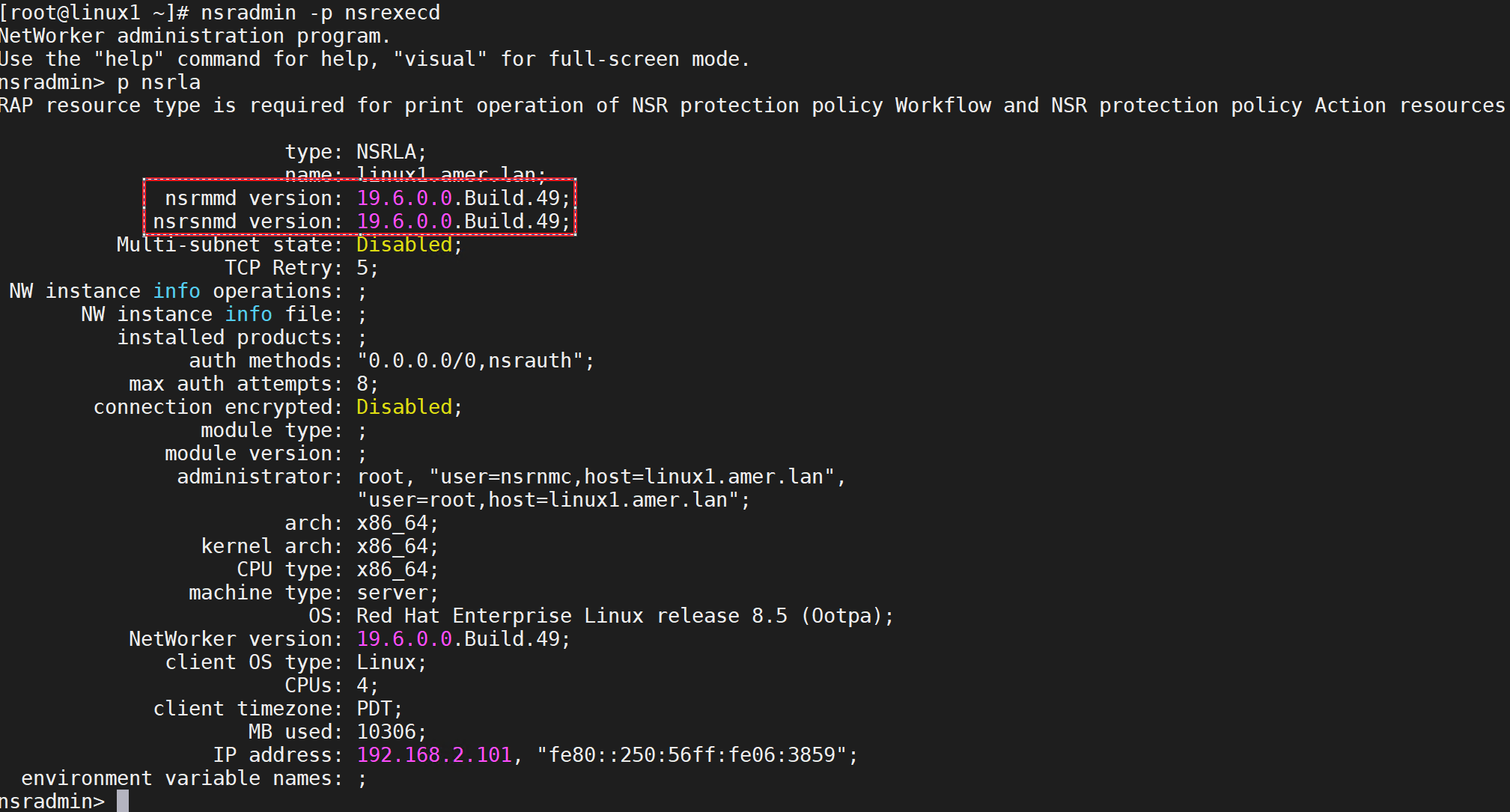
Finding NetWorker Client software version:
Determining the NetWorker Client software version by using NMC
Use NMC to connect to the NetWorker server with a user that is a member of the Application Administrators user group on the NetWorker server.
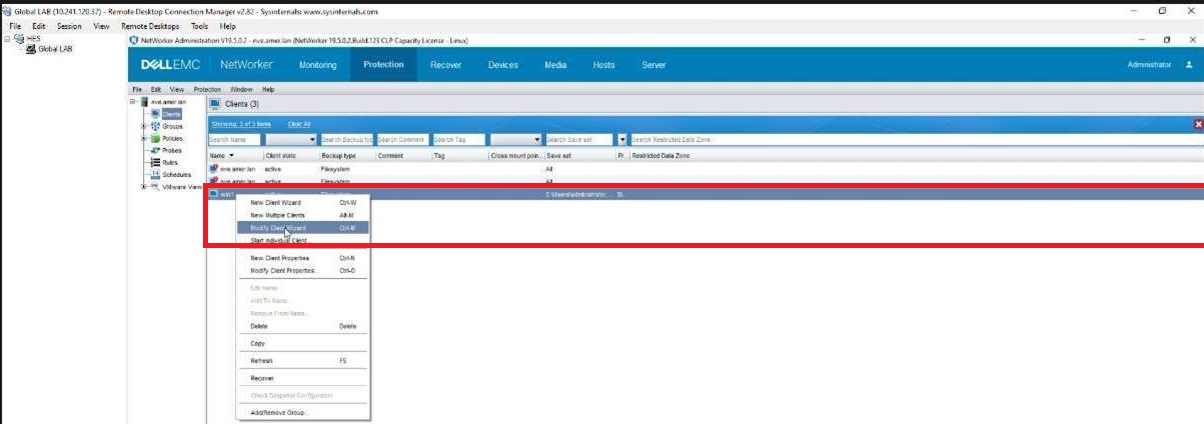
- Click on Protection tab (1) and then click on clients (2).

- Right click on the client that is having the issue and click on modify client wizard.
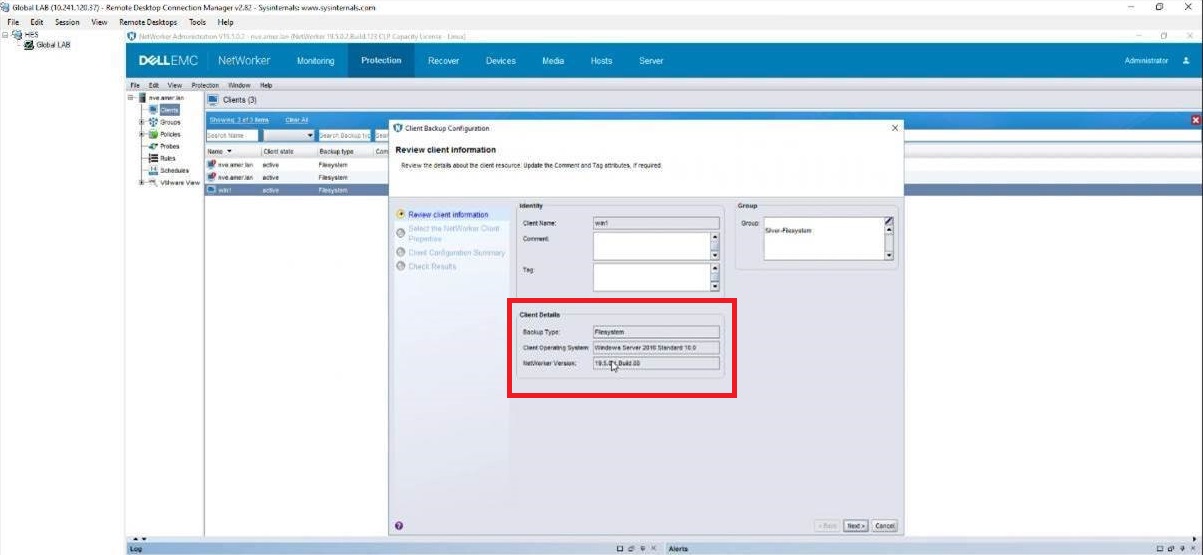
3.Customer will see the Client version on the client details tab.
Affected Products
NetWorker, NetWorker Series, NetWorker for OpenVMS, NetWorker Management Console, NetWorker Module, NetWorker Module for Databases and Applications, NetWorker Module for Microsoft, NetWorker Module for SAPProducts
NetWorker Module for MEDITECHArticle Properties
Article Number: 000198932
Article Type: How To
Last Modified: 20 Jun 2025
Version: 2
Find answers to your questions from other Dell users
Support Services
Check if your device is covered by Support Services.