Windows Server: Unable to delete partition due to page file
Summary: This article provides information about problems seen deleting a Windows partition when a virtual memory page file is set on that partition.
This article applies to
This article does not apply to
This article is not tied to any specific product.
Not all product versions are identified in this article.
Symptoms
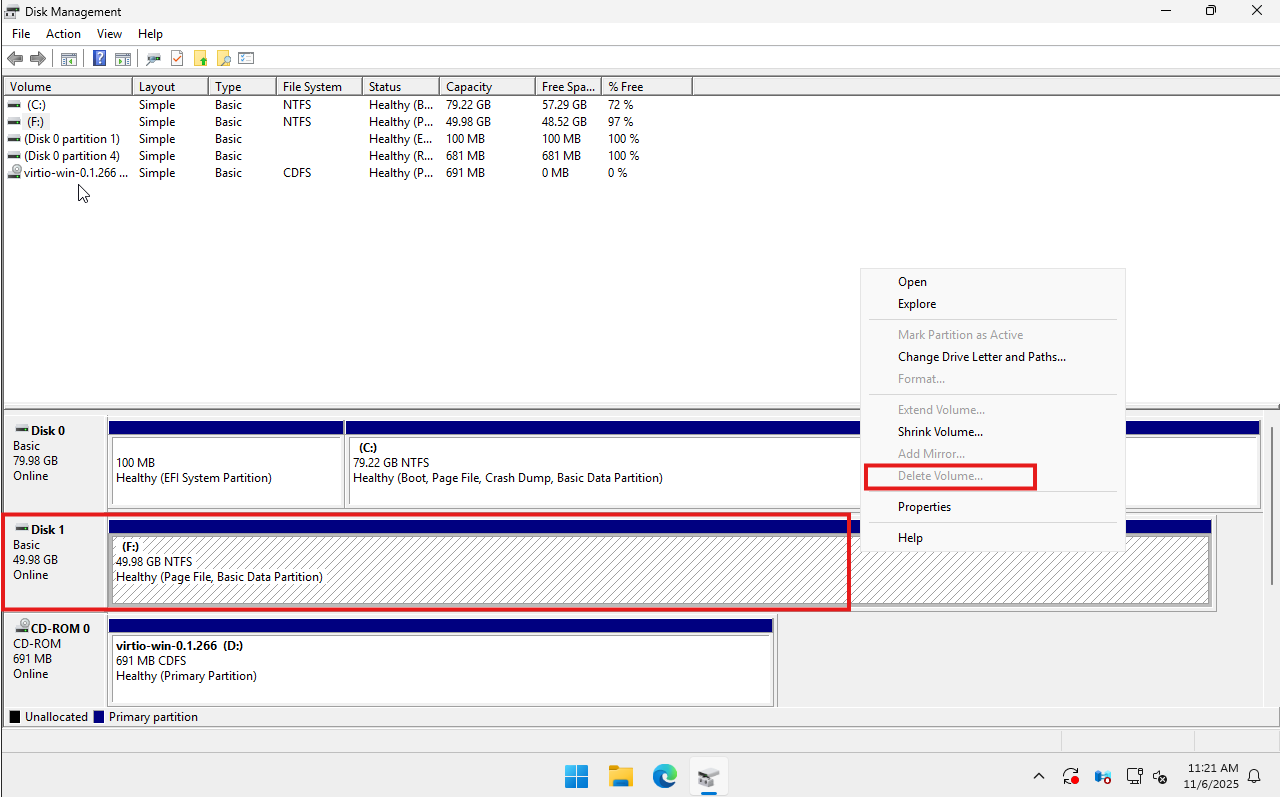
The option to delete a disk partition in Disk Management is grayed out and cannot be selected.
This typically occurs when attempting to remove a partition that is still in use by the operating system for critical functions.
Cause
The partition cannot be deleted because it contains a paging file (virtual memory).
Windows uses the paging file as an extension of physical RAM to store data when memory is low. If the paging file is located on the partition you are trying to delete, the system prevents deletion to avoid instability or crashes.
Key Details:
- The paging file is part of the virtual memory system.
- It is required for system performance and crash dump creation.
- Until the paging file is removed or relocated, the partition remains locked.

Resolution
Remove the page file from the partition following the below steps:
- Right-click the Start button.
- Click System.
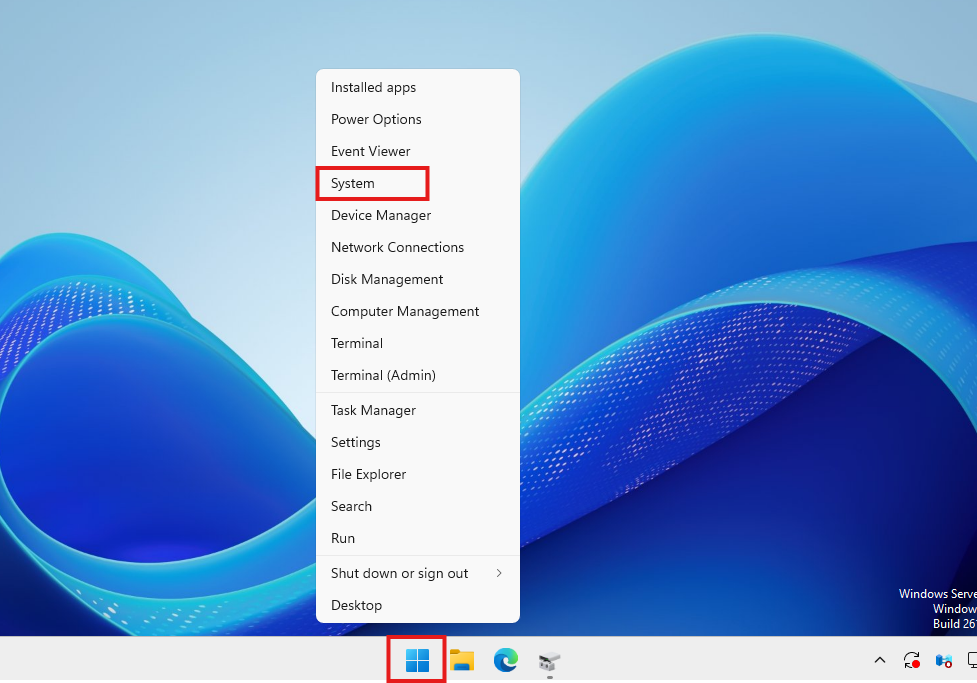
- In the
System > Aboutwindow, scroll down and click Advanced system settings.
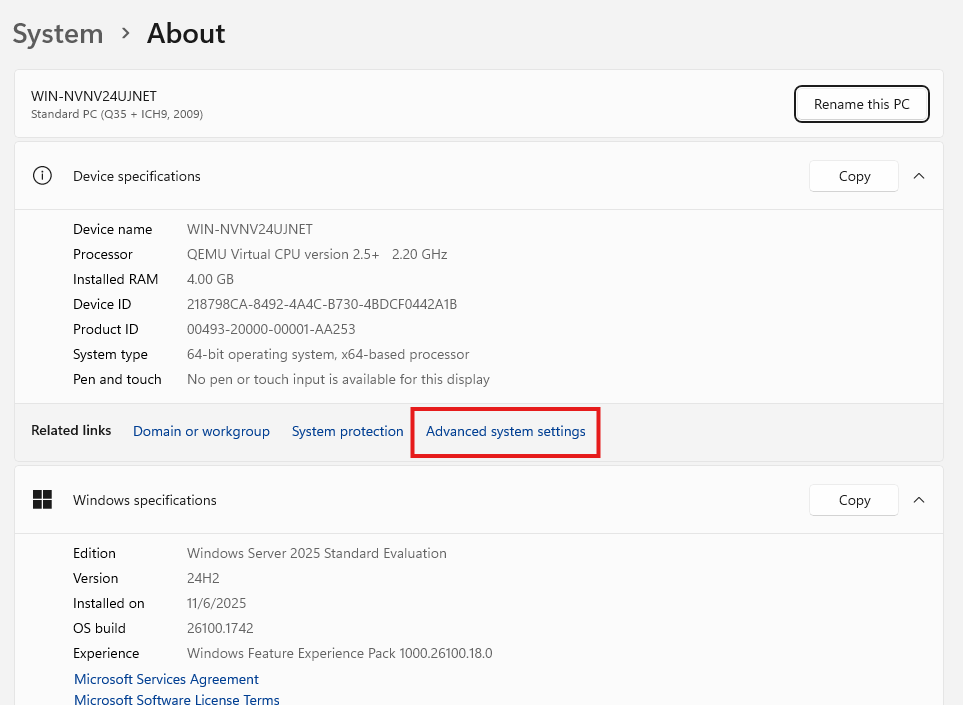
- In the System Properties window, click the Advanced tab.
- Under Performance, click Settings

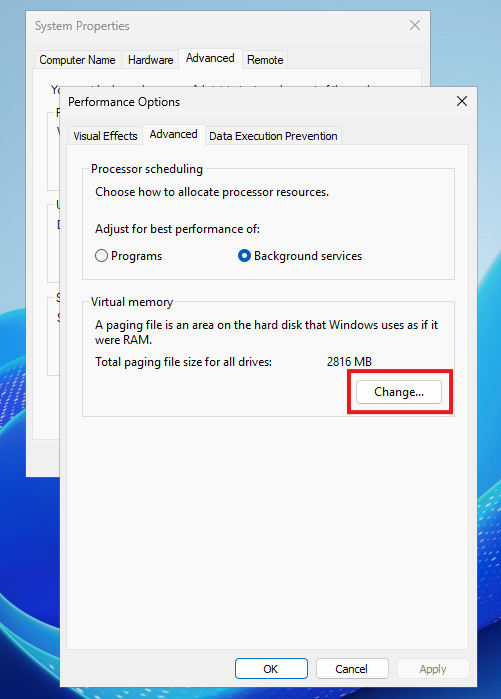
- In the Performance Options window, click the Advanced tab.
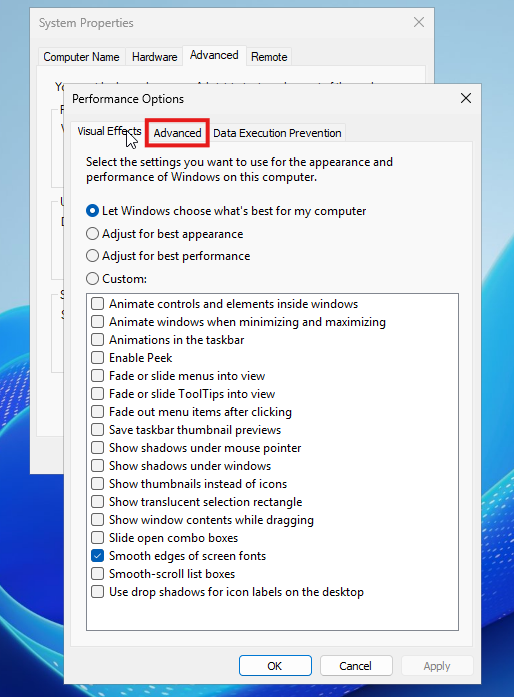
- Under Virtual memory, click Change.
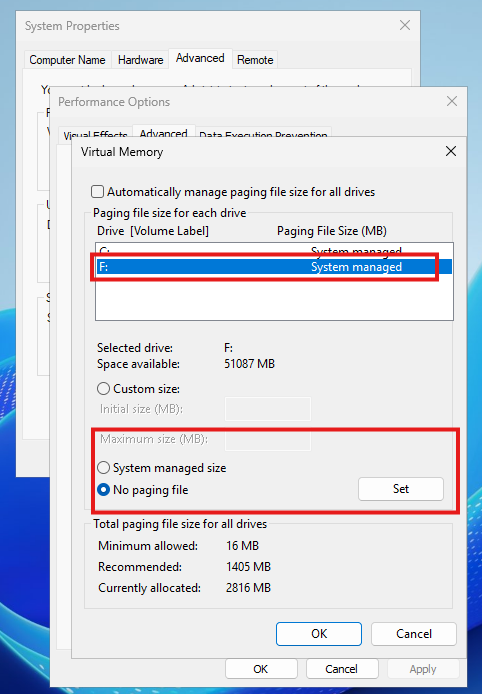
- Uncheck
Automatically manage paging file size for all drives. - Select the drive where the paging file exists (such as,
D:). - Select
No paging file. - Click
Set.
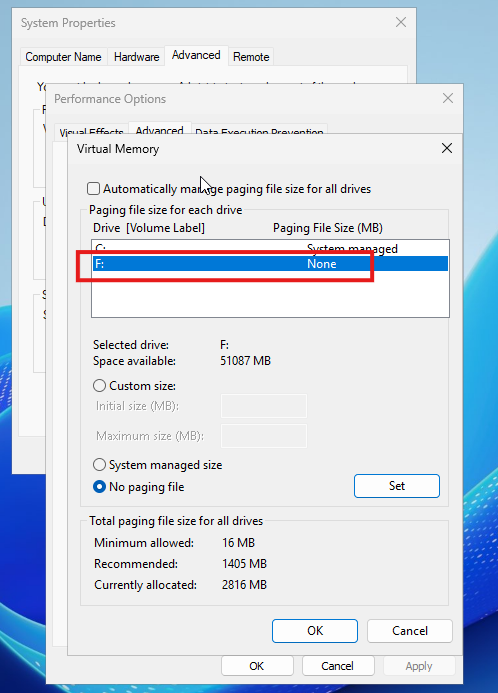
- Click OK.
- Click OK on all remaining windows to close them.
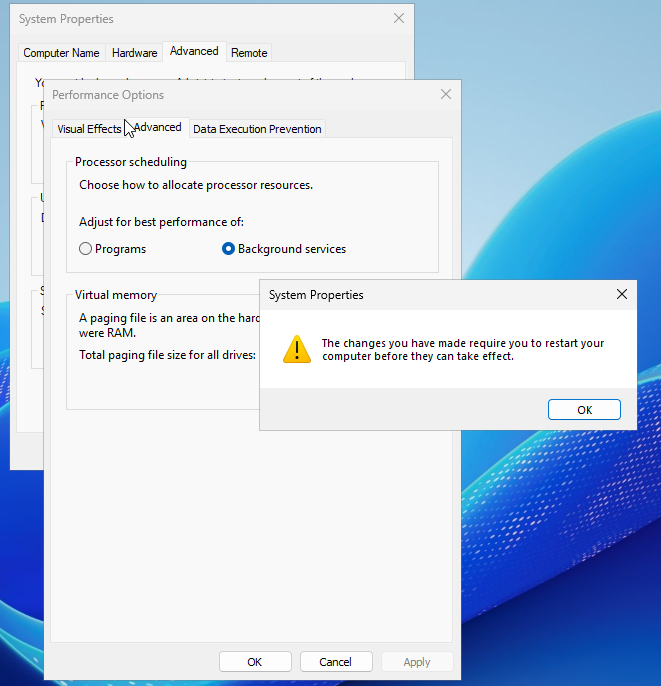
- Reboot the server to finalize the changes.
After restart, the paging file will be removed from the selected partition, allowing you to delete or repurpose the disk.

Affected Products
Microsoft Windows Server 2016, Microsoft Windows Server 2019, Microsoft Windows Server 2022, Microsoft Windows Server 2025Article Properties
Article Number: 000388642
Article Type: Solution
Last Modified: 20 Nov 2025
Version: 3
Find answers to your questions from other Dell users
Support Services
Check if your device is covered by Support Services.