PowerProtect Data Manager: VM Direct Engine Updates Despite Automatic Updates Disabled
Summary: The PowerProtect Data Manager (PPDM) appliance is used to protect the vSphere environment with the VM Direct Engine. The Automatic Update Setting for VM Direct Protection Engines is disabled. After upgrading PPDM, the VM Direct Engine is automatically redeployed to the new version. This occurs because the environment has only one VM Direct Engine for the protection type. ...
This article applies to
This article does not apply to
This article is not tied to any specific product.
Not all product versions are identified in this article.
Symptoms
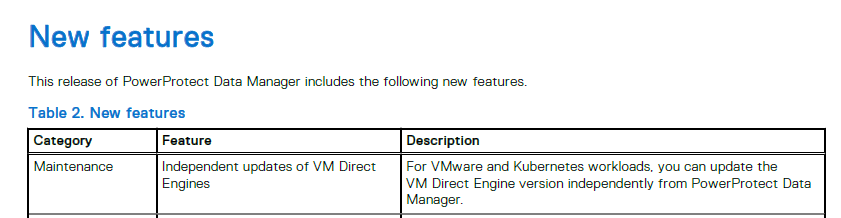
The PowerProtect Data Manager appliance is used to protect the vSphere environment. The PowerProtect 19.20 release notes present a new feature that allows independent updates of the virtual machine (VM) Direct Engines.
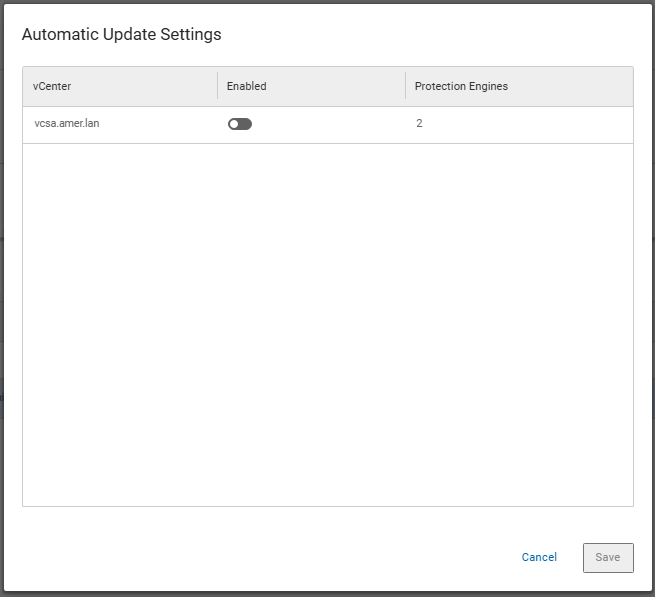
The administrator disables the Automatic Update Settings for VM Direct Protection Engines. The setting is available under Infrastructure → Protection Engines starting with PPDM 19.20.
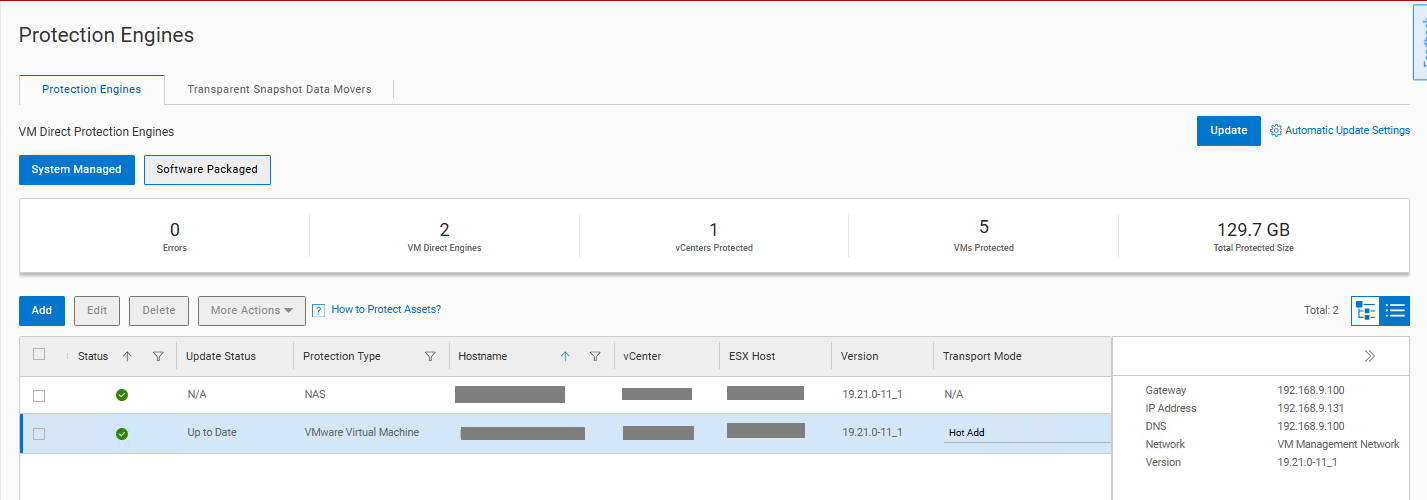
The PPDM appliance is upgraded to a new version. After the upgrade, the VM Direct Engine is automatically redeployed to the new version despite the Automatic Update Setting being disabled.
The /var/log/brs/upgrademgr/upgrademgr.log shows the upgrade detected a Disruptive Upgrade (DU) mode:
YYYY-MM-DD HH:MM:SS INFO [] [upgrademgr-task-executor-4] [][][][TRACE_ID:9b21243b042b3cfd][] com.emc.brs.vmdm.vpe.service.clients.VMDMClientService - getUpgradeType: minimumVmProxyVersion=19.16, fromVersion=19.19.0-20, toVersion=19.20.0-18, minimumSkippableVersion=, upgradeType=DU
YYYY-MM-DD HH:MM:SS INFO [] [upgrademgr-task-executor-4] [][][][TRACE_ID:9b21243b042b3cfd][] com.emc.brs.vmdm.vpe.service.clients.VMDMClientService - Calling GET https://localhost:8443/api/v2/protection-engines
YYYY-MM-DD HH:MM:SS INFO [] [upgrademgr-task-executor-4] [][][][TRACE_ID:9b21243b042b3cfd][] com.emc.brs.vmdm.vpe.service.clients.VMDMClientService - Calling GET https://localhost:8443/api/v2/protection-engines/2a95355c-77ab-4b93-91e7-ca645ddcca6a/proxies
YYYY-MM-DD HH:MM:SS INFO [] [upgrademgr-task-executor-4] [][][][TRACE_ID:9b21243b042b3cfd][] com.emc.brs.upgrademgr.service.PrecheckResponseServiceImpl - vProxy precheck - upgrade mode is DU.
YYYY-MM-DD HH:MM:SS INFO [] [upgrademgr-task-executor-4] [][][][TRACE_ID:9b21243b042b3cfd][] com.emc.brs.upgrademgr.service.PrecheckResponseServiceImpl - No minimum skippable version provided, skip update is not supported.
YYYY-MM-DD HH:MM:SS INFO [] [upgrademgr-task-executor-4] [][][][TRACE_ID:9b21243b042b3cfd][] com.emc.brs.upgrademgr.service.PrecheckResponseServiceImpl - vProxy precheck - Precheck message returned: 1 VM Direct Protection Engine in vCenter my-vcenter.my-domain.com would be updated automatically.
YYYY-MM-DD HH:MM:SS INFO [] [upgrademgr-task-executor-4] [][][][TRACE_ID:9b21243b042b3cfd][] com.emc.brs.upgrademgr.service.PrecheckResponseServiceImpl - INFO - Reason: 1 VM Direct Protection Engine would be updated automatically.. Remedy: Wait for update job to complete before retry. Refer to the user documentation for troubleshooting.
YYYY-MM-DD HH:MM:SS INFO [] [upgrademgr-task-executor-3] [][][][TRACE_ID:9b21243b042b3cfd][] com.emc.brs.upgrademgr.service.component.precheck.UpgradeSnapshotPermissionValidator - Upgrade snapshot permission validation passed
The administrator expects the VM Direct Engine to remain at the previous version. Instead, it is updated to match the new PPDM version.
Cause
The Automatic Update Setting applies only when more than one VM Direct Engine exists for each supported protection type. The supported types are VMware Virtual Machine and Kubernetes. When only one VM Direct Engine exists per protection type, the upgrade mode becomes a Disruptive Upgrade (DU). In DU mode, the VM Direct Engine is always updated as part of the PPDM server upgrade. The Automatic Update Setting is not honored in this scenario.
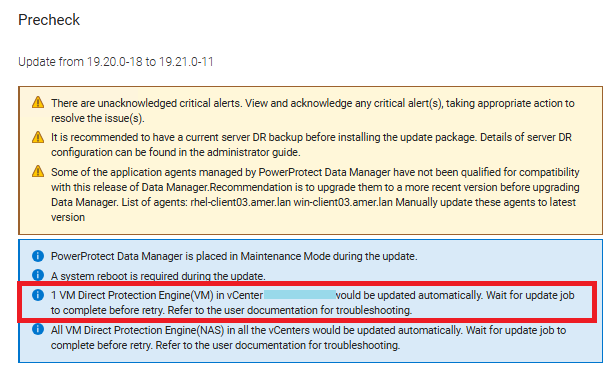
The PPDM upgrade precheck log indicates DU mode and reports the engine will be updated automatically. This behavior is by design.
Resolution
This is expected behavior for environments with a single VM Direct Engine per protection type.
- Review the upgrade precheck output. The precheck indicates when a DU mode upgrade will update the VM Direct Engine automatically.
- Deploy additional VM Direct Engines if independent update control is required. The Automatic Update Setting is honored only when multiple engines exist per protection type.
- With two or more engines deployed, disable the Automatic Update Setting. The engines can then be updated independently from the PPDM server upgrade.
- The PowerProtect 20.1 documentation has been updated to include these details:

Additional Information
The most recent versions of the product documentation are available for download on the PowerProtect Data Manager Drivers & Downloads page in PDF format.
Article Properties
Article Number: 000369718
Article Type: Solution
Last Modified: 09 Sept 2026
Version: 2
Find answers to your questions from other Dell users
Support Services
Check if your device is covered by Support Services.