PowerProtect Data Manager: Resolving 422 Error for Invalid Search Domain Value
Summary: Error 422 occurs when changing network configuration through PowerProtect Data Manager [PPDM] User Interface [UI] due to invalid search domain value in versions prior to 19.18.
Symptoms
Error Messages and Logs
The following error message displays when attempting to change a network configuration through the PPDM UI: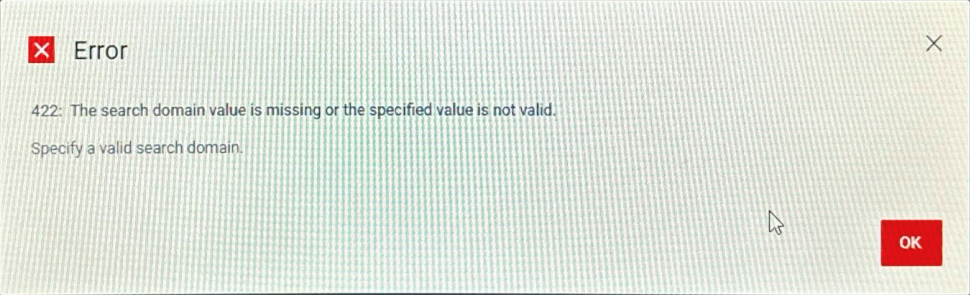
/var/log/brs/sysmgr/sysmgr.log:

2024-08-27T10:12:54.599Z ERROR [] [https-jsse-nio-8453-exec-7] [00000000-0000-4000-a000-000000000000][][][TRACE_ID:950adac5dfa53e99][] [c.e.b.s.r.v.c.ConfigurationNetworkValidator.isSearchDomainValid(391)] -  The searchDomain is not valid.
2024-08-27T10:12:54.607Z ERROR [] [https-jsse-nio-8453-exec-7] [00000000-0000-4000-a000-000000000000][][][TRACE_ID:950adac5dfa53e99][] [c.e.b.s.r.v.AbstractRESTMessageHandler.buildErrorResponse(343)] -  ErrorResponse: ErrorResponse [code=422, reason=The search domain value is missing or the specified value is not valid., remediation=Specify a valid search domain., timestamp=1724753574606, path=/api/v2/configurations/cb0d0692-1b1c-45ea-a4f6-eba56b523cae]
2024-08-27T10:12:54.608Z INFO [] [https-jsse-nio-8453-exec-7] [00000000-0000-4000-a000-000000000000][][][TRACE_ID:950adac5dfa53e99][] [c.e.b.s.r.v.AbstractRESTMessageHandler.logRESTResponse(218)] -  Sending [422] response for: [PATCH] [/configurations/cb0d0692-1b1c-45ea-a4f6-eba56b523cae]
Cause
The root cause of the issue is related to the validation of the search domain.
The search domain is validated to ensure that it meets specific criteria:
- The domain parts (subdomains) must be 1 to 63 characters long.
- They can contain letters, digits, and hyphens but cannot start or end with a hyphen.
- The domain ends with a top-level domain (TLD) that is between 2 to 24 alphabetic characters long.
This validation is the primary cause of the error, as an invalid search domain results in a failure to reconfigure the network.
Resolution
To resolve the issue with the invalid search domain, follow these steps:
Run the attached script search_domains.sh to update the invalid search domain. Then, change the PPDM UI for Network.
The search_domains.sh script coming with the PPDM appliance provides a method to modify the search domain, but it only changes the content in the configuration files (/etc/resolv.conf and /etc/sysconfig/network/config). It does not update Elasticsearch. A new search_domains.sh script is provided to update the search domain field in the Elasticsearch database while modifying the search domain to work around this issue.
# Run the script to update the search domain
$ ./search_domains.sh
After running the script, verify that the issue has been successfully resolved by checking the PPDM UI for Network, and ensuring search domain validity.