HDR Disabled on Laptops Using a UD22 Dock where the External Screen Goes Off and On
Summary: The following article provides information about why the HDR function stops working after your external screen goes black at any time. This is seen on certain laptops when connected to the external display through your UD22 docking station. ...
This article applies to
This article does not apply to
This article is not tied to any specific product.
Not all product versions are identified in this article.
Symptoms
Using the UD22 dock can disable the HDR function on certain laptops
You may experience a video quality drop on your external displays connected through your Dell Universal Dock (UD22) with the following Dell laptops:
| XPS Laptops |
Latitude Laptops |
Precision Mobile Workstations |
|---|---|---|
| 9305 | 3x20 | 3560 |
| 9310 | 5x20 | 3561 |
| 9510 | 5x21 | 5560 |
| 9710 | 7x20 | 5760 |
| 9420 | 7560 | |
| 9520 | 7760 |
The High Dynamic Range (HDR) function is disabled when the external screen goes black, or blank. It does not turn back on when the screen recovers video.
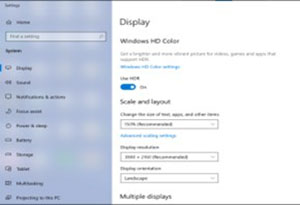
The external screen commonly goes black, or blank when the monitor cable is first plugged to the dock.
HDR video is part of the features of 4K. It pushes video content past the limitations of older video standards. On HDR capable screens, it affects the video contrast, brightness, and color across a wider range.
Cause
The UD22 docking station is working as designed.
The root cause is a laptop with a High bit rate 2 (HBR2) and Displays Steam Compression (DSC) disabled. They do not provide sufficient bandwidth for your UD22 dock to enable HDR with 4K at 60 Hz.
Resolution
This is the expected behavior of your hardware under these circumstances. Your dock, monitor, and laptop are working as designed.
You can decrease the resolution on the laptop below 4K at 30 Hz with HDR enabled.
Affected Products
Dell Universal Dock UD22, Latitude 3120, Latitude 3320, Latitude 5320, Latitude 7320, Latitude 3420, Latitude 5421, Latitude 7420, Latitude 9420, Latitude 3520, Latitude 5520, Latitude 5521, Latitude 7520, Latitude 9520, Latitude 5420, Precision 3560
, Precision 3561, Precision 5560, Precision 7560, Precision 5760, Precision 7760, XPS 13 9305, XPS 13 9310, XPS 15 9510, XPS 17 9710
...
Article Properties
Article Number: 000219591
Article Type: Solution
Last Modified: 07 Feb 2025
Version: 2
Find answers to your questions from other Dell users
Support Services
Check if your device is covered by Support Services.