NVP vProxy: FLR browse fails with error "No mapping between account names, and security IDs was done" (Windows)
Summary: NetWorker VMware Protection (NVP) File Level Restore (FLR) mount succeeds for a Windows Virtual Machine (VM). A local operating system account is specified as the FLR mount user as .\username.. The mount operation succeeds; however, the browse operation fails: " Unable to assign '.\xxxx' as the owner of 'c:\Program Files (x86)\EMC\vProxy FLR Agent\tmp\xxxxxxxxx': No mapping between account names and security IDs was done." ...
This article applies to
This article does not apply to
This article is not tied to any specific product.
Not all product versions are identified in this article.
Symptoms
During a Windows Virtual Machine (VM) File Level Recovery (FLR) performed using NetWorker VMware Protection (NVP), the FLR mount succeeds but the following Error appears: The "C:\Program Files (x86)\EMC\vProxy FLR Agent\logs\vflragentd\vflragentd-agent.log" on the FLR target VM reports similar errors.
2025-10-14T12:55:17-04:00 INFO:   AppAgent #7: Application agent operation: FLR browse_files
2025-10-14T12:55:17-04:00 ERROR:  AppAgent #7: Unable to assign '.\Administrator' as the owner of 'C:\Program Files (x86)\EMC\vProxy FLR Agent\tmp\2521662446': No mapping between account names and security IDs was done.
2025-10-14T12:58:28-04:00 TRACE:  Discovering partitions and file systems (not under 'C:\Program Files (x86)\EMC\vProxy FLR Agent\flr\mountpoints')
2025-10-14T12:58:28-04:00 TRACE:  Discovered 3 partitions.
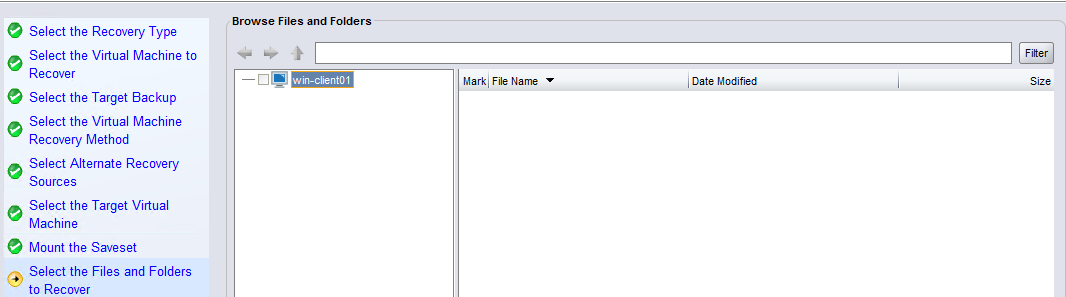
It is not possible to browse the FLR from the Recover wizard:
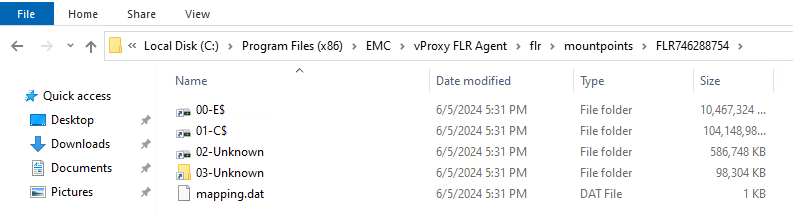
On the VM, you can access the FLR mountpoints under "C:\Program Files (x86)\EMC\vProxy FLR Agent\flr\mountpoints\."
Cause
During the mount operation, the mount user was specified using .\Username.
NOTE: The intention of using
.\username is to log in as a local user account instead of a domain user account. This can be done to differentiate a username that may have both a domain and local account. For example, "Administrator." The logic used during the mount allows successful user login but the browse permissions are not applied correctly.
Resolution
You can copy the needed files/folders from the FLR mountpoint under C:\Program Files (x86)\EMC\vProxy FLR Agent\flr\mountpoints\:
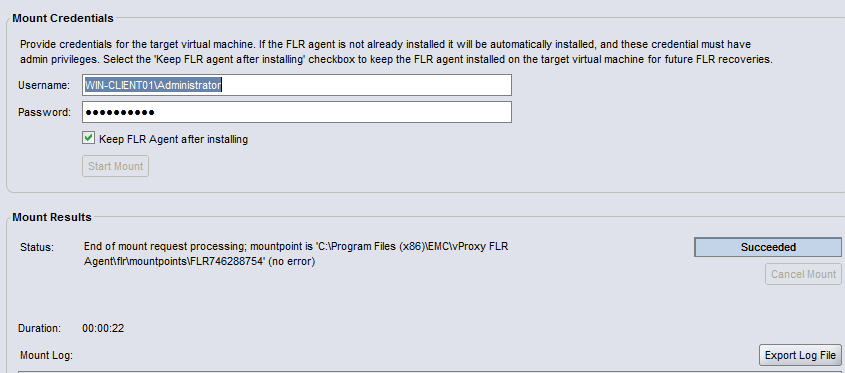
To use the NetWorker recover wizard, close the current FLR job and restart the FLR. When specifying the user, do not enter .\ before the username.
If you want to specify the local Administrator account, enter HOSTNAME\Administrator. For example:
Affected Products
NetWorkerProducts
NetWorker FamilyArticle Properties
Article Number: 000192996
Article Type: Solution
Last Modified: 14 Oct 2025
Version: 2
Find answers to your questions from other Dell users
Support Services
Check if your device is covered by Support Services.