PowerProtect UI is not available due to root partition 100% utilization
Summary: The PowerProtect Data Manager User Interface (UI) is not available over a web browser.
This article applies to
This article does not apply to
This article is not tied to any specific product.
Not all product versions are identified in this article.
Symptoms
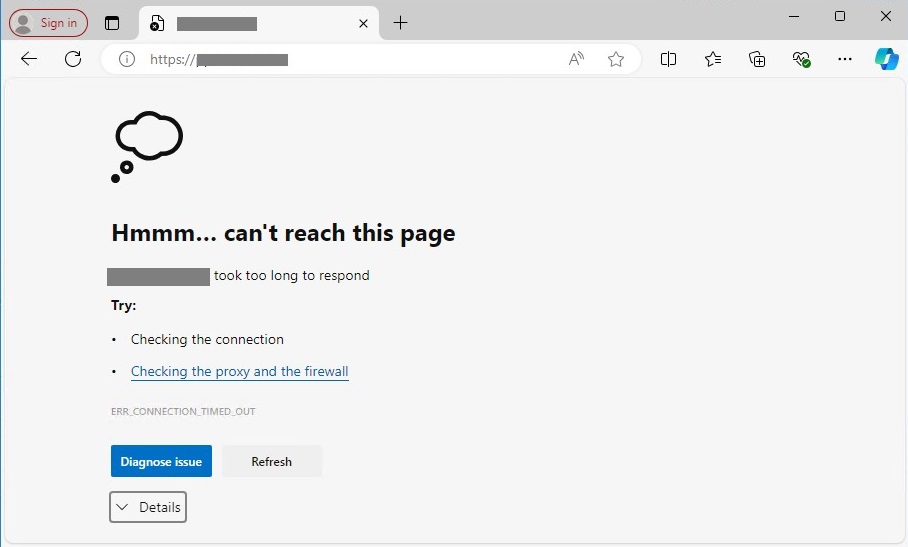
The PowerProtect Data Manager UI is not available over a web browser.
The /var/log/brs/aaa/aaa.out shows a message "Insufficient space for shared memory file" when creating a temporary file:
HH:MM:SS [main] INFO  com.emc.brs.aaa.server.Application - %%%% ABOUT TO START THE APPLICATION %%%%
ERROR StatusLogger Log4j2 could not find a logging implementation. Please add log4j-core to the classpath. Using SimpleLogger to log to the console...

  .   ____          _            __ _ _
 /\\ / ___'_ __ _ _(_)_ __  __ _ \ \ \ \
( ( )\___ | '_ | '_| | '_ \/ _` | \ \ \ \
 \\/  ___)| |_)| | | | | || (_| |  ) ) ) )
  '  |____| .__|_| |_|_| |_\__, | / / / /
 =========|_|==============|___/=/_/_/_/
 :: Spring Boot ::               (v2.7.17)

ERROR SpringApplication Application run failed
 org.springframework.context.ApplicationContextException: Unable to start web server; nested exception is org.springframework.boot.web.server.WebServerException: Unable to create tempDir. java.io.tmpdir is set to /tmp
	at org.springframework.boot.web.servlet.context.ServletWebServerApplicationContext.onRefresh(ServletWebServerApplicationContext.java:165)
	at org.springframework.context.support.AbstractApplicationContext.refresh(AbstractApplicationContext.java:577)
	at org.springframework.boot.web.servlet.context.ServletWebServerApplicationContext.refresh(ServletWebServerApplicationContext.java:147)
	at org.springframework.boot.SpringApplication.refresh(SpringApplication.java:732)
	at org.springframework.boot.SpringApplication.refreshContext(SpringApplication.java:409)
	at org.springframework.boot.SpringApplication.run(SpringApplication.java:308)
	at org.springframework.boot.SpringApplication.run(SpringApplication.java:1300)
	at org.springframework.boot.SpringApplication.run(SpringApplication.java:1289)
	at com.emc.brs.aaa.server.Application.main(Application.java:73)
	at java.base/jdk.internal.reflect.NativeMethodAccessorImpl.invoke0(Native Method)
	at java.base/jdk.internal.reflect.NativeMethodAccessorImpl.invoke(NativeMethodAccessorImpl.java:77)
	at java.base/jdk.internal.reflect.DelegatingMethodAccessorImpl.invoke(DelegatingMethodAccessorImpl.java:43)
	at java.base/java.lang.reflect.Method.invoke(Method.java:568)
	at org.springframework.boot.loader.MainMethodRunner.run(MainMethodRunner.java:49)
	at org.springframework.boot.loader.Launcher.launch(Launcher.java:107)
	at org.springframework.boot.loader.Launcher.launch(Launcher.java:58)
	at org.springframework.boot.loader.thin.ThinJarLauncher.launch(ThinJarLauncher.java:195)
	at org.springframework.boot.loader.thin.ThinJarLauncher.main(ThinJarLauncher.java:141)
	at java.base/jdk.internal.reflect.NativeMethodAccessorImpl.invoke0(Native Method)
	at java.base/jdk.internal.reflect.NativeMethodAccessorImpl.invoke(NativeMethodAccessorImpl.java:77)
	at java.base/jdk.internal.reflect.DelegatingMethodAccessorImpl.invoke(DelegatingMethodAccessorImpl.java:43)
	at java.base/java.lang.reflect.Method.invoke(Method.java:568)
	at org.springframework.boot.loader.wrapper.ThinJarWrapper.launch(ThinJarWrapper.java:139)
	at org.springframework.boot.loader.wrapper.ThinJarWrapper.main(ThinJarWrapper.java:107)
	at java.base/jdk.internal.reflect.NativeMethodAccessorImpl.invoke0(Native Method)
	at java.base/jdk.internal.reflect.NativeMethodAccessorImpl.invoke(NativeMethodAccessorImpl.java:77)
	at java.base/jdk.internal.reflect.DelegatingMethodAccessorImpl.invoke(DelegatingMethodAccessorImpl.java:43)
	at java.base/java.lang.reflect.Method.invoke(Method.java:568)
	at com.emc.brs.ThinJarLauncher.directlyRun(ThinJarLauncher.java:33)
	at com.emc.brs.ThinJarLauncher.main(ThinJarLauncher.java:19)
Caused by: org.springframework.boot.web.server.WebServerException: Unable to create tempDir. java.io.tmpdir is set to /tmp
	at org.springframework.boot.web.server.AbstractConfigurableWebServerFactory.createTempDir(AbstractConfigurableWebServerFactory.java:208)
	at org.springframework.boot.web.embedded.tomcat.TomcatServletWebServerFactory.getWebServer(TomcatServletWebServerFactory.java:195)
	at org.springframework.boot.web.servlet.context.ServletWebServerApplicationContext.createWebServer(ServletWebServerApplicationContext.java:184)
	at org.springframework.boot.web.servlet.context.ServletWebServerApplicationContext.onRefresh(ServletWebServerApplicationContext.java:162)
	... 29 more
Caused by: java.nio.file.FileSystemException: /tmp/tomcat.9090.15432502798532815254: No space left on device
	at java.base/sun.nio.fs.UnixException.translateToIOException(UnixException.java:100)
	at java.base/sun.nio.fs.UnixException.rethrowAsIOException(UnixException.java:106)
	at java.base/sun.nio.fs.UnixException.rethrowAsIOException(UnixException.java:111)
	at java.base/sun.nio.fs.UnixFileSystemProvider.createDirectory(UnixFileSystemProvider.java:397)
	at java.base/java.nio.file.Files.createDirectory(Files.java:700)
	at java.base/java.nio.file.TempFileHelper.create(TempFileHelper.java:134)
	at java.base/java.nio.file.TempFileHelper.createTempDirectory(TempFileHelper.java:171)
	at java.base/java.nio.file.Files.createTempDirectory(Files.java:1017)
	at org.springframework.boot.web.server.AbstractConfigurableWebServerFactory.createTempDir(AbstractConfigurableWebServerFactory.java:202)
	... 32 more
OpenJDK 64-Bit Server VM warning: Insufficient space for shared memory file:
   70840
Try using the -Djava.io.tmpdir= option to select an alternate temp location.
The disk free (df) command shows that the PowerProtect Appliance root directory utilization is 100%.
admin@my-ppdm:~> df -kh
Filesystem      Size  Used Avail Use% Mounted on
devtmpfs        4.0M  8.0K  4.0M   1% /dev
tmpfs            18G  112K   18G   1% /dev/shm
tmpfs           7.1G  2.0M  7.1G   1% /run
tmpfs           4.0M     0  4.0M   0% /sys/fs/cgroup
/dev/sda3        29G   29G    0G 100% /
/dev/sdd1       9.6G  1.9G  7.2G  21% /vproxy
/dev/sde1       4.8G  2.1G  2.5G  46% /agents
/dev/sdf1       4.8G  3.1G  1.5G  69% /cdr
/dev/sdc1       9.8G  2.7G  6.6G  29% /reporting
/dev/sdg1       4.8G  1.2G  3.4G  26% /search
/dev/sdb1       489G   15G  474G   3% /data01
/dev/sda5        59G  8.3G   48G  15% /logs
/dev/sda2       192M   69M  110M  39% /boot
tmpfs           3.6G     0  3.6G   0% /run/user/500
boostfs         446G   26G  420G   6% /data01/server_backups
admin@my-ppdm:~>
Cause
The PowerProtect Appliance uses a PostgreSQL to perform some of the internal functionality. There was a memory exhaustion issue due to too many Postgres processes running and flooding the /var/log/messages file with repeated kernel process entries. In one instance, there were 422 Postgres processes using 15 GB of memory on the PowerProtect Appliance. The Postgres condition caused the /var/log/messages file to consume the remaining disk space (Example 11G) in ~14 hours.
...
YYYY-MM-DD HH:MM:SS.405322-07:00 sacdc-ppdm kernel: [18972356.043988][T24506] memory: usage 2097152kB, limit 2097152kB, failcnt 27281157
YYYY-MM-DD HH:MM:SS.405322-07:00 sacdc-ppdm kernel: [18972356.043989][T24506] memory+swap: usage 3637164kB, limit 9007199254740988kB, failcnt 0
YYYY-MM-DD HH:MM:SS.405322-07:00 sacdc-ppdm kernel: [18972356.043990][T24506] kmem: usage 30884kB, limit 9007199254740988kB, failcnt 0
YYYY-MM-DD HH:MM:SS.405323-07:00 sacdc-ppdm kernel: [18972356.043991][T24506] Memory cgroup stats for /system.slice/sysmgr.service:
YYYY-MM-DD HH:MM:SS.405324-07:00 sacdc-ppdm kernel: [18972356.043999][T24506] anon 2115842048
YYYY-MM-DD HH:MM:SS.405324-07:00 sacdc-ppdm kernel: [18972356.043999][T24506] file 8192
YYYY-MM-DD HH:MM:SS.405325-07:00 sacdc-ppdm kernel: [18972356.043999][T24506] kernel_stack 8667136
YYYY-MM-DD HH:MM:SS.405325-07:00 sacdc-ppdm kernel: [18972356.043999][T24506] pagetables 12570624
YYYY-MM-DD HH:MM:SS.405325-07:00 sacdc-ppdm kernel: [18972356.043999][T24506] percpu 0
YYYY-MM-DD HH:MM:SS.405326-07:00 sacdc-ppdm kernel: [18972356.043999][T24506] sock 0
YYYY-MM-DD HH:MM:SS.405326-07:00 sacdc-ppdm kernel: [18972356.043999][T24506] shmem 4096
YYYY-MM-DD HH:MM:SS.405327-07:00 sacdc-ppdm kernel: [18972356.043999][T24506] file_mapped 0
YYYY-MM-DD HH:MM:SS.405327-07:00 sacdc-ppdm kernel: [18972356.043999][T24506] file_dirty 0
YYYY-MM-DD HH:MM:SS.405327-07:00 sacdc-ppdm kernel: [18972356.043999][T24506] file_writeback 0
YYYY-MM-DD HH:MM:SS.405328-07:00 sacdc-ppdm kernel: [18972356.043999][T24506] swapcached 8192
YYYY-MM-DD HH:MM:SS.405328-07:00 sacdc-ppdm kernel: [18972356.043999][T24506] anon_thp 0
YYYY-MM-DD HH:MM:SS.405328-07:00 sacdc-ppdm kernel: [18972356.043999][T24506] file_thp 0
YYYY-MM-DD HH:MM:SS.405329-07:00 sacdc-ppdm kernel: [18972356.043999][T24506] shmem_thp 0
YYYY-MM-DD HH:MM:SS.405329-07:00 sacdc-ppdm kernel: [18972356.043999][T24506] inactive_anon 529612800
YYYY-MM-DD HH:MM:SS.405329-07:00 sacdc-ppdm kernel: [18972356.043999][T24506] active_anon 1586241536
YYYY-MM-DD HH:MM:SS.405330-07:00 sacdc-ppdm kernel: [18972356.043999][T24506] inactive_file 0
YYYY-MM-DD HH:MM:SS.405330-07:00 sacdc-ppdm kernel: [18972356.043999][T24506] active_file 4096
YYYY-MM-DD HH:MM:SS.405330-07:00 sacdc-ppdm kernel: [18972356.043999][T24506] unevictable 0
YYYY-MM-DD HH:MM:SS.405331-07:00 sacdc-ppdm kernel: [18972356.043999][T24506] slab_reclaimable 2090616
YYYY-MM-DD HH:MM:SS.405331-07:00 sacdc-ppdm kernel: [18972356.043999][T24506] slab_unreclaimable 8037904
YYYY-MM-DD HH:MM:SS.405332-07:00 sacdc-ppdm kernel: [18972356.043999][T24506] slab 10128520
YYYY-MM-DD HH:MM:SS.405332-07:00 sacdc-ppdm kernel: [18972356.044001][T24506] Tasks state (memory values in pages):
YYYY-MM-DD HH:MM:SS.405332-07:00 sacdc-ppdm kernel: [18972356.044002][T24506] [  pid  ]   uid  tgid total_vm      rss pgtables_bytes swapents oom_score_adj name
YYYY-MM-DD HH:MM:SS.405333-07:00 sacdc-ppdm kernel: [18972356.044008][T24506] [  21068]  1000 21068  1954169   120537  4141056   225267         -1000 java
YYYY-MM-DD HH:MM:SS.405333-07:00 sacdc-ppdm kernel: [18972356.044013][T24506] [  33330]   500 33330  1920111   115129  2502656    83059         -1000 java
YYYY-MM-DD HH:MM:SS.405334-07:00 sacdc-ppdm kernel: [18972356.044014][T24506] [  37763]   500 37763     2165      400    49152      113         -1000 compliance-veri
YYYY-MM-DD HH:MM:SS.405334-07:00 sacdc-ppdm kernel: [18972356.044015][T24506] [  37765]   500 37765     2398      411    61440     1248         -1000 docker-compose
YYYY-MM-DD HH:MM:SS.405334-07:00 sacdc-ppdm kernel: [18972356.044017][T24506] [  37770]   500 37770    73750      879   479232     7753         -1000 docker-compose
YYYY-MM-DD HH:MM:SS.405335-07:00 sacdc-ppdm kernel: [18972356.044018][T24506] [  38134]   500 38134  1787195   115065  1839104    20756         -1000 java
YYYY-MM-DD HH:MM:SS.405335-07:00 sacdc-ppdm kernel: [18972356.044021][T24506] [  38435]   500 38435  1469452    79740  1429504    23944         -1000 java
YYYY-MM-DD HH:MM:SS.405336-07:00 sacdc-ppdm kernel: [18972356.044024][T24506] [  39080]   500 39080  1017156    90745  1417216    25441         -1000 java
YYYY-MM-DD HH:MM:SS.405336-07:00 sacdc-ppdm kernel: [18972356.044025][T24506] [  40517]   500 40517   711975    31727   438272      109         -1000 java
YYYY-MM-DD HH:MM:SS.405336-07:00 sacdc-ppdm kernel: [18972356.044026][T24506] [  40590]  1000 40590    15835     1983   245760        0         -1000 sudo
YYYY-MM-DD HH:MM:SS.405337-07:00 sacdc-ppdm kernel: [18972356.044027][T24506] [  40591]   500 40591     2132      775    65536        0         -1000 workflow
YYYY-MM-DD HH:MM:SS.405338-07:00 sacdc-ppdm kernel: [18972356.044028][T24506] [  40596]   500 40596     6953      657    57344        2         -1000 docker
YYYY-MM-DD HH:MM:SS.405338-07:00 sacdc-ppdm kernel: [18972356.044030][T24506] Out of memory and no killable processes...
YYYY-MM-DD HH:MM:SS.405338-07:00 sacdc-ppdm kernel: [18972356.044803][T33769] elasticsearch[_ invoked oom-killer: gfp_mask=0x1100cca(GFP_HIGHUSER_MOVABLE), order=0, oom_score_adj=-1000
YYYY-MM-DD HH:MM:SS.405339-07:00 sacdc-ppdm kernel: [18972356.044806][T33769] CPU: 9 PID: 33769 Comm: elasticsearch[_ Kdump: loaded Not tainted 5.14.21-150400.24.92-default #1 SLE15-SP4 d377298f215df506cb43d1afde43c807abec1444
YYYY-MM-DD HH:MM:SS.405339-07:00 sacdc-ppdm kernel: [18972356.044808][T33769] Hardware name: VMware, Inc. VMware Virtual Platform/440BX Desktop Reference Platform, BIOS 6.00 11/12/2020
...
Resolution
The PostgreSQL issue has been resolved in PowerProtect Data Manager 19.16.0-15 or newer. Install the latest PowerProtect Data Manager release to resolve the issue and prevent the root partition from being fully used.
The newest available releases are available on the PowerProtect Data Manager Drivers and Downloads page.
Workaround
Delete the existing /var/log/messages and restart the PowerProtect Appliance to release the disk space consumed by the file.
The newest available releases are available on the PowerProtect Data Manager Drivers and Downloads page.
Workaround
Delete the existing /var/log/messages and restart the PowerProtect Appliance to release the disk space consumed by the file.
Article Properties
Article Number: 000227921
Article Type: Solution
Last Modified: 27 Oct 2025
Version: 2
Find answers to your questions from other Dell users
Support Services
Check if your device is covered by Support Services.