Dell UnityVSA: 不支援修改 UnityVSA VM
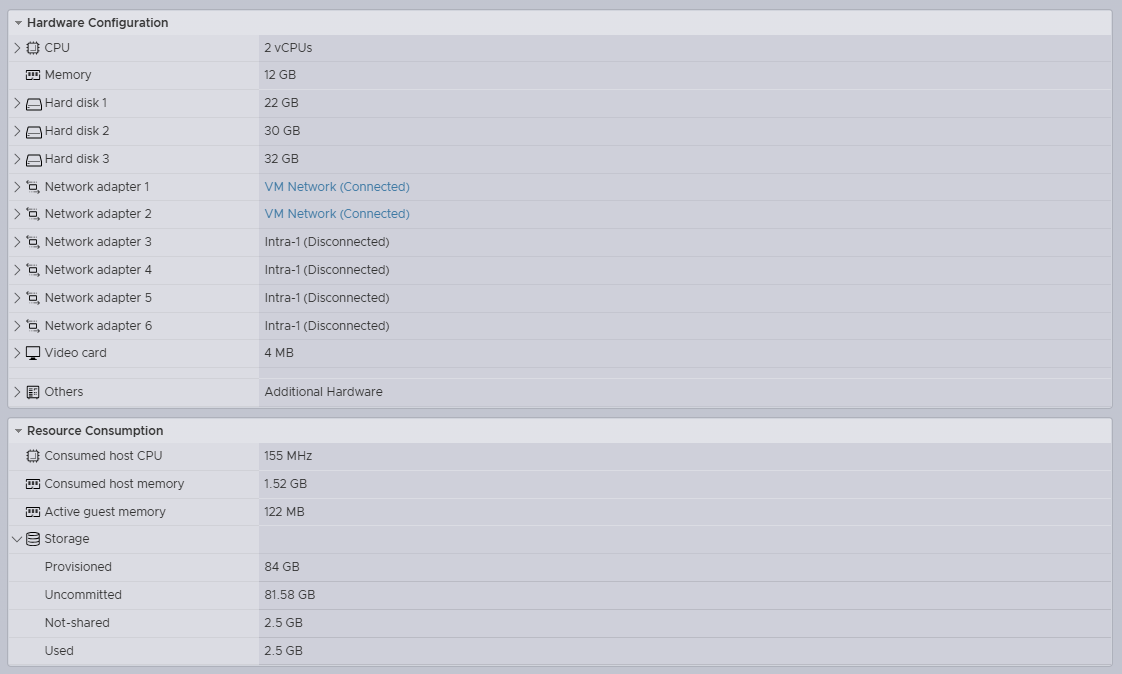
Summary: 除了新增用於資料儲存的虛擬磁碟外,不支援使用 vSphere 修改 Dell UnityVSA 虛擬機器 (VM) 的實體組態。
This article applies to
This article does not apply to
This article is not tied to any specific product.
Not all product versions are identified in this article.
Symptoms
- 系統管理員從 Dell Unity 的實體組態中移除 vNIC
- 在不中斷升級 (NDU) 期間重新開機
- 因此,在升級程序期間,儲存處理器 (SP) 重新開機後,資料將變為無法使用 (D/U)
- SP 無法在 Dell UnityVSA 上開機進入正常模式,且處於服務模式
/var/log/boot.out2016-10-31 13:53:14.649 Area from 00000001a1600000 ( 6678M), size 0000000020000000 ( 512M), name GmsPersistWrCa.1, checksum c51b07002016-10-31 13:53:14.654 Completely in E820 region from <0000000100000000> to <000000033fffffff> type <usable>2016-10-31 13:53:14.892 Refreshing registry, see /var/log/registry_load_dump.txt for details.2016-10-31 13:53:15.353 ===== virtual_hw_checks =====2016-10-31 13:53:16.789 Got bogus speed line in ethtool output for 'eth1' ( Speed: Unknown!). at /EMC/Platform/bin/virtual_hw_check.pl line 196.2016-10-31 13:53:17.058 0xFC1B3001 Virtual hardware configuration doesn't match supported profiles. Going to service mode.2016-10-31 13:53:17.144 12016-10-31 13:53:17.361 =================================================================2016-10-31 13:53:17.370 === *** Going into service mode because of a fault *** ===2016-10-31 13:53:17.379 =================================================================2016-10-31 13:53:17.387 === When escalating to platform services, please make sure to ===2016-10-31 13:53:17.398 === include the messages ABOVE this notice. You can ignore ===2016-10-31 13:53:17.408 === any errors below. ===2016-10-31 13:53:17.416 =================================================================
Cause
在 vSphere 中修改 Dell UnityVSA 實體組態不受支援,並可能導致資料無法使用的問題。問題通常會在 SP 重新開機後觸發。
「除了新增虛擬磁碟來儲存使用者資料外,不支援使用 vSphere 修改 UnityVSA VM 的實體組態 (例如新增或移除網路介面,或是修改 VM 的快取大小)。Dell EMC UnityVSA 安裝指南 5.x 2021 年 6 月 (第 13 頁)
Resolution
- 使用 vSphere 重新新增移除的 vNIC,然後將 SP 重新開機
- 復原在 vSphere 中所做的所有實體變更,然後將 SP 重新開機
Affected Products
Dell EMC Unity, Dell EMC Unity Family |Dell EMC Unity All Flash, Dell EMC Unity HybridArticle Properties
Article Number: 000052850
Article Type: Solution
Last Modified: 08 Oct 2025
Version: 3
Find answers to your questions from other Dell users
Support Services
Check if your device is covered by Support Services.