Dell EMC Unity Family: How To Configure user access to Unisphere (User Correctable)
Summary: The system enables you to control access to its Unisphere by creating local accounts for using Unisphere.
This article applies to
This article does not apply to
This article is not tied to any specific product.
Not all product versions are identified in this article.
Instructions
The system enables you to control access to its Unisphere by creating local accounts for using Unisphere.
The initial administrator account is created during the initial configuration process, which requires changing the password from the initial factory setting. Storage administrators create additional local user accounts by selecting the Setting icon and selecting Users and Groups > User Management > Add.
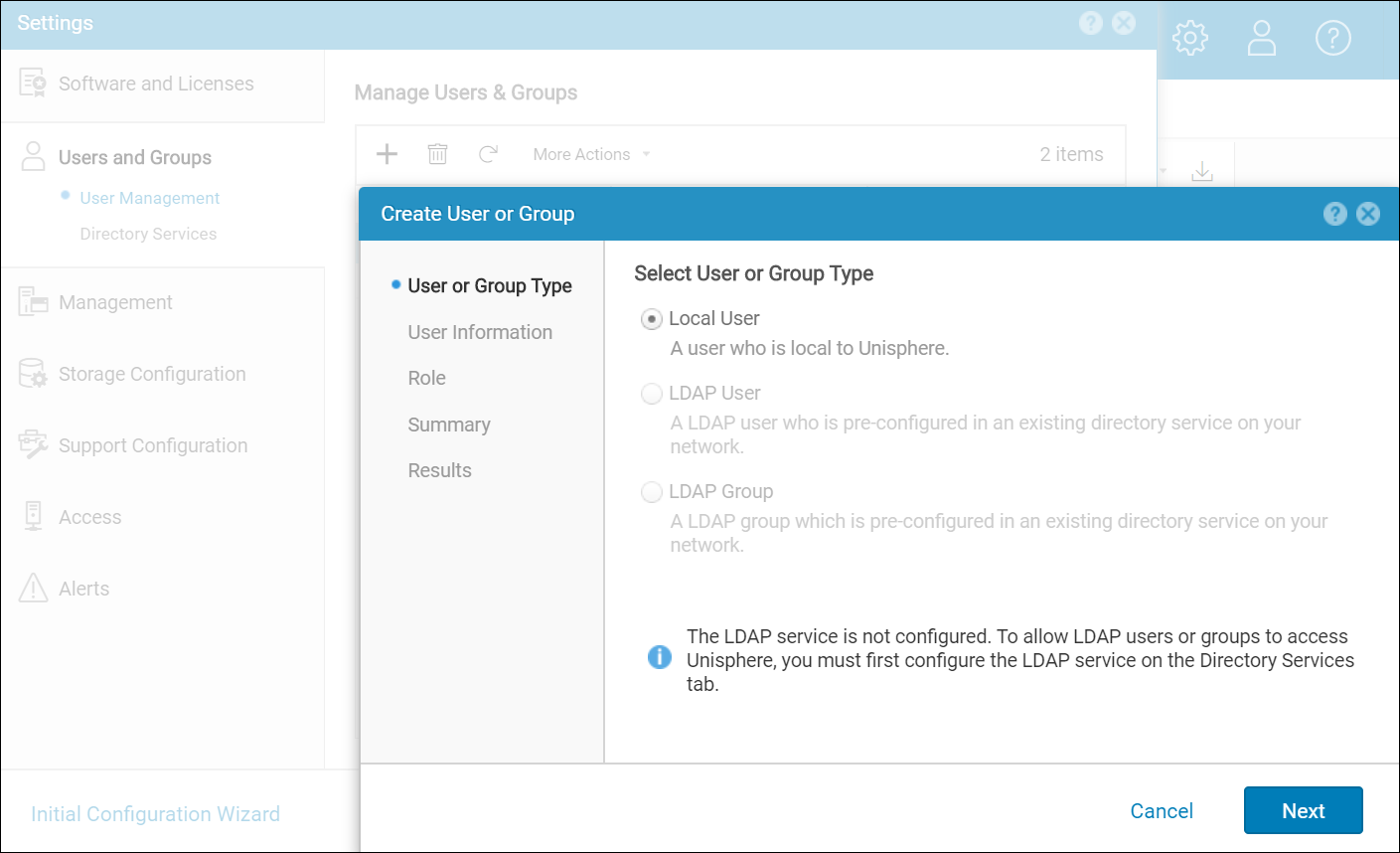
When creating a local user local account, specify the following account information:
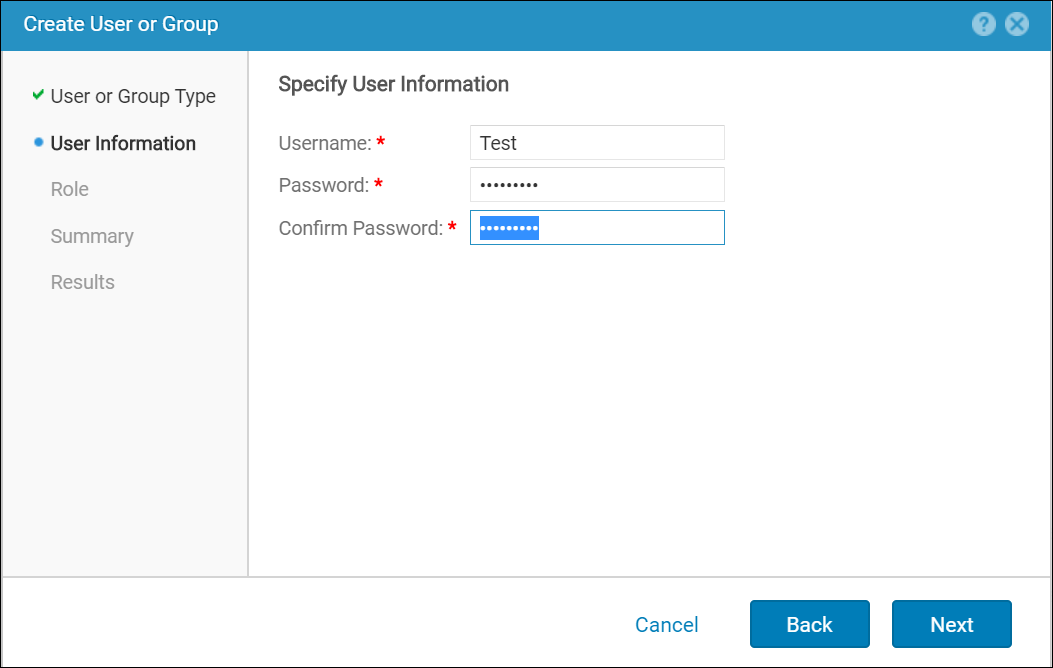
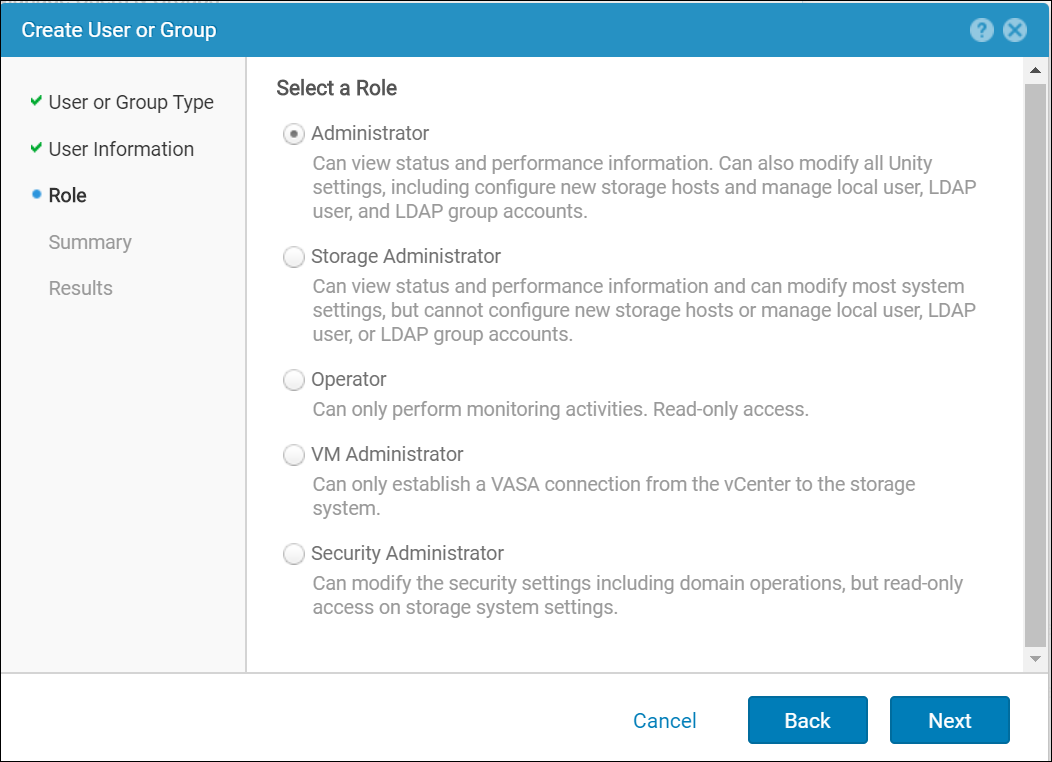
The role setting determines what types of tasks the user can perform after logging in. Local accounts apply only to the specific storage system for which they are being created. A local user created for one storage system will not have access to another storage system.
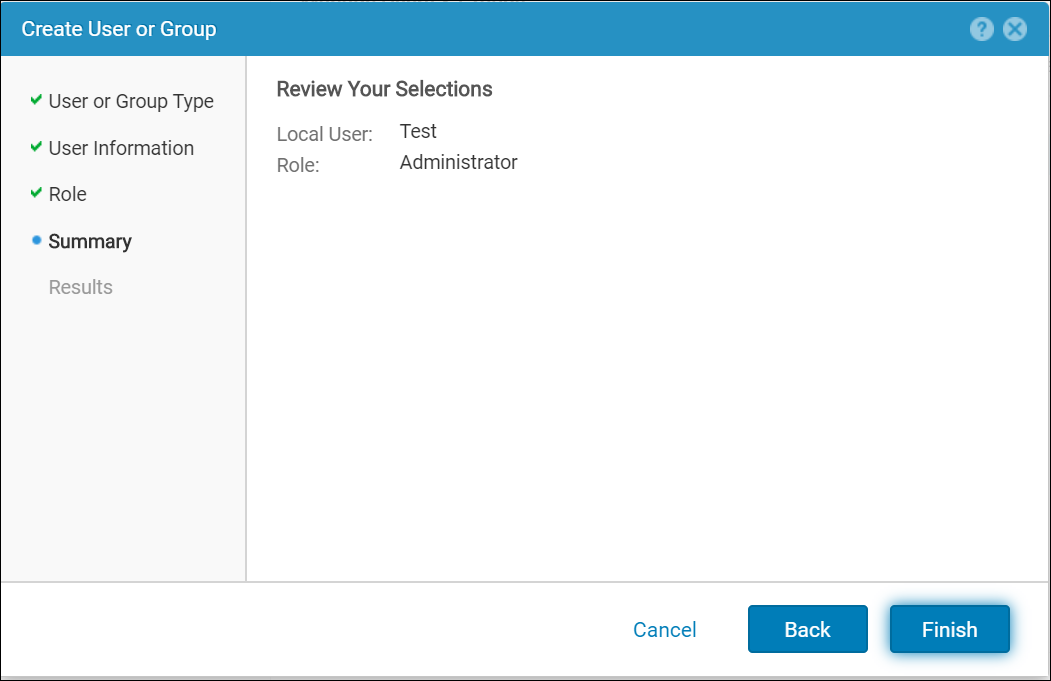
Review the selection in the summary page and click finish to submit the activity of local user creation.
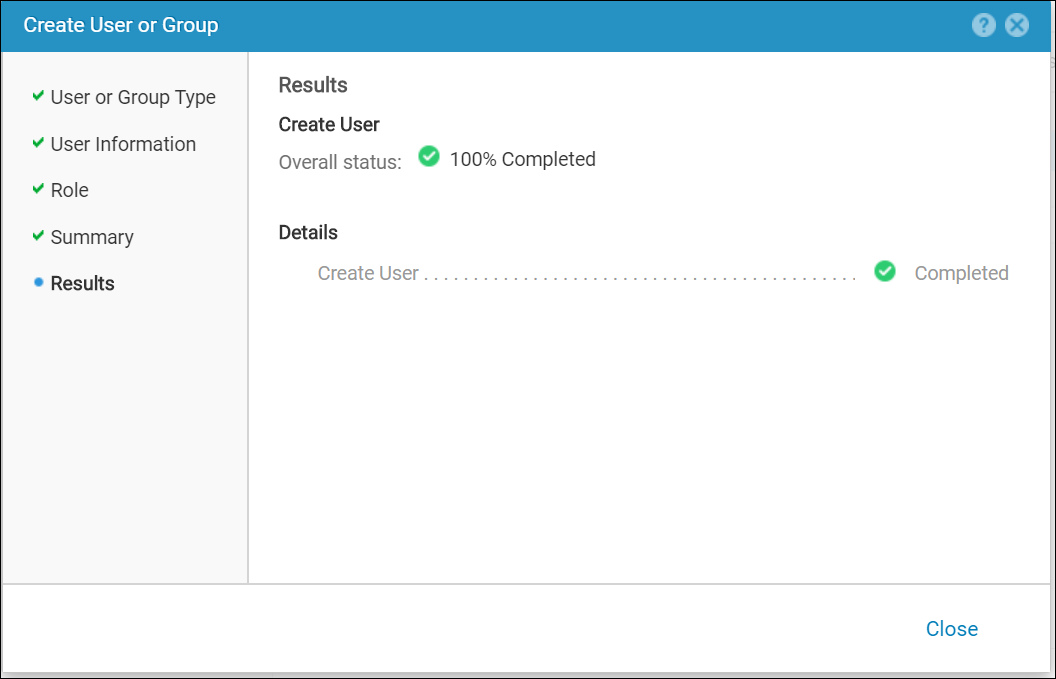
The role of the created/existing user and their password can be modified at any point from more actions pane:
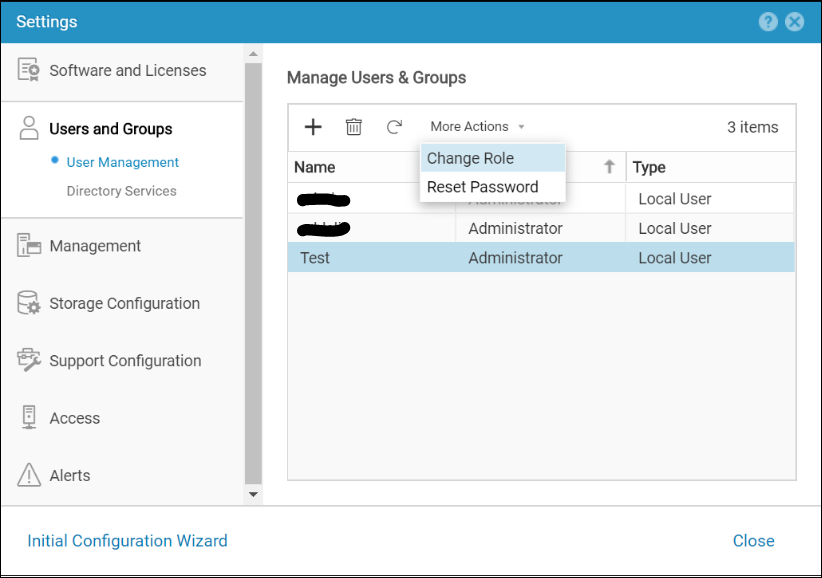
The initial administrator account is created during the initial configuration process, which requires changing the password from the initial factory setting. Storage administrators create additional local user accounts by selecting the Setting icon and selecting Users and Groups > User Management > Add.
When creating a local user local account, specify the following account information:
- User name
- User password
- User role
The role setting determines what types of tasks the user can perform after logging in. Local accounts apply only to the specific storage system for which they are being created. A local user created for one storage system will not have access to another storage system.
Review the selection in the summary page and click finish to submit the activity of local user creation.
The role of the created/existing user and their password can be modified at any point from more actions pane:
Additional Information
When users log in to Unisphere with LDAP accounts, they must specify their username in the following format:
USERNAME: domain/username (for example, domain.example.com/Administrator).
PASSWORD: Password for the domain account.
USERNAME: domain/username (for example, domain.example.com/Administrator).
PASSWORD: Password for the domain account.
Affected Products
Dell EMC Unity FamilyProducts
Dell Unity 300, Dell EMC Unity 300F, Dell EMC Unity 400, Dell EMC Unity 400F, Dell EMC Unity 500, Dell EMC Unity 500F, Dell EMC Unity 600, Dell EMC Unity 600F, Dell EMC Unity Family |Dell EMC Unity All Flash, Dell EMC Unity Family
, Dell EMC Unity Hybrid
...
Article Properties
Article Number: 000023650
Article Type: How To
Last Modified: 16 Oct 2025
Version: 5
Find answers to your questions from other Dell users
Support Services
Check if your device is covered by Support Services.