VxRail: Do not enable IGMP/MDL snooping on the virtual Distributed Switch
Summary: VxRail: Do not enable IGMP/MDL snooping on the virtual Distributed Switch
This article applies to
This article does not apply to
This article is not tied to any specific product.
Not all product versions are identified in this article.
Symptoms
Enabling IGMP/MDL snooping on the virtual Distributed Switch causes PSOD on all nodes.
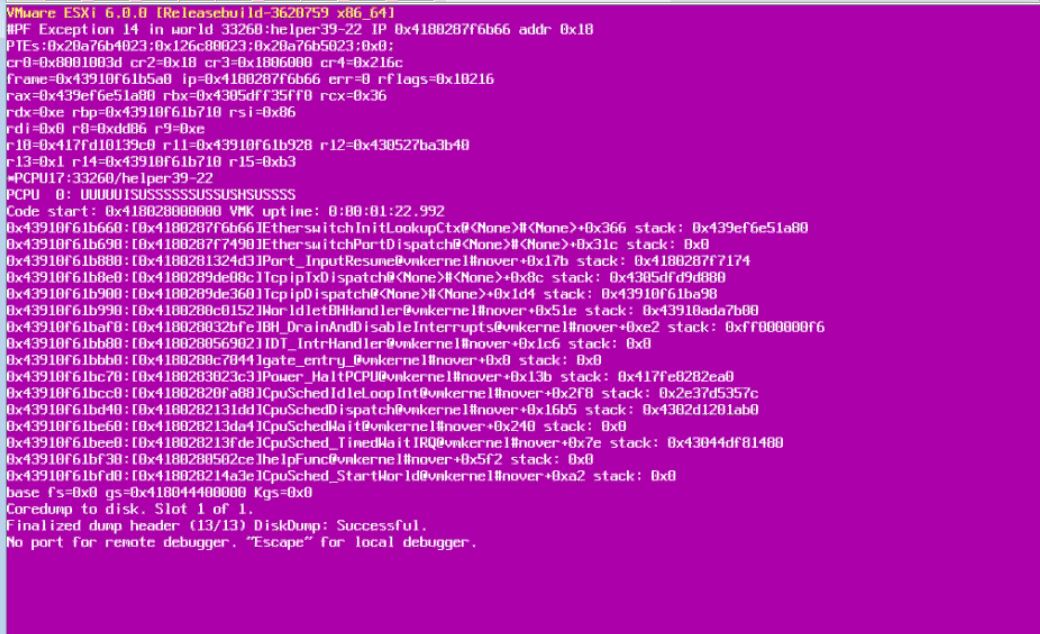
Cause
IGMP/MDL snooping is not currently supported on the virtual Distributed switch, but IGMP snooping and querier can be enabled on the physical switch.
** Note: Enabling IGMP snooping and querier on the physical switch can also cause issues like network partitions. Please be sure to research and follow the correct procedures according to your switch documentation and network configuration.**
** Note: Enabling IGMP snooping and querier on the physical switch can also cause issues like network partitions. Please be sure to research and follow the correct procedures according to your switch documentation and network configuration.**
Resolution
If you have enabled IGMP/MDL snooping on the virtual Distributed switch and had your nodes PSOD.
1.Reboot the nodes.
2. Once vCenter is back online, disable IGMP/MDL snooping.
1.Reboot the nodes.
2. Once vCenter is back online, disable IGMP/MDL snooping.
a. In the vSphere Web Client, navigate to the distributed switch.
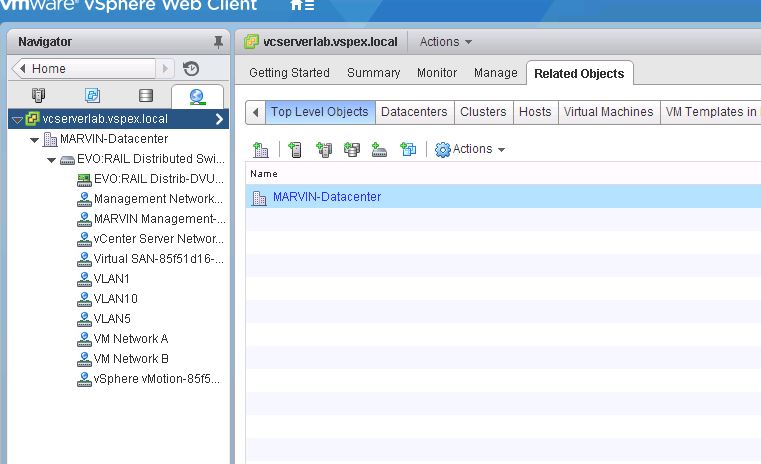
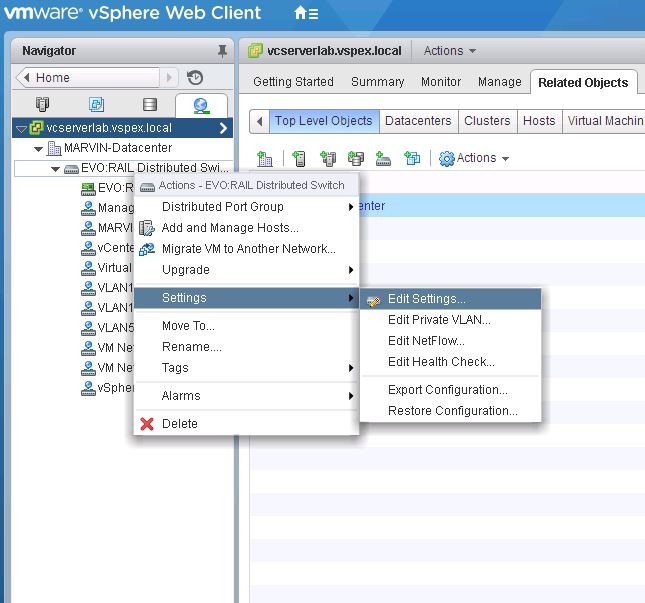
b. From the Actions menu, select Settings > Edit Settings.
c. In the dialog box that displays the settings of the switch, click Advanced.
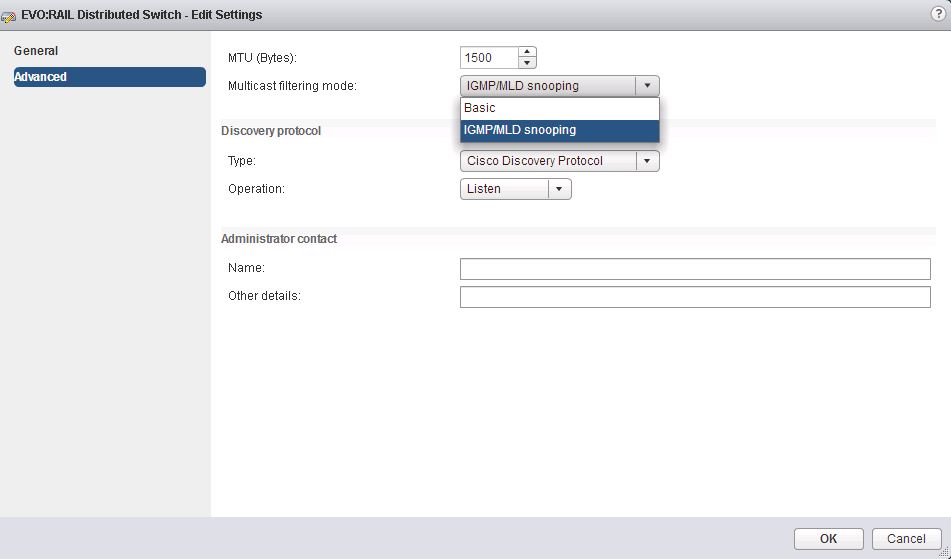
d. From the Multicast filtering mode drop-down menu, select Basic, and click OK.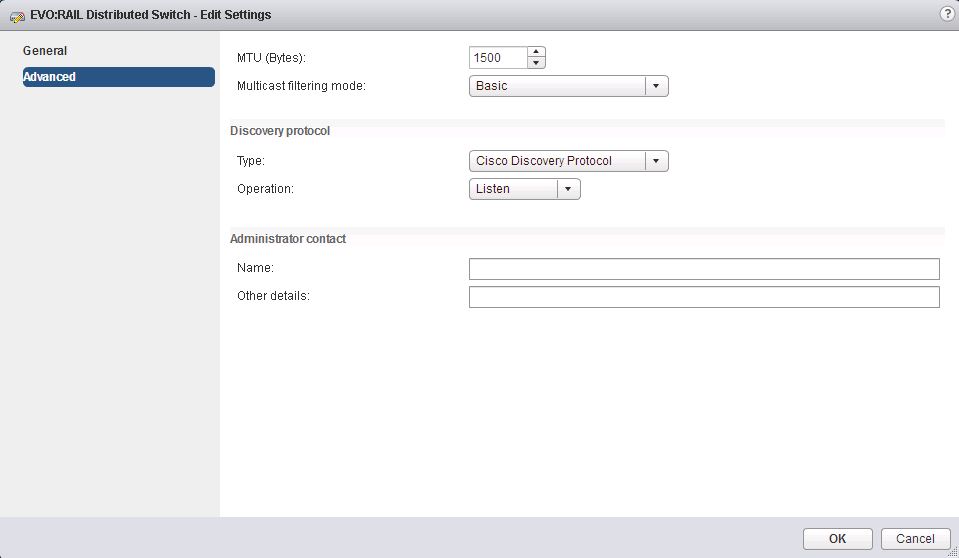
b. From the Actions menu, select Settings > Edit Settings.
c. In the dialog box that displays the settings of the switch, click Advanced.
d. From the Multicast filtering mode drop-down menu, select Basic, and click OK.
3. If any nodes are still PSOD, reboot again after disabling IGMP/MDL snooping on the virtual Distributed switch.
-- If Problems continue open up a support request to get additional help.
Affected Products
VxRail Appliance FamilyProducts
VxRail Appliance Family, VxRail Appliance SeriesArticle Properties
Article Number: 000056589
Article Type: Solution
Last Modified: 13 Mar 2025
Version: 4
Find answers to your questions from other Dell users
Support Services
Check if your device is covered by Support Services.