Color Banding with Dell Premier Color Application with Intel integrated Graphics
Summary: This article provides information about Color Banding on images when using Dell Premier Color and Intel integrated graphics.
This article applies to
This article does not apply to
This article is not tied to any specific product.
Not all product versions are identified in this article.
Symptoms
Affected Platforms:
- Precision 3520
- Precision 3530
- Precision 3540
- Precision 3541
- Precision 5510
- Precision 5520
- Precision 5530 2-in-1
- Precision 5530
- Precision 5540
- Precision 7510
- Precision 7520
- Precision 7530
- Precision 7540
- Precision 7710
- Precision 7720
- Precision 7730
- Precision 7740
- XPS 15 7590
- XPS 15 9550
- XPS 15 9560
- XPS 15 9570
- XPS 15 9575 2-in-1
- XPS 17 9700
Color Banding with the Dell Premier Color Application
Note: Systems with Intel Gen9 and Gen10 integrated graphics are affected: Intel HD/UHD/Iris/Iris Pro 5XX, P5XX, 6XX, and P6XX
Color banding (contouring) can be seen on XPS and Dell Precision laptops with the Premier Color application and Intel-integrated graphics. This happens when viewing an image or video playback on the darker part (low-end blacks).
The color banding gets more significant as we decrease the Gamma value using the Gamma slider on the Premier Color User Interface (UI). Color banding gets less significant as we increase the Gamma value using the Gamma slider on Premier Color UI.
Below are examples with the Color banding (contouring) issue when Premier Color is installed:
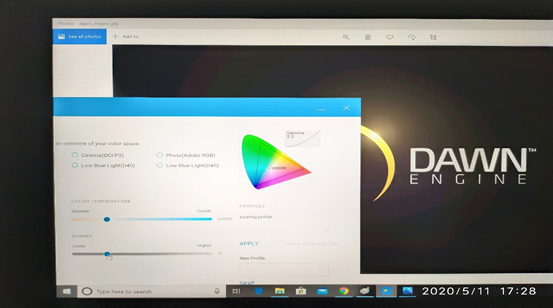
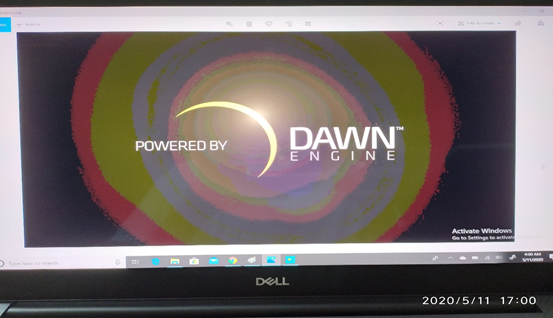
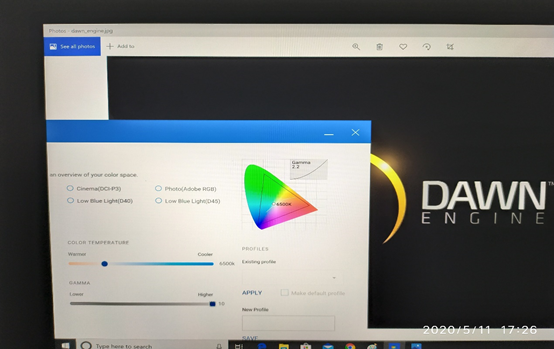
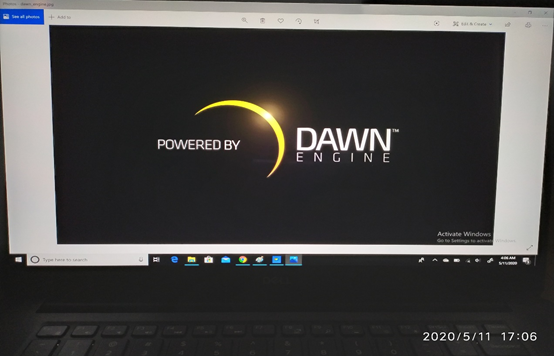
- Color banding (contouring) is observed on the darker part of the image.
- When decreasing the Gamma value using the Gamma slider, color banding (contouring) gets more significant.
- When increasing the Gamma value using the Gamma slider, color banding (contouring) gets less significant.
Cause
Color banding (contouring) happens because the Gamut remapping can introduce artifacts in the low-end blacks, which are a limitation with the Intel-integrated graphics. This issue can be seen when enabling the WideGamut registry and viewing select content. The hardware is working as designed. The next generation of Intel-integrated graphics will improve the color banding (contouring) behavior.
Resolution
If you have further questions about this article, contact Dell Technical Support.
Affected Products
Precision 3520, Precision 3530, Precision 3540, Precision 3541, Precision 5520, Precision 5530 2 in 1, Precision 5530, Precision 5540, Precision 7520, Precision 7530, Precision 7540, Precision 7720, Precision 7730, Precision 7740, Precision 5510
, Precision 7510, Precision 7710, XPS 15 7590, XPS 15 9550, XPS 15 9560, XPS 15 9570, XPS 15 9575 2-in-1, XPS 17 9700
...
Article Properties
Article Number: 000130943
Article Type: Solution
Last Modified: 30 Sep 2025
Version: 8
Find answers to your questions from other Dell users
Support Services
Check if your device is covered by Support Services.