Dell Networking N Series - How to configure SNMPv3
Summary: How to configure SNMPv3 on Dell Networking N series switches.
This article applies to
This article does not apply to
This article is not tied to any specific product.
Not all product versions are identified in this article.
Symptoms
Steps in configuring SNMPv3
-
Creating a SNMpv3 view.
-
Creating a SNMPv3 Group and associating with the View.
-
Creating a SNMPv3 user and associating with the Group
1. Creating a SNMPv3 View
-
A SNMPv3 view defines what we can see on the switch.
-
A View defines what MIB family that we have access to from the MIB Subtree.
-
For Example, if we select the View as "system" from the MIB subtree, the user could poll all the information which is below "system" Object Identifier (OID).
-
Similarly, if we need visibility to all the parameters, we can configure the view as "iso" from the MIB subtree.
Commands
console# configure
console(config)# snmp-server view test_view internet included
CLI Breakdown
| Parameter | Description |
| test_view | name we create locally on the switch for the SNMP view |
| internet |
MIB family which we select from the OID subtree. |
2. Creating an SNMPV3 Group
-
The next step after creating a SNMPv3 view is to create a SNMPv3 group and associate it with the view that has been created.
Commands:
console(config)# snmp-server group test_group v3 ‘noauth/auth/priv’ ‘read/write’ test_viewCLI Breakdown
| Parameter | Description |
| test_group | name we create locally on the switch for the SNMP group |
| noauth/auth/priv | authentication type |
| test_view | Associating the SNMPV3 group with the SNMPV3 view created earlier. |
auth - Specifies authentication of a packet without encrypting it.
noauth - Specifies no authentication of a packet.
priv - Specifies authentication of a packet with encryption.
3. Creating an SNMPV3 User
The next step after creating a SNMPv3 group is to create a SNMPv3 user and associate it with the group that has been created.
Commands
console(config)# snmp-server user test_user test_group auth-md5 password1 priv-3des password2CLI Breakdown
| Parameter | Description |
| test_user | name we create locally on the switch for the SNMP user |
| test_group | Associating the SNMPV3 user with the SNMPV3 group created earlier. |
| Auth | Authentication password |
| Priv | Encryption key |
Configuration Example
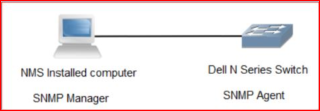
console# configure
console(config) snmp-server view test_view internet included
console(config) snmp-server group test_group v3 priv read test_view
console(config) snmp-server user test_user test_group auth-md5 password1 priv-3des password2
Switch Running Configuration output
console# show running-config
...
snmp-server view "test_view" internet included
snmp-server group "test_group" v3 priv read "test_view"
snmp-server user "test_user" test_group auth-md5-key 240826d65a17fe9d8826630917f60b0f priv-3des-key 240826d65a17fe9d8826630917f60b0f400dd0592395032de9b2ad0759c017e9
...
Cause
.
Resolution
.
Affected Products
N Series, PowerSwitch, PowerSwitch N1500 Series, PowerSwitch N2000 Series, Dell EMC PowerSwitch N3000E-ON Series, PowerSwitch N4000 SeriesArticle Properties
Article Number: 000133707
Article Type: Solution
Last Modified: 02 Apr 2025
Version: 4
Find answers to your questions from other Dell users
Support Services
Check if your device is covered by Support Services.