Dell Precision 5820 and 7920: Imaging Steps for NVMe Drives in the FlexBay
Summary: Follow the steps for imaging an NVMe drive in the Dell Precision 5820 and 7920 workstations.
This article applies to
This article does not apply to
This article is not tied to any specific product.
Not all product versions are identified in this article.
Instructions
Precision 5820 and 7920 Imaging
When imaging the Precision 5820 or 7920 systems with Flex bay NVMe drives, they may require additional steps to accomplish a successful image:
Microsoft Deployment Toolkit:
- Ensure to use the latest version of Windows 10 Assessment and Deployment Kit (ADK).
- The system must be imaged in UEFI mode.
Download the Intel RSTe 5.3.1 driver here (Direct Download):
https://downloads.dell.com/FOLDER04699307M/1/Intel-Rapid-Storage-Technology-enterprise-F6-Driver_TV5DJ_WIN_5.3.1.1019_A03.EXE

Import all drivers from the following directories:
Intel-Rapid-Storage-Technology-enterprise-F6-Driver_TV5DJ_WIN_5.3.1.1019_A03\RSTe_f6_iaStorE_win8_64
Intel-Rapid-Storage-Technology-enterprise-F6-Driver_TV5DJ_WIN_5.3.1.1019_A03\RSTe_f6_iaVROC_win8_64
- NVMe shows as Disk 1
- SATA is Disk 0
- Secure Digital (SD) Card is Disk 2
Change Install Operating System to Next available formatted partition.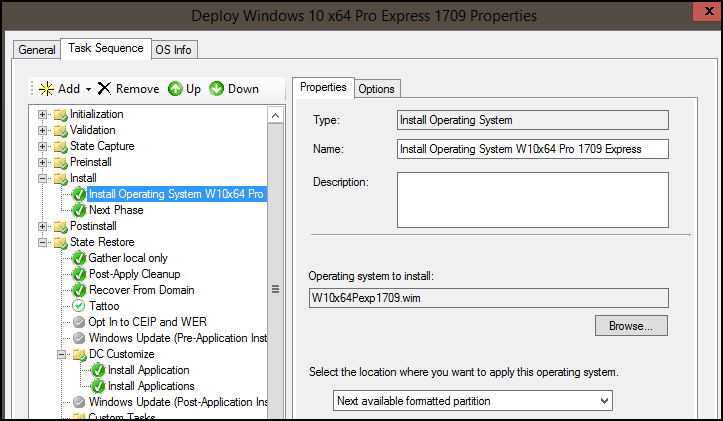
Windows Deployment Properties
Upgrading Storage in the Dell Precision 5820, 7820, and 7920 Tower Workstations
How To Switch NVMe for Precision 5820 and 7820 Tower
System Center Configuration Manager (SCCM) 2012
Some changes may need to be made in how SCCM images systems:
- Make sure to be using the latest version of Windows 10 ADK.
- The system must be imaged in UEFI mode.
Download the Intel RSTe 5.3.1 driver here (Direct Download):
https://downloads.dell.com/FOLDER04699307M/1/Intel-Rapid-Storage-Technology-enterprise-F6-Driver_TV5DJ_WIN_5.3.1.1019_A03.EXE
Import all drivers from the following directories:
Intel-Rapid-Storage-Technology-enterprise-F6-Driver_TV5DJ_WIN_5.3.1.1019_A03\RSTe_f6_iaStorE_win8_64
Intel-Rapid-Storage-Technology-enterprise-F6-Driver_TV5DJ_WIN_5.3.1.1019_A03\RSTe_f6_iaVROC_win8_64
Download the Intel NVMe driver here:
https://downloadcenter.intel.com/download/30544?v=t
Import the drivers from the following directories:
4.0.0.1007-x64-Client.zip\4.0.0.1007-x64-Client\
Import the new drivers into the current boot image.
- NVMe shows as Disk 0
- SATA Disk 1
- SD Card Disk 2
Boot image drivers: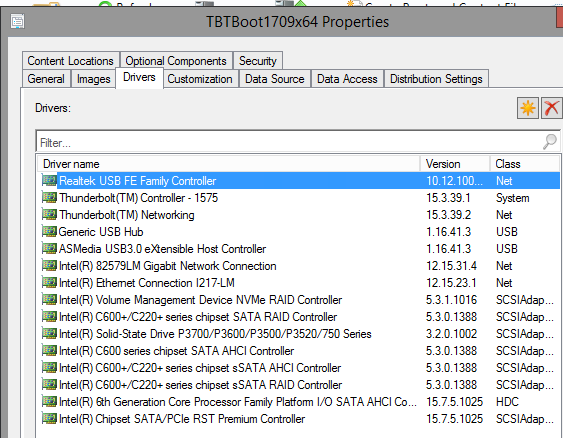
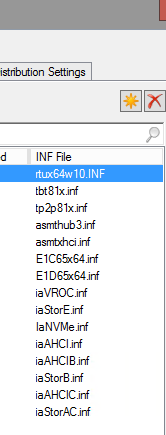
System Center Configuration Manager Properties
Task Sequence:
Ensure to use "Next available formatted partition" for the location that Windows will be applied to: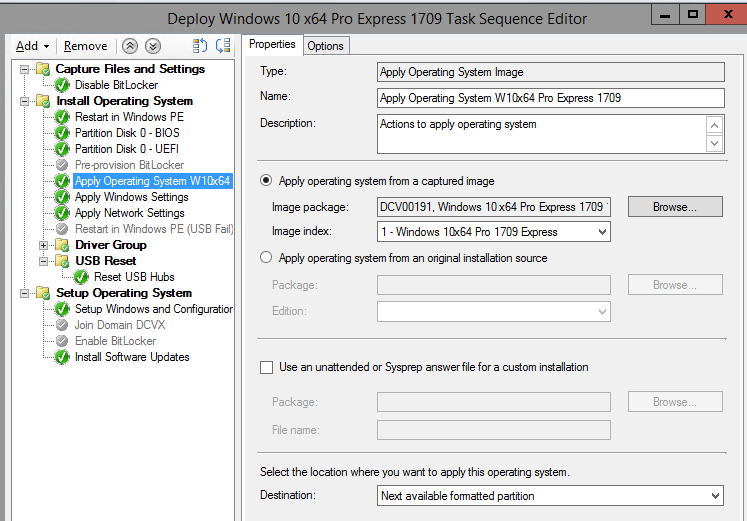
Windows Deployment Properties
Ensure to use the proper CAB file for the 5820 / 7920 in the Task Sequence: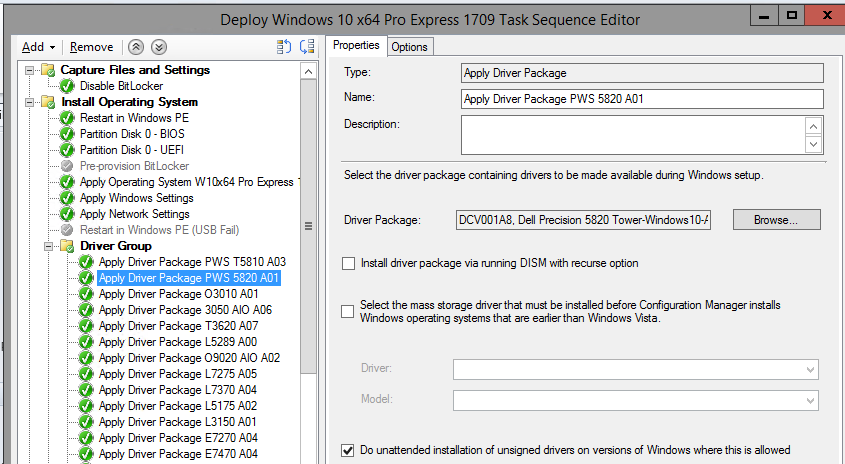
Windows Deployment Properties
KACE Imaging For 5820
The following process should be followed to get 1709 to install using KACE after making a new PE 10 1703 boot disc (PE 10 1709 requires SMB2). K2000 4.0 or later supports SMB2.
Download the Intel RSTe 5.3.1 driver here (Direct Download):
https://downloads.dell.com/FOLDER04699307M/1/Intel-Rapid-Storage-Technology-enterprise-F6-Driver_TV5DJ_WIN_5.3.1.1019_A03.EXE
Import all drivers from the following directories:
Intel-Rapid-Storage-Technology-enterprise-F6-Driver_TV5DJ_WIN_5.3.1.1019_A03\RSTe_f6_iaStorE_win8_64
Intel-Rapid-Storage-Technology-enterprise-F6-Driver_TV5DJ_WIN_5.3.1.1019_A03\RSTe_f6_iaVROC_win8_64
https://downloadcenter.intel.com/download/30544?v=t
4.0.0.1007-x64-Client.zip\4.0.0.1007-x64-Client\
KBE (KACE Boot Environment) drivers directory.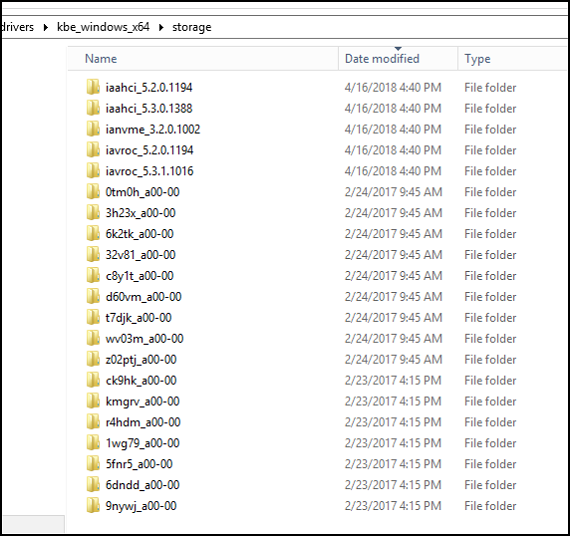
Windows Drivers Directory
Scripted installation: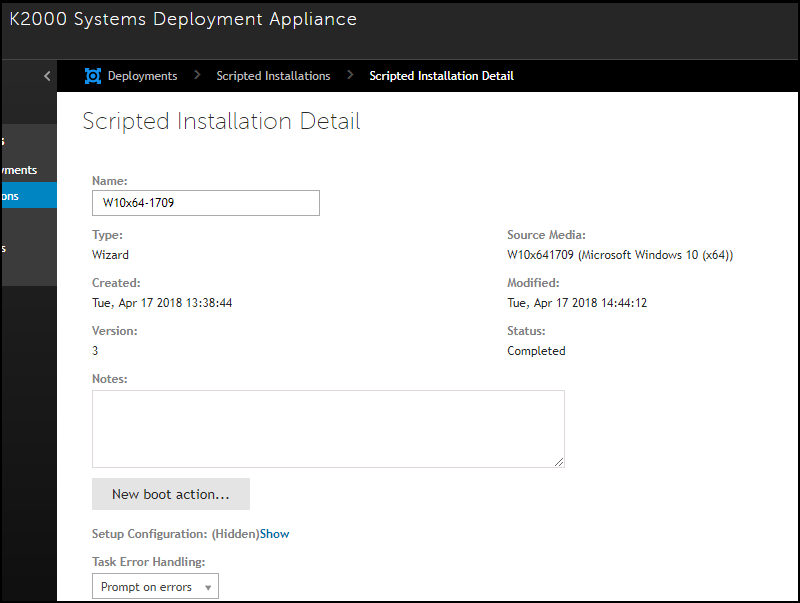
KACE Systems Deployment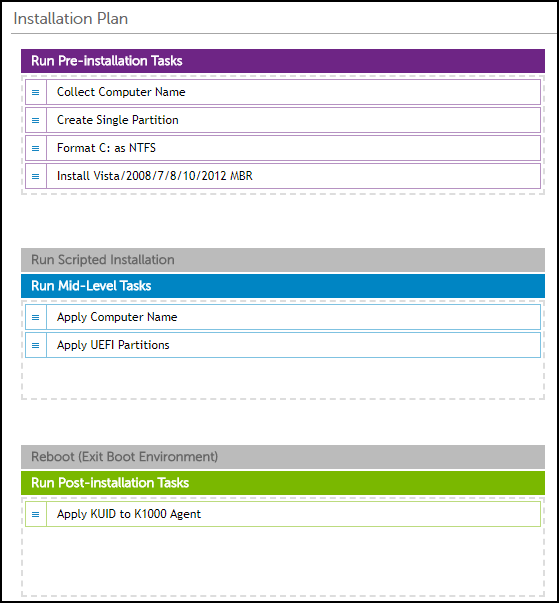
KACE Installation Plan
Using the driver feed: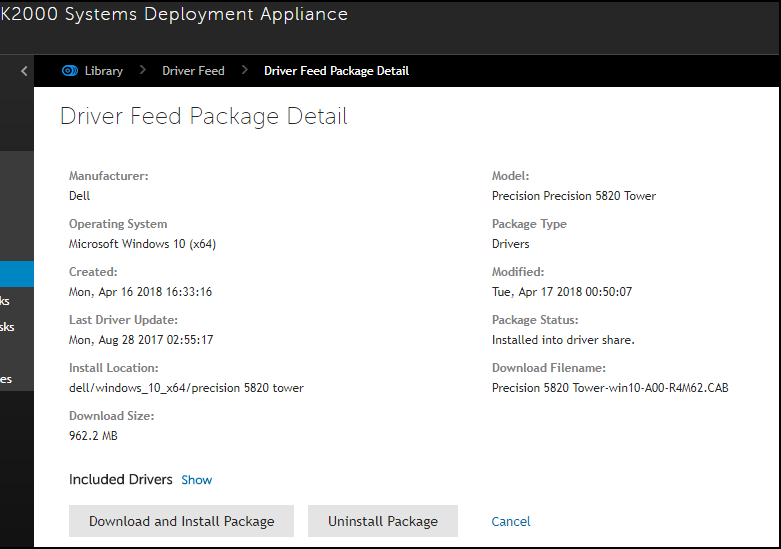
Windows Drivers Directory
Affected Products
5820 XL Tower, 7920 XL Tower, Precision 5820 Tower, Precision 7920 TowerArticle Properties
Article Number: 000141213
Article Type: How To
Last Modified: 05 Nov 2025
Version: 11
Find answers to your questions from other Dell users
Support Services
Check if your device is covered by Support Services.